
Stickman: draw animation maker

10M+
Installs
Appache apps and games ltd
Developer
-
Art & Design
Category
-
Rated for 3+
Content Rating
-
https://appache.games/policy
Privacy Policy
Screenshots
editor reviews
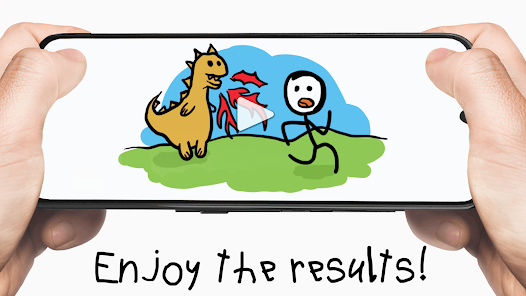
Stickman: Draw Animation Maker is a mobile app developed by Appache Apps and Games Ltd that lets you create frame-by-frame stick figure animations right on your phone. It falls under the creative tools or animation category, and it is mainly used by people who want to make simple, hand-drawn animated clips without needing professional software. You can download it for free from both Google Play and the App Store, and the install count is in the millions, which gives you a sense of how many casual creators have tried it. After I launched it for the first time, I saw a clean, no-fuss interface that asked me to either start a new project or browse community animations. No forced registration, no aggressive ad pop-ups, just a straightforward welcome screen. That first impression felt surprisingly refreshing compared to other free creative apps that push subscriptions on you before you even draw a line.
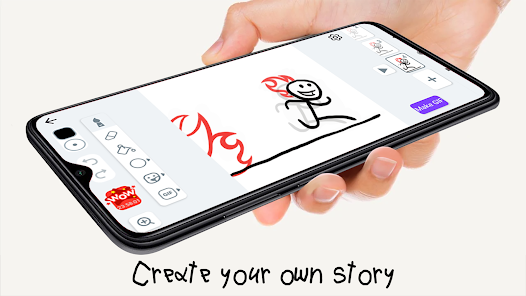
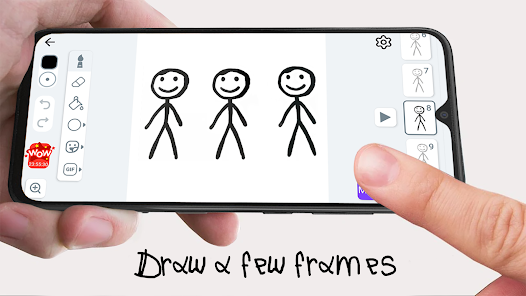
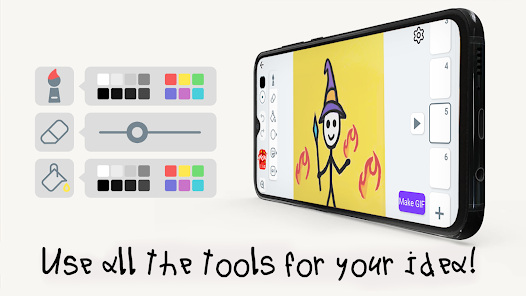
Once you tap into a new project, the workspace shows a plain white canvas with a simple toolbar at the bottom. The main idea is to draw a stick figure pose, then add a new frame and tweak the pose slightly, and repeat until you have a sequence. The app guides you through this with a timeline at the bottom where frames stack like cards, and you can tap the onion skin button to see a faint overlay of the previous frame. During my first session, I found drawing with my finger a bit wobbly at first, but after zooming in and using the undo button generously, I got the hang of it. There are also tools for line thickness, color, and a fill tool for backgrounds. A small tip I picked up: use the copy frame option to duplicate a pose and then adjust it, which saves a lot of time. The app does not have any complex onboarding tutorial, so you kind of learn by trial and error, but the learning curve is gentle.
After using Stickman: Draw Animation Maker for a couple of weeks, I think it is a neat tool for anyone who wants to mess around with animation without pressure. It feels perfect for kids, hobbyists, or people who just want to make silly gifs for friends. However, if you are looking for something with advanced rigging, auto-tweening, or professional export options, this app will feel too basic. Compared to apps like FlipaClip or RoughAnimator, Stickman focuses purely on the stick figure style and keeps the tools minimal, which can be either a charm or a limitation. I personally kept it installed because it loads fast and does not demand much mental energy to use. On the flip side, the free version shows ads between frames sometimes, and the export resolution is limited unless you upgrade. I could see someone uninstalling if they want more control over brush types or layer management. It is a simple app for simple fun, and that is exactly its place.
features
- ✏️ Frame-by-frame drawing with onion skin: The core feature is the classic flipbook-style animation where you draw each frame manually. The onion skin overlay helps you see the previous frame faintly, which is essential for smooth motion. Compared to FlipaClip, which offers multiple layers and audio tracks, Stickman keeps it more stripped down and focused on the drawing process itself.
- ✏️ Simple timeline and copy tools: The timeline at the bottom organizes frames as cards, and you can duplicate or reorder them easily. This makes looping actions like walking cycles much faster. In contrasting with RoughAnimator, which has a more complex timeline with keyframes, Stickman's approach feels more beginner-friendly and less intimidating.
- ✏️ Community gallery and sharing: You can browse animations made by other users and share your own creations directly from the app. This creates a small social loop where you can get inspired or show off your work. Other apps like Animation Desk also have community features, but Stickman's community leans heavily toward the goofy, low-stakes stick figure style, which suits its vibe perfectly.
pros
- 🌟 Super easy to start: The app has almost no learning curve. You open it, tap the plus button, and start drawing immediately. There is no account setup or tutorial to sit through. This makes it much more accessible than something like Procreate Pocket, which can feel overwhelming for a beginner.
- 🌟 Lightweight and fast: The app loads quickly and does not lag even on older phones. The file sizes stay small because you are only working with stick figures and simple shapes. This is a big win over heavier apps like Clip Studio Paint for mobile, which can eat up storage and processing power.
- 🌟 No pressure to be artistic: Because the focus is on stick figures, you do not need any drawing skill to have fun. This lowers the barrier compared to apps like Adobe Fresco, where you might feel pressured to create polished illustrations. Stickman lets you just play around without judgment.
cons
- 💔 Limited brush and tool options: There are only a few line thicknesses and colors, and no custom brush creation. If you want more variety in your lines or textures, you will feel restricted. FlipaClip offers more brush types and a color wheel, which makes a noticeable difference when you want to experiment.
- 💔 No layer system: You can only draw on one layer per frame, which makes complex animations hard to manage. If you want to separate a background from a character, you are out of luck. RoughAnimator supports multiple layers, giving you much more control over complex scenes.
- 💔 Ads and export limits in free version: Ads pop up occasionally, and the export resolution is capped unless you pay. For someone who wants to share high-quality animations, this can be frustrating. Animation Desk lets you export in 1080p for free, which makes it a better pick for serious hobbyists.
- 💔 No audio support: You cannot add sound effects or music to your animations. This is a huge drawback if you want to create anything with a soundtrack. FlipaClip allows audio import, so Stickman feels behind in that area.
Recommended Apps
![]()
BetterMe: Health Coaching
BetterMe Limited4.3
![]()
Walli - HD, 4K Wallpapers
Tap AI4.4![]()
Future Self - Old Age Filter
Vidler Koiter1.6
![]()
AI Photo Editor, Collage-Fotor
AI Art Photo Editor | Everimaging Ltd.4.3![]()
AI Face Swap: MagicFace &Photo
Braly JSC0![]()
QR Code Reader: QR Scanner
WECHOICE MOBILE4.3![]()
Lip Fall Challenge: Fun Filter
Braly JSC0![]()
Funny Reverse Audio - Singing
PlayStudioInc0![]()
Birthday Secrets
shasunder4.4![]()
Live Wallpapers HD 4K
Wallpaper app4.4![]()
Find Your Phone By Clap
Trusted App Global4.5![]()
Wizz - Expand Your World
Wizz3.8![]()
NCAA March Madness Live
NCAA Digital4.7![]()
Hulu: Stream TV shows & movies
Disney4.5![]()
Lethal Love: a Yandere game
AniByte!4.4















Disclaimer
1.Apklifts does not represent any developer, nor is it the developer of any App or game.
2.Apklifts provide custom reviews of Apps written by our own reviewers, and detailed information of these Apps, such as developer contacts, ratings and screenshots.
3. All trademarks, registered trademarks, product names and company names or logos appearing on the site are the property of their respective owners.
4.Apklifts abides by the federal Digital Millennium Copyright Act (DMCA) by responding to notices of alleged infringement that complies with the DMCA and other applicable laws.
5.If you are the owner or copyright representative and want to delete your information, please contact us [email protected].
6.All the information on this website is strictly observed all the terms and conditions of Google Ads Advertising policies and Google Unwanted Software policy.
7.Apklifts.com is an independent, information-only website which is 100% free to all the users.














