
GPS Navigation Maps Directions

10M+
Installs
SaaAneeDroid
Developer
-
Productivity
Category
-
Rated for 3+
Content Rating
-
http://saaaneedroid.blogspot.com/2018/07/privacy-policy.html
Privacy Policy
Screenshots
editor reviews
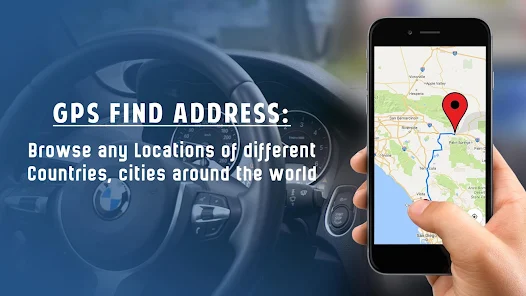
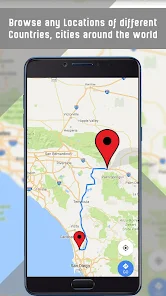
GPS Navigation Maps Directions by SaaAneeDroid is a free offline navigation app available on Google Play, with over 100,000 installs. It's designed for users who want reliable turn-by-turn directions without relying on a constant data connection. After downloading and installing the app, my first impression was that it looks a bit dated, but the focus on offline maps is immediately clear. You can download entire country maps to your phone, which is a huge plus if you're traveling or have limited data. I opened it, and it asked me to choose a region to download, which took a few minutes for a larger area, but once that was done, I was ready to go without any registration or in-app purchases getting in the way.
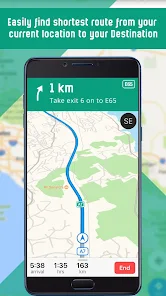
Actually using the app is pretty straightforward, though the interface isn't the most modern I've seen. The main screen shows a simple map with a search bar on top. You type in a destination, and it plots a route using the offline data. The voice guidance is basic but clear enough, and the app recalculates surprisingly fast if you miss a turn. Navigating the menus feels a bit clunky at first, but after a few trips, it becomes more intuitive. One thing I noticed is that the search for points of interest, like gas stations or restaurants, works much better when you're actually online, but for simple A-to-B routing, it's perfectly fine offline.
After using it for a week, I think this app is best for travelers, hikers, or anyone who frequently drives in areas with poor cell service. It's not going to replace something like Google Maps for daily city driving because the real-time traffic data and live business search are missing. What makes it different is that it's a fully functional offline solution without any subscription fees. I'll probably keep it installed for road trips where I know coverage will be spotty, but I'd uninstall it if I only drove in well-covered cities. It's a solid tool for a specific need, just not an everyday map app.
features
- 🗺️ Offline maps are the main draw here. Unlike Waze, which needs constant data, you can download entire regions and navigate without ever needing a signal. This is a lifesaver when you're out in the middle of nowhere.
- 🔄 GPS Navigation Maps recalculates routes almost instantly. I missed a turn on purpose during a test, and it had a new route figured out in under a second. Waze can lag when it's doing this, especially on older phones.
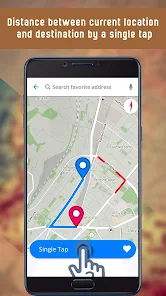
- 📏 The app shows distances and estimated times that felt accurate, even offline. Google Maps sometimes inflates times to account for traffic, but this app sticks to the raw math, which some people prefer for planning.
- 💰 It's completely free with no ads and no subscriptions. Compared to something like Sygic, which charges for premium offline packs, this one gives you everything upfront without asking for your credit card.
pros
- 📱 It's extremely lightweight. The app itself is small, and the map files, while big, are stored efficiently. It doesn't drain your battery as much as Google Maps does during long drives.
- 🔋 No internet dependency. This is its biggest strength over apps like Apple Maps or Here WeGo, which still need a connection for some features. You can stash your phone in airplane mode and still navigate perfectly.
- 🛣️ The route options are detailed. You can avoid tolls, highways, ferries, or unpaved roads. Waze has this too, but it's presented more clearly here without being buried in menus.
cons
- 🖥️ The user interface is genuinely outdated. It looks like something from 2015. Google Maps or Maps.me have much cleaner, more modern designs that make them easier to use on the go.
- 🔍 Point of interest search is weak when offline. While you can find major landmarks and streets, it struggles with local businesses or specific addresses. Google's offline search handles this much better.
- 🚦 No real-time traffic. You can't see jams or accidents ahead. Waze and Google Maps both offer live rerouting based on traffic conditions, which this app simply cannot do.
- 🔄 Map updates aren't automatic. You have to manually re-download regions when they get updated. OsmAnd, for example, pushes incremental updates, so you don't have to download the entire country again.
Recommended Apps
![]()
Japevox - Funny Prank Sound
SecureTool4.3
![]()
AstroMatrix Birth Horoscopes
AstroMatrix4.7
![]()
Personalized Call from Santa (
www.PackageFromSanta.com4.3![]()
Prank Call - Fake Call & Chat
Bravestars Casual4.1![]()
Persona: Beauty Camera
TICKET TO THE MOON, INC.4.5![]()
Peacock TV: Stream TV & Movies
Peacock TV LLC4.5![]()
Instant Buttons Soundboard App
Snow Peak Apps2.1![]()
GPS Speedometer: Speed Tracker
SM Infotech3.2![]()
Subway®
SUBWAY Restaurants4.2![]()
Find Your Phone By Clap
Trusted App Global4.5![]()
Gorilla Skins for Monkey Arena
Dumitru Boico4![]()
Vimeo
Vimeo.com, Inc.3.8![]()
Vinted - Buy and sell clothes
Vinted4.6![]()
Galaxy Starry Keyboard Backgro
Fun Keyboard Theme for Android4.7![]()
Chat AI - Ask AI anything
AI Chat Bot, Ask AI4.4















Disclaimer
1.Apklifts does not represent any developer, nor is it the developer of any App or game.
2.Apklifts provide custom reviews of Apps written by our own reviewers, and detailed information of these Apps, such as developer contacts, ratings and screenshots.
3. All trademarks, registered trademarks, product names and company names or logos appearing on the site are the property of their respective owners.
4.Apklifts abides by the federal Digital Millennium Copyright Act (DMCA) by responding to notices of alleged infringement that complies with the DMCA and other applicable laws.
5.If you are the owner or copyright representative and want to delete your information, please contact us [email protected].
6.All the information on this website is strictly observed all the terms and conditions of Google Ads Advertising policies and Google Unwanted Software policy.
7.Apklifts.com is an independent, information-only website which is 100% free to all the users.













