
Learn to Draw Cartoon

5M+
Installs
Creative APPS
Developer
-
Art & Design
Category
-
Rated for 3+
Content Rating
-
https://sites.google.com/view/draw-apps-for-free/
Privacy Policy
Screenshots
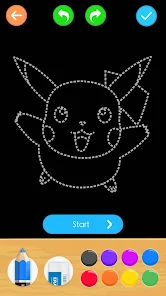
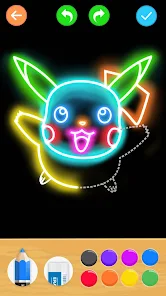
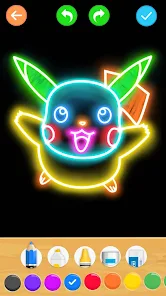
editor reviews
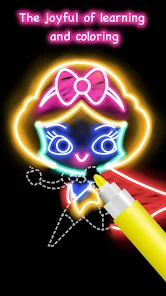
Learn to Draw Cartoon is a straightforward educational app that teaches you how to sketch various characters step by step. It falls under the lifestyle and creativity category, and you can download it for free from both Google Play and the App Store. The main purpose is to guide users through drawing popular cartoon figures, making it useful for beginners or anyone wanting to pass time creatively. I found it after a quick search for drawing tutorials, and the first impression was decent — the icon is colorful, and the interface looks clean. There's no need to register right away, and you can start using it immediately after installation. However, there are occasional ads and in-app purchases for unlocking extra tutorials, which can be a bit distracting at the start.
Once you open the app, you're greeted with a simple menu showing different cartoon tutorials. Each lesson breaks down a character into basic shapes and lines, so you draw one part at a time. I tried a few figures, and the instructions were clear enough for someone like me who isn't great at art. You can pause or replay steps, which helps when you miss a detail. The interface feels smooth on my phone, but sometimes the drawing area feels small on a smaller screen. One practical tip is to use a stylus if you have one — it makes tracing and following lines much easier. The whole process is relaxing, and you don't need any prior experience. Still, some steps feel rushed, especially for more complex characters, and I wished there were more customization options for line thickness or colors.
After using Learn to Draw Cartoon for a while, I think it's a solid pick for casual artists or kids who want to learn basic cartooning without a steep learning curve. It's not for advanced drawers though — there's no deep shading or anatomy lessons here. Compared to apps like How to Draw or Draw.ly, this one keeps things simpler and more focused on popular characters. The biggest difference is the lack of community features, so you can't share your work or get feedback easily. I'd keep it installed for quick practice sessions when I'm bored, but the ads and limited free content might make some users uninstall it later. Overall, it's a nice time-killer for anyone with a little patience for drawing.
features
- 📚 Step-by-step tutorials break down complex characters into simple shapes, making it easy for anyone to follow.
- 🎨 The app includes a wide variety of cartoon characters, from animals to popular figures, so there's always something new to try.
- ⏯️ You can pause or replay any step, which helps when you miss a detail — something apps like How to Draw don't always offer smoothly.
- 🖌️ The interface is beginner-friendly with no registration needed, so you jump straight into drawing without hassle.
pros
- 👍 The tutorials are very clear and paced well, so even total newbies can follow along without frustration.
- 👍 It covers a broader range of characters than similar apps like Draw.ly, which often focus on fewer styles.
- 👍 The offline mode works reliably, so I don't need an internet connection to practice — a big plus for travel or when data is limited.
- 👍 Regular updates add new characters, keeping the content fresh compared to older apps that stay static.
cons
- 👎 Ads pop up frequently between lessons, which disrupts the flow — something apps like How to Draw handle better with fewer interruptions.
- 👎 The drawing area is cramped on smaller phones, making precise lines harder to follow compared to tablet-focused apps.
- 👎 There's no community or sharing feature, so you can't compare your progress with others or get tips like you can on Draw.ly.
- 👎 Advanced users will find the tutorials too basic, as there's no depth in shading or perspective unlike more professional drawing tools.
Recommended Apps
![]()
BetterMe: Health Coaching
BetterMe Limited4.3
![]()
Walli - HD, 4K Wallpapers
Tap AI4.4![]()
Future Self - Old Age Filter
Vidler Koiter1.6
![]()
AI Photo Editor, Collage-Fotor
AI Art Photo Editor | Everimaging Ltd.4.3![]()
AI Face Swap: MagicFace &Photo
Braly JSC0![]()
QR Code Reader: QR Scanner
WECHOICE MOBILE4.3![]()
Lip Fall Challenge: Fun Filter
Braly JSC0![]()
Funny Reverse Audio - Singing
PlayStudioInc0![]()
Birthday Secrets
shasunder4.4![]()
Live Wallpapers HD 4K
Wallpaper app4.4![]()
Find Your Phone By Clap
Trusted App Global4.5![]()
Wizz - Expand Your World
Wizz3.8![]()
NCAA March Madness Live
NCAA Digital4.7![]()
Hulu: Stream TV shows & movies
Disney4.5![]()
Lethal Love: a Yandere game
AniByte!4.4















Disclaimer
1.Apklifts does not represent any developer, nor is it the developer of any App or game.
2.Apklifts provide custom reviews of Apps written by our own reviewers, and detailed information of these Apps, such as developer contacts, ratings and screenshots.
3. All trademarks, registered trademarks, product names and company names or logos appearing on the site are the property of their respective owners.
4.Apklifts abides by the federal Digital Millennium Copyright Act (DMCA) by responding to notices of alleged infringement that complies with the DMCA and other applicable laws.
5.If you are the owner or copyright representative and want to delete your information, please contact us [email protected].
6.All the information on this website is strictly observed all the terms and conditions of Google Ads Advertising policies and Google Unwanted Software policy.
7.Apklifts.com is an independent, information-only website which is 100% free to all the users.














