
Fake Chat Conversation - prank

10M+
Installs
TechRoid
Developer
-
Entertainment
Category
-
Rated for 3+
Content Rating
-
http://coolmindapps.blogspot.com/p/fake-chat-conversation-for-messenger.html
Privacy Policy
Screenshots
editor reviews
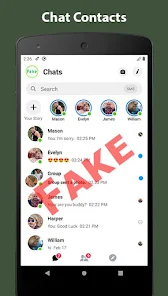
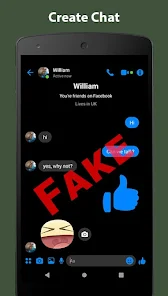
Fake Chat Conversation is a prank app from TechRoid that lets you whip up bogus messaging threads. Think of it as a little tool for messing with friends or staging a laugh — you basically build a fake chat history from scratch. It's the kind of thing you'd grab from Google Play or the App Store for a quick joke, probably after seeing it in some “funny prank apps” list. The first time you open it, the whole vibe is pretty bare-bones, like a low-budget utility. You're greeted by a basic screen asking you to pick a chat style, straight out of the gate. No fancy onboarding, no tutorial — just a few preset options and a blank canvas.
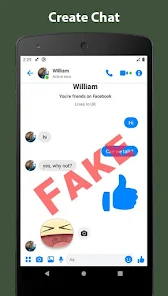
Once you start tinkering, the experience feels a bit clunky but gets the job done. You choose a contact name, pick an app theme like WhatsApp or iMessage, and then start typing messages. You type a line, assign it to the “sender” or “receiver,” and hit add. It's repetitive, honestly, because you have to build each bubble one by one. There's no bulk import or smart generator, so a 20-line fake chat takes a few minutes of tapping. The interface is plain — gray tones, small buttons, and the occasional lag when switching chat styles. A small tip: save your finished chat as a screenshot right away, because the app doesn't auto-save your work. I found that out the hard way after a glitch wiped a whole fake argument I'd built.
After using it for a while, I'd say it's a niche download. Teens and pranksters will probably get a kick out of it — sending a friend a fake “I saw your ex” chat or staging a funny misunderstanding. But if you're after something polished or versatile, this isn't it. Compared to apps like Fake Chat Maker or Prank Chat Simulator, this one feels thinner — fewer themes, no animation, and the chat bubbles don't even mimic real app notifications well. The saving grace is its simplicity: no ads bombarding you, no sign-up required. That said, most folks might uninstall it after a few giggles. Its sticking power is low, but for a one-off joke, it's fine.
features
- 🎭 The app's standout feature is its theme mimicry. You can pick from a handful of chat app skins like WhatsApp, Messenger, and plain SMS. It's not the most extensive set — Chat Fake Pro offers twice as many, including Telegram and WeChat — but the visuals are passable for a quick prank. The bubble colors and layout feel close enough to the real thing at first glance.
- 📱 Another handy tool is the timestamp editing. You can set each message to a specific date and time, which is crucial for selling the joke. For example, you can make it look like someone texted at 3 AM. Apps like Prank Caller let you edit timestamps too, but here it's baked into each message instead of being a global setting, giving more granular control.
- 🔇 Simplicity is a feature here, surprisingly. There's no social login, no account creation, no tutorial pop-ups. You download it, you open it, and you start typing. For a prank app, that matters because you don't want to waste time setting up when you're mid-joke. Most competitors like Fake Chat Generator force you to watch an ad before saving, but this one saves straight to your gallery.
pros
- 📸 Saving is straightforward and ad-free. When you finish your fake chat, you tap the export button and it saves as a PNG to your phone right away. No watermark either. In contrast, apps like Chat Fake Pro plaster a logo on the screenshot unless you pay.
- ⚡ It loads fast and runs offline. The whole app is under 20 MB, no internet needed to build chats. That's a strength over cloud-based prank apps like Prank Call Master, which require a connection and sometimes lag.
- 🔄 No recurring subscriptions. It's a flat free download, no in-app purchases to unlock basic themes or timestamps. Some similar apps, like Fake Chat Pro, lock half the features behind a paywall.
cons
- 🛠 The main gripe is the manual labor. You have to add each message one by one, with no bulk import or smart fill option. Competing apps like Chat Simulator let you paste a script and auto-generate the whole thread in seconds, which is way faster.
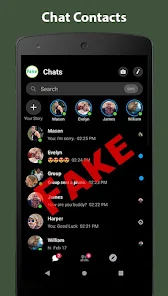
- 📱 The interface feels dated. The UI looks like it's from 2015, with tiny buttons and no dark mode. Apps like Fake Chat Pro have modern, clean layouts that make the process less tedious.
- 🛡 There's no undo button. If you delete a message by accident, it's gone forever. You have to start over or rebuild that part. Some prank apps have a simple undo or trash bin, but this one doesn't.
- 📉 Notification simulation is missing. The fake chats look static — no typing indicators or delivery ticks. Apps like Prank Chat Simulator add moving elements like “seen” time stamps or “typing...” that make the joke much more convincing in a screenshot.
Recommended Apps
![]()
BetterMe: Health Coaching
BetterMe Limited4.3
![]()
Walli - HD, 4K Wallpapers
Tap AI4.4![]()
Future Self - Old Age Filter
Vidler Koiter1.6
![]()
AI Photo Editor, Collage-Fotor
AI Art Photo Editor | Everimaging Ltd.4.3![]()
AI Face Swap: MagicFace &Photo
Braly JSC0![]()
QR Code Reader: QR Scanner
WECHOICE MOBILE4.3![]()
Lip Fall Challenge: Fun Filter
Braly JSC0![]()
Funny Reverse Audio - Singing
PlayStudioInc0![]()
Birthday Secrets
shasunder4.4![]()
Live Wallpapers HD 4K
Wallpaper app4.4![]()
Find Your Phone By Clap
Trusted App Global4.5![]()
Wizz - Expand Your World
Wizz3.8![]()
NCAA March Madness Live
NCAA Digital4.7![]()
Hulu: Stream TV shows & movies
Disney4.5![]()
Lethal Love: a Yandere game
AniByte!4.4















Disclaimer
1.Apklifts does not represent any developer, nor is it the developer of any App or game.
2.Apklifts provide custom reviews of Apps written by our own reviewers, and detailed information of these Apps, such as developer contacts, ratings and screenshots.
3. All trademarks, registered trademarks, product names and company names or logos appearing on the site are the property of their respective owners.
4.Apklifts abides by the federal Digital Millennium Copyright Act (DMCA) by responding to notices of alleged infringement that complies with the DMCA and other applicable laws.
5.If you are the owner or copyright representative and want to delete your information, please contact us [email protected].
6.All the information on this website is strictly observed all the terms and conditions of Google Ads Advertising policies and Google Unwanted Software policy.
7.Apklifts.com is an independent, information-only website which is 100% free to all the users.














