
Fontmaker - Font Keyboard App

1M+
Installs
Sociaaal LLC
Developer
-
Productivity
Category
-
Everyone
Content Rating
-
https://link.fontmaker.app/privacy/
Privacy Policy
Screenshots
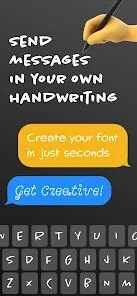
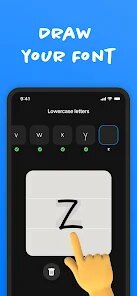
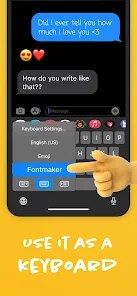
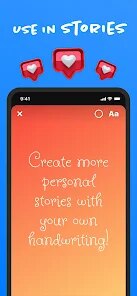
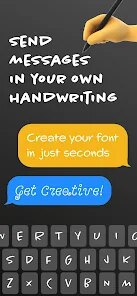
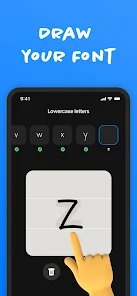
editor reviews
Fontmaker is a keyboard app that lets you type in tons of different stylish fonts, like cursive, gothic, bold, or even tiny text. It's really just a third-party keyboard you install from Google Play or the App Store, and once it's set up, you can switch to it whenever you're typing in a chat, social media post, or note. I downloaded it mostly because I was bored of the same old plain letters in my WhatsApp messages and wanted something that stood out without needing a separate image editor. Right after launching, the setup flow is pretty straightforward: it walks you through enabling the keyboard in your phone's settings and granting the necessary permissions. My first impression was that it looked clean, with a simple dark or light theme option, and the font previews showed clearly before you even pick one. No forced registration or paywall upfront, which made it easy to test right away.
Actually using Fontmaker feels smooth for the most part, though there's a small learning curve at the beginning. The keyboard itself looks like a standard QWERTY layout, but above the letters you'll find a row of font style buttons. You just tap a style, and every letter you type after that automatically changes into that font. I found that switching between styles is fast, and the keyboard even shows a live preview of what the final text looks like in a bar at the top. One common usage step is typing a message in the desired font, then hitting the copy button that appears so you can paste it into any other app. The onboarding popups explain this clearly, but I'll admit I had one confusing moment when I tapped a style and the text didn't change immediately because I hadn't typed anything yet. A small tip: long-pressing a style icon lets you see a full list of variations for that font. Overall, it's pretty intuitive once you've sent your first fancy message.
After using Fontmaker for a couple weeks, I think it's a fun tool rather than a daily necessity. People who love customizing their social media bios, Instagram stories, or even just spicing up group chats will get a kick out of it. But if you mostly text in professional settings or prefer minimal looks, you might find it unnecessary after the novelty wears off. Compared to similar keyboard apps like FancyKey, Fontmaker keeps things simpler — no emoji ads or bloated themes — but it also lacks advanced autocorrect or swipe typing. The real standout is the sheer variety of fonts; I counted over 50 unique styles, which is more than I've seen in similar free tools. I'd probably keep it installed just for the occasional creative mood, but I can see someone uninstalling it if they rarely use gimmicky text. It's not a game-changer, but it delivers exactly what it promises without being annoying.
features
- ✨ Fontmaker offers over 50 unique font styles, ranging from classic cursive to edgy gothic, while a similar app like FancyKey only has about 20 built-in styles before hitting a paywall. The standout feature here is the sheer variety accessible for free right from the keyboard bar, no scrolling through endless menus.
- ✨ The live preview bar at the top of the keyboard shows exactly how your text will look in real time as you type, which is something missing in most alternatives like Stylish Text Keyboard. It saves you from the back-and-forth guessing game, especially when you're trying to match a vibe for a tweet or caption.
- ✨ Copying text out of Fontmaker is streamlined with a dedicated one-tap copy button that appears after you finish typing, which feels much more direct than manually selecting and copying in apps like Fonts Art. It stays out of the way until you need it, and then it's right there.
pros
- 👍 Fontmaker doesn't push aggressive ads or in-app purchase prompts while you're typing, unlike FancyKey which shows a banner ad every few keystrokes. You can actually use the fonts without feeling like you're being sold something every minute.
- 👍 The font styles render accurately across most major platforms like WhatsApp, Instagram, and TikTok, which beats the inconsistency problems I've seen with simpler font apps like Cool Fonts that often look broken on certain apps.
- 👍 The keyboard is lightweight and doesn't slow down my phone during switching or loading, which is a big plus over heavy competitors like Font Keyboard Plus that sometimes lag on older devices.
cons
- 👎 Fontmaker lacks any autocorrect or swipe typing functionality, so if you're used to the predictive text from Gboard or SwiftKey, you'll find yourself fixing typos constantly when typing longer messages. It's purely for style, not for serious typing.
- 👎 The keyboard doesn't support emoji search or GIFs at all, which feels limiting compared to FancyKey that at least offers emoji suggestions. You'll still need to switch back to your main keyboard for anything beyond plain text.
- 👎 There's no cloud sync or customizable themes beyond the default dark and light modes, while something like FancyKey gives you more visual tweaks. It feels a bit barebones if you care about the overall look of your keyboard.
Recommended Apps
![]()
Japevox - Funny Prank Sound
SecureTool4.3
![]()
AstroMatrix Birth Horoscopes
AstroMatrix4.7
![]()
Personalized Call from Santa (
www.PackageFromSanta.com4.3![]()
Prank Call - Fake Call & Chat
Bravestars Casual4.1![]()
Persona: Beauty Camera
TICKET TO THE MOON, INC.4.5![]()
Peacock TV: Stream TV & Movies
Peacock TV LLC4.5![]()
Instant Buttons Soundboard App
Snow Peak Apps2.1![]()
GPS Speedometer: Speed Tracker
SM Infotech3.2![]()
Subway®
SUBWAY Restaurants4.2![]()
Find Your Phone By Clap
Trusted App Global4.5![]()
Gorilla Skins for Monkey Arena
Dumitru Boico4![]()
Vimeo
Vimeo.com, Inc.3.8![]()
Vinted - Buy and sell clothes
Vinted4.6![]()
Galaxy Starry Keyboard Backgro
Fun Keyboard Theme for Android4.7![]()
Chat AI - Ask AI anything
AI Chat Bot, Ask AI4.4















Disclaimer
1.Apklifts does not represent any developer, nor is it the developer of any App or game.
2.Apklifts provide custom reviews of Apps written by our own reviewers, and detailed information of these Apps, such as developer contacts, ratings and screenshots.
3. All trademarks, registered trademarks, product names and company names or logos appearing on the site are the property of their respective owners.
4.Apklifts abides by the federal Digital Millennium Copyright Act (DMCA) by responding to notices of alleged infringement that complies with the DMCA and other applicable laws.
5.If you are the owner or copyright representative and want to delete your information, please contact us [email protected].
6.All the information on this website is strictly observed all the terms and conditions of Google Ads Advertising policies and Google Unwanted Software policy.
7.Apklifts.com is an independent, information-only website which is 100% free to all the users.













