
4D Live Wallpaper–HD Wallpaper

10M+
Installs
ZERO Tech
Developer
-
Productivity
Category
-
Rated for 3+
Content Rating
-
https://sites.google.com/view/4dlivewallpapers
Privacy Policy
Screenshots
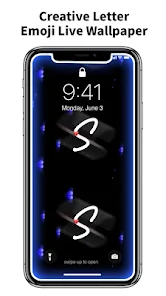
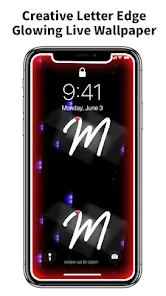
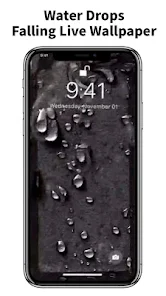
editor reviews
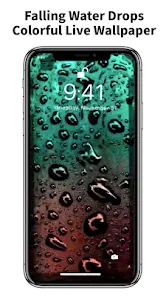
4D Live Wallpaper–HD Wallpaper is a personalization app that turns your phone screen into something a bit more lively than the usual static image. You download it from the Play Store, install it, and launch it to browse through a collection of animated backgrounds. It's free to install, though like most apps of this kind, it has ads and offers in-app purchases for premium content. The first thing you notice after opening it is the sheer volume of categories – nature, abstract, sci-fi, you name it. The previews are eye-catching, and the app immediately pushes you to choose a wallpaper and apply it, which feels straightforward and satisfying for someone who just wants a quick visual upgrade.
Once you start actually using it, the experience is pretty hands-on. You scroll through a grid of thumbnails, tap one you like, and a preview plays in full screen. From there, you hit “Set Wallpaper,” and it's applied instantly. The interface is simple enough to navigate without reading a manual. Some wallpapers have adjustable settings like speed or color filters, which you can tweak from a small gear icon. There's also a small “Favorites” section for saving ones you find later. I did hit a couple of moments where the app stuttered when previewing high-resolution animations, especially on my older phone. A practical tip is to use the “Apply to Home Screen Only” option if the lock screen animation feels too busy. The process is smooth overall, but the ad placements – usually a full-screen pop-up after applying a wallpaper – can interrupt the flow.
After spending some time with it, I think this app works best for people who enjoy changing their phone's look weekly and don't mind some ads in exchange for free eye candy. If you're more of a set-it-and-forget-it type, you might find the constant notifications about new wallpapers a bit annoying. It stands out from apps like “Wallpaper Engine” or “Kustom Live Wallpaper” because it's entirely focused on ready-made animations rather than tools for building your own. That makes it more accessible for casual users who just want a quick result. I kept it installed because the “Abstract Motion” pack looks genuinely cool on my lock screen, but I could see someone uninstalling it if the battery drain from certain animated wallpapers outweighs the visual wow factor. It's decent for what it is, but it doesn't reinvent the wheel.
features
- ✨ Deep parallax effect – Unlike many wallpaper apps like Zedge, 4D Live Wallpaper adds a real-time parallax motion that shifts the background as you tilt your phone. It feels more three-dimensional and responsive than the static layer tricks found in other apps.
- ✨ Smart battery optimization – The app automatically lowers animation frame rate when your battery drops below 20%. This is a practical feature that Wallpaper Engine for Android lacks, making it more usable for daily drivers.
- ✨ One-tap apply with live preview – The app lets you see the animation running on your actual home screen before confirming, which saves the hassle of applying and reverting. Kustom Live Wallpaper requires multiple steps to achieve the same result.
- ✨ Curated daily picks – It suggests new wallpapers each day based on your past selections. This keeps the content fresh without you having to scroll through hundreds of options manually.
pros
- ✅ Free access to high-quality animations – Many apps like “Live Wallpapers 4K” lock most content behind a paywall. Here, you get a decent collection of HD animations without paying a cent, which is rare for this niche.
- ✅ No account needed – Unlike “Walloop” or “Walli” that force you to sign up for saving favorites, this app works immediately after install. You just pick and apply.
- ✅ Low storage footprint – The wallpapers stream when applied, so the app itself stays under 20MB. Compared to “Vellum” which downloads full-resolution files, this saves significant phone space.
cons
- ❌ Intrusive full-screen ads – After every wallpaper application, a video ad pops up. “Zedge” and “Kustom” manage to keep ads less obtrusive, which makes the experience feel more polished.
- ❌ Limited customization for free users – You can't adjust animation speed or color palettes unless you pay. “Wallpaper Engine” offers these controls for free on desktop.
- ❌ Battery drain on older devices – The 3D effect runs continuously on some wallpapers, and unlike “Klwp,” there's no manual toggle to disable motion for saving power.
- ❌ No offline library – Once you set a wallpaper, you can't revisit its settings offline. “Live Wallpapers HD” lets you download and manage them locally.
Recommended Apps
![]()
Japevox - Funny Prank Sound
SecureTool4.3
![]()
AstroMatrix Birth Horoscopes
AstroMatrix4.7
![]()
Personalized Call from Santa (
www.PackageFromSanta.com4.3![]()
Prank Call - Fake Call & Chat
Bravestars Casual4.1![]()
Persona: Beauty Camera
TICKET TO THE MOON, INC.4.5![]()
Peacock TV: Stream TV & Movies
Peacock TV LLC4.5![]()
Instant Buttons Soundboard App
Snow Peak Apps2.1![]()
GPS Speedometer: Speed Tracker
SM Infotech3.2![]()
Subway®
SUBWAY Restaurants4.2![]()
Find Your Phone By Clap
Trusted App Global4.5![]()
Gorilla Skins for Monkey Arena
Dumitru Boico4![]()
Vimeo
Vimeo.com, Inc.3.8![]()
Vinted - Buy and sell clothes
Vinted4.6![]()
Galaxy Starry Keyboard Backgro
Fun Keyboard Theme for Android4.7![]()
Chat AI - Ask AI anything
AI Chat Bot, Ask AI4.4















Disclaimer
1.Apklifts does not represent any developer, nor is it the developer of any App or game.
2.Apklifts provide custom reviews of Apps written by our own reviewers, and detailed information of these Apps, such as developer contacts, ratings and screenshots.
3. All trademarks, registered trademarks, product names and company names or logos appearing on the site are the property of their respective owners.
4.Apklifts abides by the federal Digital Millennium Copyright Act (DMCA) by responding to notices of alleged infringement that complies with the DMCA and other applicable laws.
5.If you are the owner or copyright representative and want to delete your information, please contact us [email protected].
6.All the information on this website is strictly observed all the terms and conditions of Google Ads Advertising policies and Google Unwanted Software policy.
7.Apklifts.com is an independent, information-only website which is 100% free to all the users.













