
Link to Windows

1,000,000,000+
Installs
Microsoft Corporation
Developer
-
Productivity
Category
-
Rated for 3+
Content Rating
-
http://go.microsoft.com/fwlink/?LinkID=248686
Privacy Policy
Screenshots
editor reviews
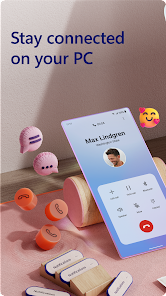
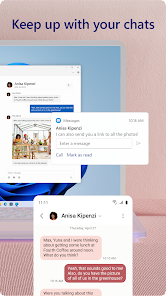
Link to Windows by Microsoft is a companion app that lets you instantly access your Android phone's apps, photos, messages, and notifications directly from your Windows PC. It's essentially a screen-mirroring and device-linking tool designed for seamless cross-device work, falling into the productivity app category. After the first time I downloaded it from Google Play (it's free, no forced registration for basic use, though a Microsoft account is needed for deeper features like calls), and launched the app, my first impression was just how clean the setup guide looked. It walks you through the QR code pairing with Windows' built-in "Phone Link" feature, which was much less intimidating than some third-party apps that bury the connection steps. You don't need a paid subscription, and while ads pop up rarely, they're only for other Microsoft services, so it doesn't disrupt the core experience.
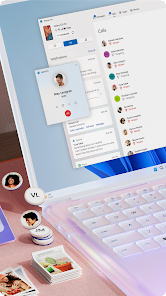
After pairing my Pixel with my laptop over Wi-Fi, I started actually relying on the app for daily tasks. The main screen on my phone shows a list of recent photos, messages, and notifications. From my desktop, I could open the Phone Link window and drag a photo directly into a chat window or edit a text reply without touching my phone. The interface is simple – a clean left sidebar with icons for Messages, Photos, Calls, and Apps. I found the "Recent Photos" section the most useful since it syncs the last 25 images from your camera roll. There's a slight lag when launching an app from the desktop, maybe two seconds, but once it's open, dragging files between phone and PC feels shockingly smooth. One tip: if your Wi-Fi is weak, the connection drops frequently, and the app then needs a manual refresh. The onboarding didn't ask for too many permissions at once, which I appreciated, though it did request access to notifications and SMS eventually.
After a few weeks of use, I think Link to Window is fantastic if you're already in the Microsoft ecosystem, especially if you avoid picking up your phone during work hours. Someone who just wants to see photos on a big screen or reply to texts without unlocking their phone will love it. It's far less clunky than using a standalone app like AirDroid, because it's baked into Windows (Windows 10 and 11) with no constant logging in. However, if you need true deep control – like remotely managing files or accessing files without the phone connected – you'd be better off with something like Join or Pushbullet. It's a barebones but polished solution: no full file system browsing, no clipboard sync, no advanced automations. I'll probably keep it installed because it's zero-effort for basic mirroring, but I uninstalled it twice before I accepted that it's good for just that one use case: keeping your phone in your pocket.
features
- 📱 Instant app mirroring – Unlike Samsung Flow, which only works with Samsung devices, Link to Windows lets you mirror and open your phone's apps on any PC running Windows 10 or 11, even if your phone is a Pixel or OnePlus. I can run my delivery tracking app on my PC without copying the tracking number.
- 📱 Drag-and-drop file sharing – The standout feature is how you can drag photos from the Phone Link window into any desktop folder or email attachment button. Compared to using Google's Nearby Share, which requires both devices to be unlocked and close, this works over Wi-Fi with a simple drag.
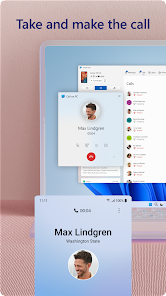
- 📱 Notification and message syncing – It pushes all your phone notifications to your PC's action center, and you can reply to texts directly from the notification. Pushbullet does this too, but Link to Windows is free with no premium gimmicks for this core function.
pros
- ⚡ No monthly subscription – Most comparable apps like Join charge a one-time fee or a subscription for cross-device features. Link to Windows is completely free with no limit on message syncing or app usage.
- ⚡ Deep Windows integration – Unlike third-party tools, it uses Windows' built-in Phone Link app, so there's no extra background process slowing your PC. Samsung Flow requires you to install a standalone app on your PC.
- ⚡ Works with any Android 7+ phone – While Samsung Flow is limited to Galaxy devices, this app works with a huge range, including Motorola and Xiaomi phones.
cons
- 🛑 No clipboard sync – Pushbullet lets you copy text on your phone and paste on your PC instantly. Link to Windows doesn't have this feature, so you still have to email yourself snippets.
- 🛑 Laggy app launching – Opening a phone app from the desktop can take around three seconds, especially on older routers. Samsung Flow launches apps noticeably faster on Galaxy devices.
- 🛑 Drops Wi-Fi connection often – If your network is unstable, the app frequently loses connection and asks for a manual re-pair. AirDroid stays connected much better on weak networks.
- 🛑 No file system access – You can't browse your phone's full storage like you can with an app like Solid Explorer paired with a PC connection. It's only the recent photos and mirrored apps.
Recommended Apps
![]()
Japevox - Funny Prank Sound
SecureTool4.3
![]()
AstroMatrix Birth Horoscopes
AstroMatrix4.7
![]()
Personalized Call from Santa (
www.PackageFromSanta.com4.3![]()
Prank Call - Fake Call & Chat
Bravestars Casual4.1![]()
Persona: Beauty Camera
TICKET TO THE MOON, INC.4.5![]()
Peacock TV: Stream TV & Movies
Peacock TV LLC4.5![]()
Instant Buttons Soundboard App
Snow Peak Apps2.1![]()
GPS Speedometer: Speed Tracker
SM Infotech3.2![]()
Subway®
SUBWAY Restaurants4.2![]()
Find Your Phone By Clap
Trusted App Global4.5![]()
Gorilla Skins for Monkey Arena
Dumitru Boico4![]()
Vimeo
Vimeo.com, Inc.3.8![]()
Vinted - Buy and sell clothes
Vinted4.6![]()
Galaxy Starry Keyboard Backgro
Fun Keyboard Theme for Android4.7![]()
Chat AI - Ask AI anything
AI Chat Bot, Ask AI4.4















Disclaimer
1.Apklifts does not represent any developer, nor is it the developer of any App or game.
2.Apklifts provide custom reviews of Apps written by our own reviewers, and detailed information of these Apps, such as developer contacts, ratings and screenshots.
3. All trademarks, registered trademarks, product names and company names or logos appearing on the site are the property of their respective owners.
4.Apklifts abides by the federal Digital Millennium Copyright Act (DMCA) by responding to notices of alleged infringement that complies with the DMCA and other applicable laws.
5.If you are the owner or copyright representative and want to delete your information, please contact us [email protected].
6.All the information on this website is strictly observed all the terms and conditions of Google Ads Advertising policies and Google Unwanted Software policy.
7.Apklifts.com is an independent, information-only website which is 100% free to all the users.













