
Skins for Roblox

500K+
Installs
Masterblox Skins and Clothings
Developer
-
Entertainment
Category
-
Rated for 3+
Content Rating
-
https://roblox-skins-pro.blogspot.com/2023/02/privacy-policy.html
Privacy Policy
Screenshots
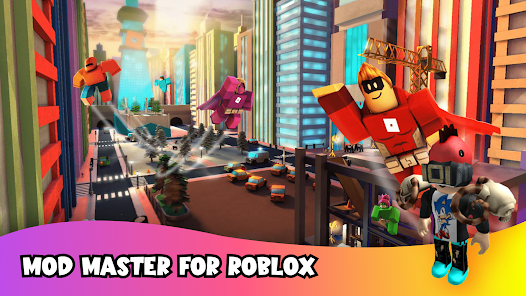
editor reviews
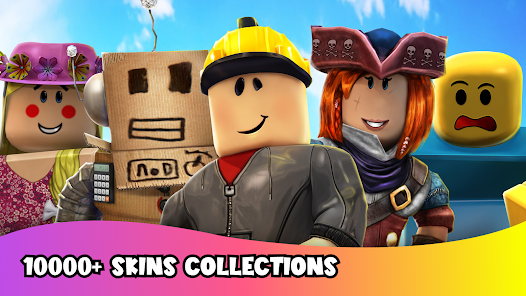
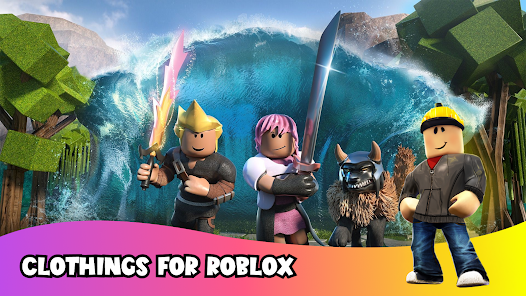
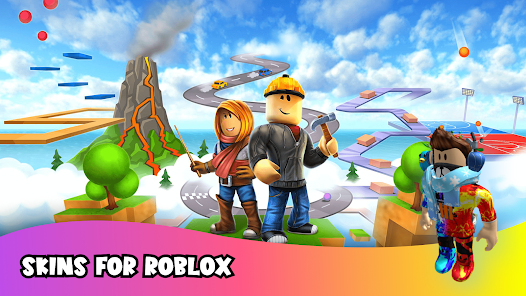
So, you've probably seen those wild skins in Roblox and wondered how people get them. Skins for Roblox, by Masterblox Skins and Clothings, is one of those unofficial companion apps that promises to give you a ton of avatar outfits without needing to spend Robux. It's basically a gallery-style app where you browse through hundreds of pre-made character looks, and then it supposedly slaps them onto your Roblox avatar. Most folks download it from the Google Play Store or Apple's App Store because they're tired of their character looking like a default noob. First time you open it, the screen is flooded with neon-colored thumbnails and a whole bunch of outfit categories. Honestly, the initial impression is a bit chaotic—like walking into a digital thrift store where everything is screaming for attention. No registration is needed to start browsing, which is nice, but you quickly notice there are ads popping up every few swipes. It's free to download and install, with over 10 million downloads on Android alone, so clearly a lot of people are curious about spicing up their avatar without opening their wallet.
Once you actually start using the app, the experience is pretty straightforward but also a little janky. You pick a category like “cool,” “cute,” or “anime,” and then you scroll through endless rows of skins. Tapping on one shows a bigger preview and a big “Apply” button. Now here's where it gets interesting—the app tries to open Roblox and apply the skin automatically, but this doesn't always work smoothly. Sometimes it just opens Roblox and leaves you staring at your old avatar until you manually go into settings to change the outfit. A practical tip I picked up is to screenshot the skin you like and then manually recreate it in Roblox using items you already own, because the auto-apply feature is hit or miss. The interface itself is simple, with big buttons and colorful menus, but it can feel a bit laggy after browsing for a while. There's no onboarding tutorial, so you kind of figure out the quirks on your own.
After using it for a couple weeks, I've got mixed feelings. Younger kids or casual Roblox players who don't care about high-quality customization will probably enjoy the sheer volume of free outfits. But if you're someone who values smooth performance or reliable features, this app might frustrate you more than it helps. Compared to something like the official Roblox Avatar Shop or even dedicated creator catalogs, this app feels like a shortcut that's sometimes broken. The sheer number of skins is impressive, but most of them look generic—like they were generated by a bot or ripped from other games. What makes it different is that it's completely free and doesn't ask for any login info, which is nice for privacy. Still, I can see why some people might uninstall it after a few days: the ads are annoying, the auto-apply fails half the time, and you can probably find better outfit ideas just by watching Roblox YouTubers. I kept it installed mostly because my little cousin loves messing around with it, but it's not something I'd rely on for my main account.
features
- 🎨 Skin Variety – This app throws a massive library of outfits at you, covering everything from streetwear to fantasy. Compared to Roblox's own Avatar Shop, which charges Robux for most premium looks, Skins for Roblox gives you hundreds of free options immediately. No waiting, no grinding.
- ⚡ Quick Browse – The category system lets you jump between styles like “anime,” “cool,” or “cute” without hassle. In contrast, the official Roblox catalog forces you to search through thousands of items one by one, which takes forever. This app is way faster for window shopping.
- 📸 Preview Mode – You can tap any skin to see a full-screen preview before applying it. That's actually better than Roblox's own preview, where you have to equip an item halfway just to see how it looks. It saves time and helps you avoid ugly surprises.
- 🆓 No Login Required – You don't need to hand over any personal info or create an account. Apps like Customize for Roblox often ask for your Roblox credentials, which is a security risk. This one keeps it simple and safe.
pros
- 👍 Totally Free – Unlike the Roblox Avatar Shop where every cool item costs Robux, this app doesn't charge a penny. Even apps like Roblox Avatar Editor sometimes hide good skins behind paywalls. You get free access to a huge library without spending real money.
- 👍 No Login Hassle – Most similar apps, like Roblox Skins Maker, demand you log in with your Roblox account. That always feels sketchy. Skins for Roblox skips that step entirely, which is a big plus for privacy.
- 👍 Huge Collection – Standing next to apps like Roblox Outfit Creator, this one simply has more skins to scroll through. Even if half of them aren't your style, the sheer volume means you'll find something unique.
cons
- 👎 Auto-Apply is Unreliable – The main selling point is applying skins, but it works like half the time. Compared to Roblox's built-in wardrobe system, which is clunky but consistent, this feature often just opens Roblox and does nothing. Frustrating.
- 👎 Too Many Ads – Every few swipes, a full-screen ad pops up. Apps like Custom Roblox Outfits have fewer ads, making browsing smoother. Here, the ads break the flow constantly.
- 👎 Low Quality Designs – Most skins look generic or poorly made. The official Roblox catalog has higher quality items created by real designers. This app feels like a random dump of recycled images.
- 👎 No Favorites or Save Option – You can't bookmark skins you like without screenshotting them. Apps like Roblox Fashion Hub at least let you create a wishlist. Here, you'll forget where that one cool outfit was.
Recommended Apps
![]()
BetterMe: Health Coaching
BetterMe Limited4.3
![]()
Walli - HD, 4K Wallpapers
Tap AI4.4![]()
Future Self - Old Age Filter
Vidler Koiter1.6
![]()
AI Photo Editor, Collage-Fotor
AI Art Photo Editor | Everimaging Ltd.4.3![]()
AI Face Swap: MagicFace &Photo
Braly JSC0![]()
QR Code Reader: QR Scanner
WECHOICE MOBILE4.3![]()
Lip Fall Challenge: Fun Filter
Braly JSC0![]()
Funny Reverse Audio - Singing
PlayStudioInc0![]()
Birthday Secrets
shasunder4.4![]()
Live Wallpapers HD 4K
Wallpaper app4.4![]()
Find Your Phone By Clap
Trusted App Global4.5![]()
Wizz - Expand Your World
Wizz3.8![]()
NCAA March Madness Live
NCAA Digital4.7![]()
Hulu: Stream TV shows & movies
Disney4.5![]()
Lethal Love: a Yandere game
AniByte!4.4















Disclaimer
1.Apklifts does not represent any developer, nor is it the developer of any App or game.
2.Apklifts provide custom reviews of Apps written by our own reviewers, and detailed information of these Apps, such as developer contacts, ratings and screenshots.
3. All trademarks, registered trademarks, product names and company names or logos appearing on the site are the property of their respective owners.
4.Apklifts abides by the federal Digital Millennium Copyright Act (DMCA) by responding to notices of alleged infringement that complies with the DMCA and other applicable laws.
5.If you are the owner or copyright representative and want to delete your information, please contact us [email protected].
6.All the information on this website is strictly observed all the terms and conditions of Google Ads Advertising policies and Google Unwanted Software policy.
7.Apklifts.com is an independent, information-only website which is 100% free to all the users.














