
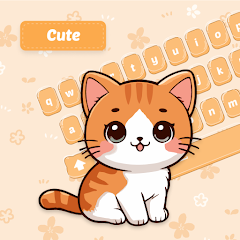
Cat Language Keyboard Filter

50K+
Installs
SOKAR
Developer
-
Productivity
Category
-
Rated for 3+
Content Rating
-
http://sokar.site/privacy-policy.html?app=Cat%20Language%20Keyboard%20Filter&store=SOKAR
Privacy Policy
Screenshots
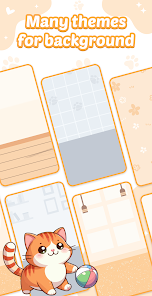
editor reviews
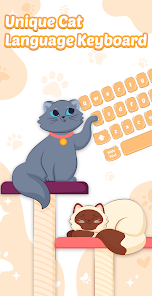
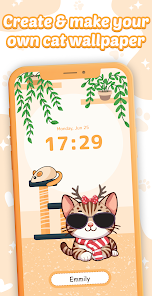
Cat Language Keyboard Filter is a quirky utility app from SOKAR that essentially turns your typing into a stream of cat-like sounds and expressions. It sits in the novelty app category on Google Play, where I found it with a modest number of installs, and it's free to download with no initial sign-up required. The main draw for a normal user like me would be pure fun—maybe you want to mess with friends in a chat, prank someone, or just get a laugh from your own messages. When I first opened it after installing, the interface felt a bit like stepping into a cat-themed toy box: bright, playful colors, a big keyboard preview, and a bunch of buttons that look more like game controls than a serious typing tool. There are some in-app purchases and ads, but they didn't hit me right away during the initial launch, which made the first impression feel light and harmless.
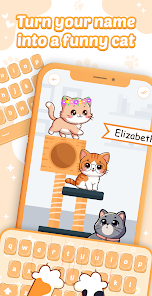
So after tapping around a bit, I got the hang of it. The app replaces your system keyboard with its own layout, so you have to enable it through your device's keyboard settings, which took me a minute to figure out. Once it's active, every key you press triggers a cute cat sound—meows, purrs, hisses—mixed with a font that looks like paw prints or whiskers. The onboarding walks you through switching keyboards, but I found the process a little clunky since you have to jump out of the app and into system settings. When typing, the main actions are just pressing letters, but the sounds and the visual changes make even simple words feel silly. I tried sending a text to a friend, and they got a string of emojis and symbols instead of actual text, which was hilarious for a few messages but got old fast. A small tip: you can adjust the sound volume and effects in a hidden settings panel, but I missed it at first because it's not in the main screen.
After using Cat Language Keyboard Filter for a week, I'd say it's a laugh for about ten minutes, but not something I'd keep around forever. It's perfect for cat lovers or anyone who enjoys a quick prank, but if you need a functional keyboard for everyday work or serious chats, you'll uninstall it pretty quickly. Compared to apps like Emoji Keyboard or Bitmoji, which add funny visuals without breaking your actual typing, this one goes all in on the cat theme and sacrifices practicality. What makes it stand out is that it completely transforms the typing experience into a gag, not just an overlay. I can see someone keeping it for parties or as a conversation starter, but for daily use, the novelty wears off fast, and the ads popping up after a few uses started to annoy me.
features
- 😺 Realistic meow sounds: Unlike Emoji Keyboard which just adds visual stickers, this app generates actual audio purrs and meows with every keystroke, making the experience genuinely cat-like and not just decorative.
- 😺 Complete text transformation: It doesn't just add cat pictures—it converts your typed words into symbols, emojis, and animal-like patterns, which is wilder and more immersive than anything apps like FancyKey offer.
- 😺 Sound customization: You can tweak the pitch and frequency of the meows in settings, a feature that Go Keyboard or other themed keyboards don't provide for sound effects.
- 😺 Easy sharing: The app lets you copy transformed text directly to clipboard for pasting into any messenger, which is smoother than taking screenshots like you'd do with Cat Face apps.
pros
- 😸 Pure novelty factor: It stands out from normal keyboards like Gboard because it's designed for laughter, not productivity. No other app turns your phone into a fake cat so completely.
- 😸 Lightweight and simple: Unlike bloated keyboard apps with tons of features, this one downloads fast, uses minimal storage, and doesn't nag you with account setups, making it great for a quick download.
- 😸 Good for pranks: If you want to confuse a friend or lighten a mood, this app does the job better than any emoji pack because it changes how your typing behaves entirely.
cons
- 😿 Impossible for real typing: The whole point is to break text, so you can't use it for emails, work messages, or anything serious. Even Emoji Keyboard at least keeps your words readable.
- 😿 Clunky keyboard setup: Switching between this and your normal keyboard feels messy compared to apps like SwiftKey, which allow easy theme changes without leaving the keyboard.
- 😿 Annoying ads: After a few uses, ads pop up frequently, and while you can pay to remove them, the free experience gets interrupted more than in Cat Sounds apps that don't require keyboard access.
- 😿 Limited appeal: Cat lovers might enjoy it for a day, but most users will uninstall it within an hour because there's no depth or practical value, unlike Bitmoji which keeps adding new content.
Recommended Apps
![]()
Japevox - Funny Prank Sound
SecureTool4.3
![]()
AstroMatrix Birth Horoscopes
AstroMatrix4.7
![]()
Personalized Call from Santa (
www.PackageFromSanta.com4.3![]()
Prank Call - Fake Call & Chat
Bravestars Casual4.1![]()
Persona: Beauty Camera
TICKET TO THE MOON, INC.4.5![]()
Peacock TV: Stream TV & Movies
Peacock TV LLC4.5![]()
Instant Buttons Soundboard App
Snow Peak Apps2.1![]()
GPS Speedometer: Speed Tracker
SM Infotech3.2![]()
Subway®
SUBWAY Restaurants4.2![]()
Find Your Phone By Clap
Trusted App Global4.5![]()
Gorilla Skins for Monkey Arena
Dumitru Boico4![]()
Vimeo
Vimeo.com, Inc.3.8![]()
Vinted - Buy and sell clothes
Vinted4.6![]()
Galaxy Starry Keyboard Backgro
Fun Keyboard Theme for Android4.7![]()
Chat AI - Ask AI anything
AI Chat Bot, Ask AI4.4















Disclaimer
1.Apklifts does not represent any developer, nor is it the developer of any App or game.
2.Apklifts provide custom reviews of Apps written by our own reviewers, and detailed information of these Apps, such as developer contacts, ratings and screenshots.
3. All trademarks, registered trademarks, product names and company names or logos appearing on the site are the property of their respective owners.
4.Apklifts abides by the federal Digital Millennium Copyright Act (DMCA) by responding to notices of alleged infringement that complies with the DMCA and other applicable laws.
5.If you are the owner or copyright representative and want to delete your information, please contact us [email protected].
6.All the information on this website is strictly observed all the terms and conditions of Google Ads Advertising policies and Google Unwanted Software policy.
7.Apklifts.com is an independent, information-only website which is 100% free to all the users.













