
DIY Emoji - Sticker Maker

1M+
Installs
Braly JSC
Developer
-
Productivity
Category
-
Rated for 3+
Content Rating
-
https://bralyvn.com/privacy-policy.php
Privacy Policy
Screenshots
editor reviews
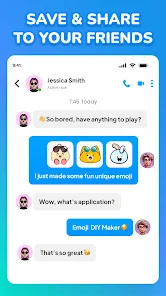
DIY Emoji – Sticker Maker is a mobile app that falls into the personalization and photo editing category. It lets you create custom emojis and stickers directly from your own photos or saved images, which you can then use in messaging apps like WhatsApp, Telegram, or iMessage. The app has been downloaded over 500,000 times on Google Play, and it's free to install — though you will run into ads, and there are in-app purchases if you want to unlock extra sticker packs or remove the interruptions. No registration is needed, which is always a relief for someone who just wants to jump in and start making stuff.
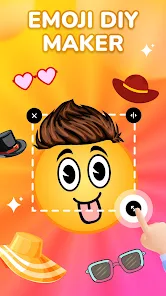
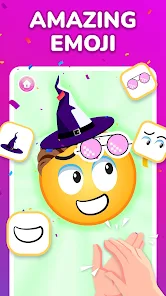
The first time you launch the app, the interface is straightforward: you're greeted by a clean screen with a big "Create New" button. From there, you snap a photo or pick one from your gallery, and the app automatically tries to cut out the subject — this is where the magic happens. It detects edges pretty well, but you can also manually refine the cutout with a brush and eraser. After that, you add effects like outlines, backgrounds, or text. A nice touch is you can resize and rotate your sticker right there. One small thing I figured out after a few uses: double-tapping an area zooms in, which makes fine-tuning the edges a lot easier. Navigation between screens is smooth, though the occasional ad can interrupt the flow when you save your creation.
After spending a few weeks with it, I think this app nails it for people who love expressing themselves with personalized visuals — think teens, meme creators, or anyone who likes custom reaction stickers. But if you're after a full-blown photo editor or vector-based design tool, you might find this too limited. Compared to apps like Sticker Maker by Viko & Co or Sticker Studio, DIY Emoji feels slightly more beginner-friendly but has fewer advanced editing options. What really sets it apart is the automatic cutout precision; it's noticeably better at handling hair or tricky shapes. I've kept it installed mainly for quickly making face stickers of friends for group chats. It's not an everyday app, but when you need a specific sticker, it's hard to beat.
features
- 😊 The standout feature here is the automatic cutout tool. It uses AI to detect the subject in your photo — including tricky areas like hair or glasses — and separates it from the background with impressive accuracy. You can still manually tweak it, but most of the time the auto result is good enough to use right away.
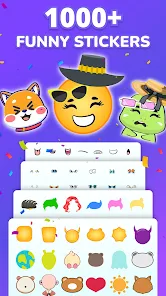
- 🎨 Adding effects is dead simple. Once your sticker is cut out, you can outline it with different colors and thicknesses, drop in a solid or gradient background, or even layer text. This makes your stickers look clean and polished, not just a rough crop. It reminds me of Sticker.ly but more stripped-down.
- 💾 Exporting is flexible. You can save stickers directly to your phone, share them instantly to WhatsApp or Telegram, or package them into sticker packs for iMessage. In apps like Sticker Studio, you sometimes have to jump through extra hoops to actually use the sticker — here it's a two-tap process.
pros
- 🎯 The one-tap removal tool is genuinely faster than in Sticker Maker by Viko & Co. I've tested both on the same photo, and DIY Emoji handled a fluffy dog photo in half the time with less cleanup.
- 📱 The interface is cleaner and less cluttered than Sticker Studio. No overwhelming toolbars — everything you need is on one screen, which makes it feel less intimidating for casual users.
- 💡 The undo/redo button is always visible, which is a small thing but saves you from rage-quitting when you mess up a cut. Not every app in this category has that.
cons
- 🔇 The free version has too many ads. After saving every single sticker, a 15-second video ad plays. It gets old fast, and you'll feel pushed to buy the ad-free version just to keep your sanity.
- 🧩 The sticker pack system for iMessage feels half-baked. You can add stickers to packs, but rearranging them is awkward — you have to tap and hold, and sometimes the order resets. Sticker Studio handles this better.
- ⚙️ Basic editing tools like rotation or flip are missing from the cutout screen. You have to exit the editor, rotate the original photo in your gallery, and re-upload it. It's a strange oversight for a 2024 app.
Recommended Apps
![]()
Japevox - Funny Prank Sound
SecureTool4.3
![]()
AstroMatrix Birth Horoscopes
AstroMatrix4.7
![]()
Personalized Call from Santa (
www.PackageFromSanta.com4.3![]()
Prank Call - Fake Call & Chat
Bravestars Casual4.1![]()
Persona: Beauty Camera
TICKET TO THE MOON, INC.4.5![]()
Peacock TV: Stream TV & Movies
Peacock TV LLC4.5![]()
Instant Buttons Soundboard App
Snow Peak Apps2.1![]()
GPS Speedometer: Speed Tracker
SM Infotech3.2![]()
Subway®
SUBWAY Restaurants4.2![]()
Find Your Phone By Clap
Trusted App Global4.5![]()
Gorilla Skins for Monkey Arena
Dumitru Boico4![]()
Vimeo
Vimeo.com, Inc.3.8![]()
Vinted - Buy and sell clothes
Vinted4.6![]()
Galaxy Starry Keyboard Backgro
Fun Keyboard Theme for Android4.7![]()
Chat AI - Ask AI anything
AI Chat Bot, Ask AI4.4















Disclaimer
1.Apklifts does not represent any developer, nor is it the developer of any App or game.
2.Apklifts provide custom reviews of Apps written by our own reviewers, and detailed information of these Apps, such as developer contacts, ratings and screenshots.
3. All trademarks, registered trademarks, product names and company names or logos appearing on the site are the property of their respective owners.
4.Apklifts abides by the federal Digital Millennium Copyright Act (DMCA) by responding to notices of alleged infringement that complies with the DMCA and other applicable laws.
5.If you are the owner or copyright representative and want to delete your information, please contact us [email protected].
6.All the information on this website is strictly observed all the terms and conditions of Google Ads Advertising policies and Google Unwanted Software policy.
7.Apklifts.com is an independent, information-only website which is 100% free to all the users.













