

Genral Tv | Video Player

1M+
Installs
elmahdy apps
Developer
-
Entertainment
Category
-
Rated for 3+
Content Rating
-
https://sites.google.com/view/kpplayer/%D8%A7%D9%84%D8%B5%D9%81%D8%AD%D8%A9-%D8%A7%D9%84%D8%B1%D8%A6%D9%8A%D8%B3%D9%8A%D8%A9
Privacy Policy
Screenshots


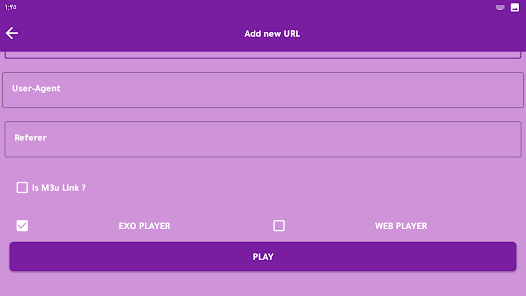

editor reviews
I stumbled across General TV | Video Player on Google Play when I was looking for something to watch live channels without messing with complicated setups. It's basically a media player app that streams TV channels from around the world, so you can flip through news, sports, or entertainment feeds right from your phone. The first thing I noticed after installing it was how barebones the whole thing looks. No flashy animations or polished menus, just a simple list of channel categories. It's free to download, and I didn't see any forced registration, which felt like a relief at first.
Once you open the app, you pick a category like Sports or News, and a list of channels pops up. Tapping one starts streaming almost immediately, at least on my home Wi-Fi. The interface is so stripped down that there's no search bar or favorites section, so you just scroll through categories each time. The stream quality can drop depending on the source, but for a free player, it does the job. I found that switching between channels sometimes takes a few seconds, and the occasional ad pops up, which is expected. One practical tip: if a channel doesn't load, just tap another and come back, it usually works the second time.
After using it for a week, I think it's useful if you just want quick access to random live TV without signing up for anything. But the lack of polish and missing features like a search function or stable streams might push serious viewers to something like Live NetTV or even Pluto TV. I kept it installed because it works for occasional channel flipping, but I wouldn't rely on it for regular watching. It's one of those apps you open when you're bored, not when you need reliable news or sports coverage.
features
- 🌐 General TV gives you access to a huge range of international channels from one app, while Live NetTV focuses more on specific regions, so if you want variety without installing multiple apps, this is the better pick.
- 📱 The app keeps things lightweight and doesn't ask for unnecessary permissions, unlike some players that request access to your storage or contacts just to show you streams.
- 🔗 The simplicity of switching between categories with a tap makes it faster to browse than OTT Navigator, which expects you to provide your own playlist links first.
pros
- 🎯 It's completely free and requires no account setup, so you can start watching in seconds. Compare that to something like Hulu Live, which asks for a subscription and personal details right away.
- 🎬 The app runs smoothly on older Android devices without lagging, which is a big plus if you have a budget phone. TVTap often stutters on low-end hardware, but this one handles it better.
- 📡 Channel categories are simple and intuitive, even for someone who isn't tech-savvy. Mobdro was similar in that sense, but since it's gone, this app fills that gap nicely.
cons
- 🔇 There's no search function, so you have to scroll through long lists of channels to find what you're after, which Live NetTV gets right with its search bar.
- ⚠️ Stream reliability is hit or miss. Some channels buffer constantly or drop out, and Pluto TV offers much more stable feeds because they're official.
- 📺 The interface looks outdated and lacks customization options, so if you prefer a modern UI, something like Swift Streamz feels more polished to use.
- 🔄 No option to add your own playlist or save favorite channels, which makes it less flexible than OTT Navigator for power users.
Recommended Apps
![]()
BetterMe: Health Coaching
BetterMe Limited4.3
![]()
Walli - HD, 4K Wallpapers
Tap AI4.4![]()
Future Self - Old Age Filter
Vidler Koiter1.6
![]()
AI Photo Editor, Collage-Fotor
AI Art Photo Editor | Everimaging Ltd.4.3![]()
AI Face Swap: MagicFace &Photo
Braly JSC0![]()
QR Code Reader: QR Scanner
WECHOICE MOBILE4.3![]()
Lip Fall Challenge: Fun Filter
Braly JSC0![]()
Funny Reverse Audio - Singing
PlayStudioInc0![]()
Birthday Secrets
shasunder4.4![]()
Live Wallpapers HD 4K
Wallpaper app4.4![]()
Find Your Phone By Clap
Trusted App Global4.5![]()
Wizz - Expand Your World
Wizz3.8![]()
NCAA March Madness Live
NCAA Digital4.7![]()
Hulu: Stream TV shows & movies
Disney4.5![]()
Lethal Love: a Yandere game
AniByte!4.4















Disclaimer
1.Apklifts does not represent any developer, nor is it the developer of any App or game.
2.Apklifts provide custom reviews of Apps written by our own reviewers, and detailed information of these Apps, such as developer contacts, ratings and screenshots.
3. All trademarks, registered trademarks, product names and company names or logos appearing on the site are the property of their respective owners.
4.Apklifts abides by the federal Digital Millennium Copyright Act (DMCA) by responding to notices of alleged infringement that complies with the DMCA and other applicable laws.
5.If you are the owner or copyright representative and want to delete your information, please contact us [email protected].
6.All the information on this website is strictly observed all the terms and conditions of Google Ads Advertising policies and Google Unwanted Software policy.
7.Apklifts.com is an independent, information-only website which is 100% free to all the users.














