

Zipper Lock Screen - ZippyLock

1M+
Installs
EZProducts
Developer
-
Productivity
Category
-
Everyone
Content Rating
-
https://docs.google.com/document/d/1gBhOi9vlYuUpJBFl5gvLZAzYQ5KQxvnkclaZBttZNvo/edit?usp=sharing
Privacy Policy
Screenshots
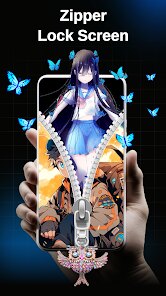
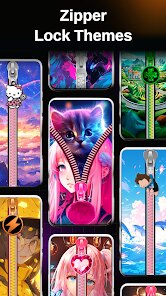
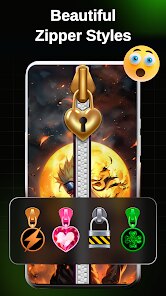
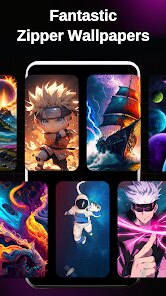
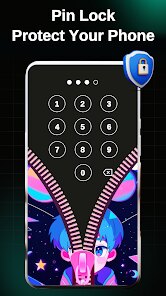
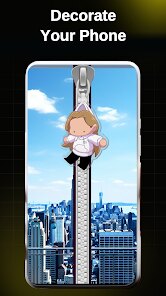
editor reviews
You know those moments when you just want to lock your screen without reaching for the physical button? That's exactly what Zipper Lock Screen - ZippyLock does. It's a utility app that turns your screen lock into a zipper gesture, so you swipe down like you're closing a jacket zipper and the screen shuts off. I found it on Google Play with a decent number of installs, and it's free to download with no forced registration. First impression after launching it is pretty straightforward. The interface is minimal, almost too simple, and it asks for device admin permission right away, which might make some people pause. But once you grant it, you're basically ready to go.
Actually using it feels a bit like a gimmick at first. You set the app as your default lock screen or just use the zipper overlay, and every time you want to lock the phone, you swipe down from the top. The zipper animation has a satisfying sound effect, kind of like a real jacket zipper, and it works smoothly most of the time. Onboarding is basically nonexistent, which is fine because there's not much to learn. A small practical tip is to adjust the sensitivity in settings, because the default swipe range can sometimes fail if you're in a rush. The interface is clean but lacks any customization beyond basic color changes. One confusing moment for me was figuring out that the zipper lock doesn't override your existing lock screen security, so you still need your PIN or pattern after the screen turns on. That's actually smart for security, but not obvious at first.
After using it for a while, I think this app is fun for people who like little interactive tricks on their phone, but it's not for everyone. If you're someone who often cracks your screen or hates wearing out the power button, this could genuinely save some wear and tear. But if you prefer speed and don't care about animations, you might find it annoying after the novelty wears off. It reminds me of apps like Tap, Tap, which uses double-tap gestures, but ZippyLock feels more visual and tactile. It stands out because of the zipper animation itself, nothing else quite does that. I can see someone keeping it installed just for the fun of it, but I could also see uninstalling it after a week when the swipe-down habit feels less special. It's a neat little tool, but not essential.
features
- 🔒 Zipper gesture lock – The main hook is the swipe-down zipper motion to lock the screen. It's unique and feels satisfying compared to normal one-tap lock apps like Screen Lock Pro, which just uses a button. The animation and sound make it more interactive.
- 🎨 Customizable zipper styles – You can change the zipper color and size, plus pick between different lock sounds. While Glimpse Lock offers more visual themes, ZippyLock keeps it simple and focused on the zipper itself without clutter.
- ⚡ Overlay mode – The app works as an overlay, so you don't have to replace your entire lock screen. This is smarter than apps like Fingerprint Quick Action, which require changing system settings. It stays out of the way until you need it.
- 📱 Battery and screen saver integration – It includes a basic battery indicator and a screen saver that shows the zipper when idle. It's not a standout feature compared to Material ScreenSaver, but it fits the app's playful vibe.
pros
- 🥇 Fun and intuitive design – The zipper gesture feels natural after a few tries, and it's more engaging than the dry button taps of Lock Screen Pro. It turns a boring action into something slightly playful.
- 🧩 Works with any existing security – Unlike apps that force you to use their own lock screen, ZippyLock just adds the zipper on top. This means you keep your fingerprint or PIN from the system, which is a big plus over apps like Hi Locker.
- 🛠️ Lightweight and no bloat – The app is small, doesn't run background services that drain battery, and has no annoying ads popping up. It's cleaner than many similar utilities like Screen Off and Lock.
cons
- 🔊 Limited customization options – You only get a few colors and sounds. If you want deep themes or animations, apps like Glimpse Lock offer way more variety. ZippyLock feels basic after the first week.
- 📉 Gesture reliability issues – Sometimes the zipper doesn't register if your swipe isn't perfectly straight. Tap, Tap is more forgiving with double-tap gestures and feels more consistent in daily use.
- 📲 No quick settings toggle – You have to open the app to adjust anything, unlike Screen Off and Lock which has a handy notification shortcut. It's a small inconvenience that adds up over time.
- 🔄 Overlay permission friction – Some Android versions require extra steps to grant overlay permission, and if you reboot, the app might not work until you manually re-enable it. This is annoying compared to simpler apps that work out of the box.
Recommended Apps
![]()
Japevox - Funny Prank Sound
SecureTool4.3
![]()
AstroMatrix Birth Horoscopes
AstroMatrix4.7
![]()
Personalized Call from Santa (
www.PackageFromSanta.com4.3![]()
Prank Call - Fake Call & Chat
Bravestars Casual4.1![]()
Persona: Beauty Camera
TICKET TO THE MOON, INC.4.5![]()
Peacock TV: Stream TV & Movies
Peacock TV LLC4.5![]()
Instant Buttons Soundboard App
Snow Peak Apps2.1![]()
GPS Speedometer: Speed Tracker
SM Infotech3.2![]()
Subway®
SUBWAY Restaurants4.2![]()
Find Your Phone By Clap
Trusted App Global4.5![]()
Gorilla Skins for Monkey Arena
Dumitru Boico4![]()
Vimeo
Vimeo.com, Inc.3.8![]()
Vinted - Buy and sell clothes
Vinted4.6![]()
Galaxy Starry Keyboard Backgro
Fun Keyboard Theme for Android4.7![]()
Chat AI - Ask AI anything
AI Chat Bot, Ask AI4.4















Disclaimer
1.Apklifts does not represent any developer, nor is it the developer of any App or game.
2.Apklifts provide custom reviews of Apps written by our own reviewers, and detailed information of these Apps, such as developer contacts, ratings and screenshots.
3. All trademarks, registered trademarks, product names and company names or logos appearing on the site are the property of their respective owners.
4.Apklifts abides by the federal Digital Millennium Copyright Act (DMCA) by responding to notices of alleged infringement that complies with the DMCA and other applicable laws.
5.If you are the owner or copyright representative and want to delete your information, please contact us [email protected].
6.All the information on this website is strictly observed all the terms and conditions of Google Ads Advertising policies and Google Unwanted Software policy.
7.Apklifts.com is an independent, information-only website which is 100% free to all the users.













