Fingerprint Scanner App

10M+
Installs
Zen Solutions Apps
Developer
-
Entertainment
Category
-
Everyone
Content Rating
-
https://sites.google.com/view/zen-solutions-apps/privacy
Privacy Policy
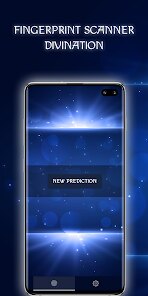
Screenshots
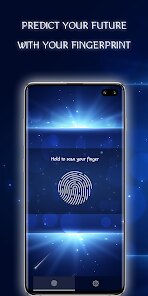
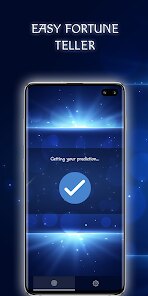
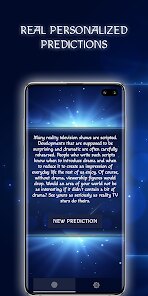
editor reviews
You know how it feels when you hand your phone to someone and immediately worry they'll scroll through your photos? That's exactly the kind of problem Fingerprint Scanner App by Zen Solutions Apps tries to solve. It's a security utility, basically a digital lock for individual apps rather than the whole device. The idea is simple: you download it from Google Play or the App Store, install it, and it asks for your fingerprint or a backup PIN. After a quick setup, you can select which apps to “lock.” The app itself is free to download, and while I didn't spot any forced registration, there are in-app purchases for the full unlock. First impression? The interface is clean but a bit dated—think ICS-era design. Still, it does exactly what it says on the tin.
Once you get past the initial setup, using it feels pretty straightforward. You launch the app, and it immediately asks for your fingerprint or PIN. After that, you're taken to a simple list of all your installed apps. You just tap the little lock icon next to whichever app you want to protect—gallery, WhatsApp, banking apps, whatever. From then on, every time you open that app, it throws up a fingerprint prompt. One small thing I noticed: if you're in a hurry, the popup can feel a bit slow to respond. But after a couple of days, you just get used to tapping the sensor. There's also a “hacker detection” feature that takes a photo of anyone who enters the wrong PIN, which feels a little paranoid but also pretty clever.
After using it for a couple of weeks, I think this app works best for someone who just wants a no-fuss lock screen for a few private apps. It's not going to blow your mind with fancy animations or cloud sync, but it does the job reliably. Compared to something like AppLock by DoMobile Lab, this one feels lighter and less bloated with ads and promotions. On the flip side, it doesn't offer as many customizations—no random keyboard or fake cover screens. I could see someone keeping it installed if they only lock two or three apps and don't need all the extra nonsense. Honestly, I'd keep it for the simplicity, but if you need more granular control, you might look elsewhere.
features
- 🔒 Fingerprint Locking: The core feature works smoothly. You assign a lock to any app, and every time you launch it, it demands your fingerprint or backup PIN. It uses your device's native sensor, so it's fast and doesn't glitch like some third-party scanners. AppLock by DoMobile Lab does the same thing, but it often adds a delay or a flash of the app before the lock kicks in.
- 📸 Intruder Selfie: If someone fails the PIN three times, the app silently snaps their photo using the front camera. It's a small thing, but it gives you a surprising bit of peace of mind. Competitors like Norton App Lock don't include this at all unless you pay for a premium suite.
- ⚙️ Lightweight Background Operation: The app barely sips battery. It runs in the background without nagging you about updates or offering “tips.” By contrast, AppLock often pushes popups asking you to rate it or buy themes, which gets old fast.
- 🛡️ No Internet Permission Needed: This one surprised me. The app doesn't request internet access, so you know your data isn't phoning home. A lot of similar apps, like Smart AppLock, ask for network permissions “for ads,” but that also opens the door to analytics or worse.
pros
- 🔒 Straightforward Fingerprint Authentication: Unlike AppLock by DoMobile Lab, which sometimes forces you to set a pattern lock first, this app lets you use your existing fingerprint immediately. No extra steps, no confusion.
- 📂 Simple App Selection: The list of apps is sorted alphabetically and shows icons side by side. No scrolling through endless categories like in Norton App Lock. You just find Instagram, tap the lock, and you're done.
- 🚫 No Bloatware Feel: Other security apps often bundle clean-up tools or VPN offers. This one stays focused on locking. That alone makes it better for people who just want a quick privacy shield.
cons
- 🔒 Outdated Interface: The design looks like it hasn't been refreshed since Android 6. AppLock by DoMobile Lab has a much cleaner, modern look with dark mode and themes.
- 📱 Inconsistent Locking Speed: Sometimes the fingerprint prompt appears instantly; other times I tap an app twice before the lock screen shows. It's not predictable, which gets annoying when you're in a rush.
- ⚙️ No App Hiding: Unlike Norton App Lock, which can completely hide apps from your launcher, this one only puts a lock on them. If someone is snooping, they can still see the app icon and know it's protected.
- 🛡️ Limited Free Version: The free version only lets you lock up to 5 apps. To protect more, you have to pay for the premium unlock. That's a bit stingy compared to Smart AppLock, which offers unlimited locks for free with ads.
Recommended Apps
![]()
BetterMe: Health Coaching
BetterMe Limited4.3
![]()
Walli - HD, 4K Wallpapers
Tap AI4.4![]()
Future Self - Old Age Filter
Vidler Koiter1.6
![]()
AI Photo Editor, Collage-Fotor
AI Art Photo Editor | Everimaging Ltd.4.3![]()
AI Face Swap: MagicFace &Photo
Braly JSC0![]()
QR Code Reader: QR Scanner
WECHOICE MOBILE4.3![]()
Lip Fall Challenge: Fun Filter
Braly JSC0![]()
Funny Reverse Audio - Singing
PlayStudioInc0![]()
Birthday Secrets
shasunder4.4![]()
Live Wallpapers HD 4K
Wallpaper app4.4![]()
Find Your Phone By Clap
Trusted App Global4.5![]()
Wizz - Expand Your World
Wizz3.8![]()
NCAA March Madness Live
NCAA Digital4.7![]()
Hulu: Stream TV shows & movies
Disney4.5![]()
Lethal Love: a Yandere game
AniByte!4.4










Disclaimer
1.Apklifts does not represent any developer, nor is it the developer of any App or game.
2.Apklifts provide custom reviews of Apps written by our own reviewers, and detailed information of these Apps, such as developer contacts, ratings and screenshots.
3. All trademarks, registered trademarks, product names and company names or logos appearing on the site are the property of their respective owners.
4.Apklifts abides by the federal Digital Millennium Copyright Act (DMCA) by responding to notices of alleged infringement that complies with the DMCA and other applicable laws.
5.If you are the owner or copyright representative and want to delete your information, please contact us [email protected].
6.All the information on this website is strictly observed all the terms and conditions of Google Ads Advertising policies and Google Unwanted Software policy.
7.Apklifts.com is an independent, information-only website which is 100% free to all the users.