

Moblo - 3D furniture modeling

1M+
Installs
MYTIforge
Developer
-
Art & Design
Category
-
Everyone
Content Rating
-
https://www.moblo3d.app/
Privacy Policy
Screenshots
editor reviews
Moblo is a mobile 3D modeling app focused entirely on furniture design and room layout. It's not a generic 3D software like Blender or a professional architectural tool like SketchUp. Instead, it's built for people who want to visualize a piece of furniture before building it, or rearrange a room without lifting a real sofa. You might download it if you're a woodworking hobbyist, a DIY furniture builder, or just someone tired of guessing if a new bookshelf will fit your wall. When you first launch the app on the Google Play Store, the clean, minimal interface is a pleasant surprise—no clutter, no aggressive upsells. It's free to download, though some premium tools require a one-time in-app purchase. The first impression is that the app feels like a specialized tool, not a toy, which is refreshing for a mobile app.
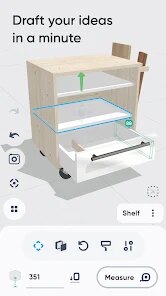
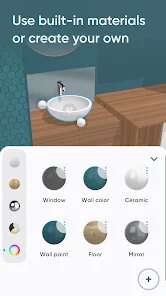
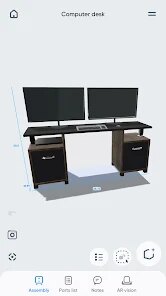
After you open Moblo, the experience starts with a simple tutorial that shows you how to tap, drag, and resize. The interface is surprisingly intuitive. You start by choosing a template—a room shape, for example—and then you add furniture pieces from a library of pre-made 3D models. You can modify dimensions by pulling on edges, change colors with a few taps, and even rotate objects with a two-finger gesture. The main action is placing and adjusting objects, which feels smooth on a phone screen. A common workflow is to sketch a room layout, drop in a table, and then tweak its legs or top to match your real-world measurements. The app handles this without lag, though rotating complex objects can sometimes feel a bit sticky. A practical tip: use the grid snapping feature to line things up cleanly. It saves frustration when you're placing multiple items.
After using Moblo for a few weeks, I'm convinced it serves a specific niche well. If you love building your own furniture or frequently rearrange rooms, this app is a great find. It's much more focused than a general 3D modeling app, which makes it easier to learn. Where it stands out from similar tools like "Room Planner" is its emphasis on custom dimensions and modifications, rather than just pre-set furniture catalogs. That said, it's not for everyone. If you're just planning a whole house or need photorealistic renders, you'd be better off with a desktop tool like SketchUp. For me, the app stays installed because it's fast and good for quick ideas. I can see someone removing it if they realize they only need a one-time layout and don't plan on building anything.
features
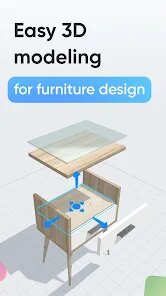
- 🛋️ The standout feature is the ability to modify every furniture model's dimensions by dragging points directly on the 3D object. Unlike "Room Planner" or "Homestyler," which force you to pick from fixed sizes, Moblo lets you change a table length from 120cm to 125cm with a simple pull. This makes it ideal for real-world building projects.
- 🛋️ Another strong feature is the room template system. You can select a predefined room shape (like L-shaped or rectangular) or create a custom outline. This is better than "IKEA Place," which only lets you place standalone items without a room boundary.
- 🛋️ Finally, the offline functionality is a huge plus. You don't need an internet connection to work on your designs, unlike some cloud-heavy apps. This was a key reason I kept using it during a weekend trip.
pros
- 👍 Easy onboarding: You can start a basic room design in under two minutes. Compared to "SketchUp Mobile," which requires a learning curve for navigation, Moblo feels almost intuitive from the first tap.
- 👍 Low device requirements: The app runs smoothly on mid-range Android phones. Apps like "3D Modeler" often lag on older hardware, but Moblo is optimized well.
- 👍 No subscription: A one-time payment unlocks the full toolkit. This is a major advantage over apps like "Architect 3D," which push recurring subscriptions for similar features.
cons
- 👎 Limited model library: The pre-made furniture collection is small compared to "Homestyler" or "IKEA Place." You'll rely heavily on modifying basic shapes, which can be tedious for complex designs.
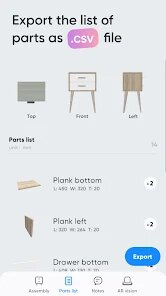
- 👎 No export to CAD: You can't export your model as an STL or OBJ file for 3D printing. This is a big miss for woodworkers who want to make physical parts. Apps like "Fusion 360" handle this much better.
- 👎 Occasional gesture glitches: Two-finger rotation sometimes conflicts with zoom, causing accidental misalignment. It's not a dealbreaker, but it's noticeable after using more polished apps like "Shapr3D."
Recommended Apps
![]()
BetterMe: Health Coaching
BetterMe Limited4.3
![]()
Walli - HD, 4K Wallpapers
Tap AI4.4![]()
Future Self - Old Age Filter
Vidler Koiter1.6
![]()
AI Photo Editor, Collage-Fotor
AI Art Photo Editor | Everimaging Ltd.4.3![]()
AI Face Swap: MagicFace &Photo
Braly JSC0![]()
QR Code Reader: QR Scanner
WECHOICE MOBILE4.3![]()
Lip Fall Challenge: Fun Filter
Braly JSC0![]()
Funny Reverse Audio - Singing
PlayStudioInc0![]()
Birthday Secrets
shasunder4.4![]()
Live Wallpapers HD 4K
Wallpaper app4.4![]()
Find Your Phone By Clap
Trusted App Global4.5![]()
Wizz - Expand Your World
Wizz3.8![]()
NCAA March Madness Live
NCAA Digital4.7![]()
Hulu: Stream TV shows & movies
Disney4.5![]()
Lethal Love: a Yandere game
AniByte!4.4















Disclaimer
1.Apklifts does not represent any developer, nor is it the developer of any App or game.
2.Apklifts provide custom reviews of Apps written by our own reviewers, and detailed information of these Apps, such as developer contacts, ratings and screenshots.
3. All trademarks, registered trademarks, product names and company names or logos appearing on the site are the property of their respective owners.
4.Apklifts abides by the federal Digital Millennium Copyright Act (DMCA) by responding to notices of alleged infringement that complies with the DMCA and other applicable laws.
5.If you are the owner or copyright representative and want to delete your information, please contact us [email protected].
6.All the information on this website is strictly observed all the terms and conditions of Google Ads Advertising policies and Google Unwanted Software policy.
7.Apklifts.com is an independent, information-only website which is 100% free to all the users.














