

Prisma3D - Animation, Modeling

10M+
Installs
Prisma3D
Developer
-
Art & Design
Category
-
Everyone
Content Rating
-
https://prisma3d.net/privacy-policy/
Privacy Policy
Screenshots
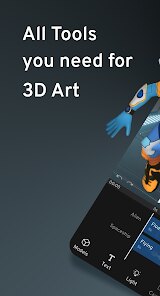
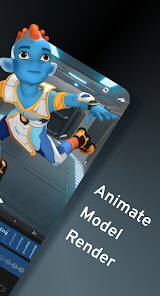
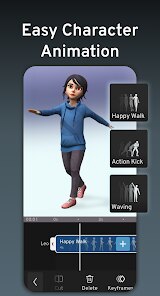
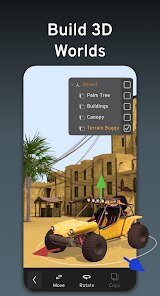
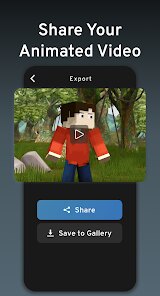
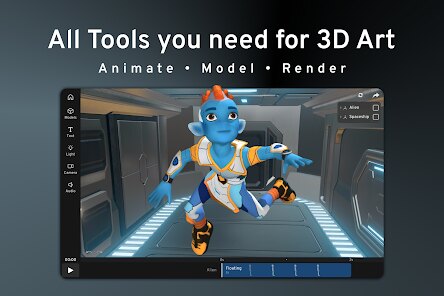
editor reviews
Prisma3D is a 3D modeling and animation app aimed at mobile creators who want to build low-poly models and short animations directly on their phone or tablet. It belongs to the 3D creation and design tools category, so think of it as a stripped-down Blender or Cinema 4D that fits in your pocket. Most people download it because they want to try 3D art without needing a powerful laptop or spending money on expensive software right away. The first time I opened it, I was honestly a little surprised — the interface is pretty straightforward compared to desktop apps, with big touch-friendly icons and a clean workspace. It's available on both Google Play and the App Store, and the basic version is free to download, though some advanced features require in-app purchases. I noticed there's no mandatory registration, which is a relief for anyone who just wants to test the waters quickly without handing over an email address. Ads pop up occasionally, but they weren't too annoying during my first few sessions.
After using it for a while, the hands-on experience feels decent for a mobile app. Once you launch it, the onboarding is minimal — there's a quick tutorial that shows you the basic gestures like pinch to zoom and drag to rotate the viewport. The main workflow involves selecting a shape from the primitive library, manipulating vertices, edges, or faces, and then setting up keyframes in the timeline for motion. For daily use, if you want to make a simple walking robot or a spinning cube, you can get the hang of it within an hour. Some moments felt smooth, like how responsive the touch controls are for rotating objects, but other parts were confusing — for example, finding where the animation tools are hidden took me a few minutes of poking around. A practical tip I picked up is to use the grid snapping feature early on, because freehand placement can make your scene messy pretty fast. The undo button is there, so don't worry about making mistakes, just be careful that it only goes back a limited number of steps.
After spending a few days with Prisma3D, I think it's a nice entry point for beginners who want to play with 3D modeling without a steep learning curve, especially younger users or hobbyists. But if you're someone who needs high-poly sculpting or complex rendering like you'd get from Blender or Maya, this app will feel too basic. It stands out because it focuses on making 3D accessible on mobile, which is rare — most similar apps either feel like toys or require a huge time investment to learn. I could see myself keeping it installed for quick experiments while commuting, but I'd probably uninstall it if I wanted to work on serious projects because the export options are limited and the performance lags with heavier scenes. It's fine for casual fun, but don't expect it to replace a full desktop setup anytime soon.
features
- 📐 Its main modeling tools let you push and pull vertices, edges, and faces with your fingers, which feels more intuitive than tapping through menus. Compared to a bigger app like Nomad Sculpt, Prisma3D leans toward blocky, low-poly work rather than organic sculpting, so if you like geometric shapes, you'll enjoy this more.
- 🎬 The built-in animation timeline is a standout feature for mobile — you can set keyframes and watch your model move without needing to sync anything to a computer. Other apps like Spline's mobile version don't offer this level of motion control on the go yet.
- 🔄 It supports importing and exporting in OBJ format, so you can bring models in from other tools or share your work elsewhere. No other free mobile 3D app I've tried makes file exchange this simple.
- 📦 The primitive library includes cubes, spheres, cylinders, and more, with adjustable segments. While Blender on desktop has more starting options, Prisma3D keeps things manageable so you don't feel overwhelmed when you first start out.
pros
- 👍 Onboarding is incredibly fast — you can start modeling within seconds, unlike Blender which requires you to learn a bunch of hotkeys first. The touch gestures just make sense for mobile users who aren't professional designers.
- 👍 It runs smoothly on mid-range phones without crashing often, which is a big advantage over heavier apps like Forger or VRoid Mobile that tend to lag or overheat my device after ten minutes.
- 👍 The community around it is active and friendly, with plenty of YouTube tutorials for beginners. Nomad Sculpt has a smaller community for basic animation, so Prisma3D feels more supported if you're just starting out.
cons
- 👎 The rendering quality is quite basic — you can't add realistic lighting, shadows, or textures like you can in Blender or even Gravity Sketch on a tablet. Everything ends up looking flat and plastic unless you put extra effort into fake effects.
- 👎 The app occasionally crashes when handling complex scenes with many objects, which is frustrating if you've spent a while building something. Nomad Sculpt handles larger files better in my experience.
- 👎 There's no bone rigging system, so character animation forces you to manually move each body part frame by frame. For character animators, even free tools like Blockbench offer easier rigging workflows for low-poly models.
- 👎 Ads and in-app purchase prompts interrupt the experience more often than I'd like. Compared to something like Sculpt+ which stays completely clean until you choose to buy, Prisma3D can feel a bit pushy about upgrades.
Recommended Apps
![]()
BetterMe: Health Coaching
BetterMe Limited4.3
![]()
Walli - HD, 4K Wallpapers
Tap AI4.4![]()
Future Self - Old Age Filter
Vidler Koiter1.6
![]()
AI Photo Editor, Collage-Fotor
AI Art Photo Editor | Everimaging Ltd.4.3![]()
AI Face Swap: MagicFace &Photo
Braly JSC0![]()
QR Code Reader: QR Scanner
WECHOICE MOBILE4.3![]()
Lip Fall Challenge: Fun Filter
Braly JSC0![]()
Funny Reverse Audio - Singing
PlayStudioInc0![]()
Birthday Secrets
shasunder4.4![]()
Live Wallpapers HD 4K
Wallpaper app4.4![]()
Find Your Phone By Clap
Trusted App Global4.5![]()
Wizz - Expand Your World
Wizz3.8![]()
NCAA March Madness Live
NCAA Digital4.7![]()
Hulu: Stream TV shows & movies
Disney4.5![]()
Lethal Love: a Yandere game
AniByte!4.4















Disclaimer
1.Apklifts does not represent any developer, nor is it the developer of any App or game.
2.Apklifts provide custom reviews of Apps written by our own reviewers, and detailed information of these Apps, such as developer contacts, ratings and screenshots.
3. All trademarks, registered trademarks, product names and company names or logos appearing on the site are the property of their respective owners.
4.Apklifts abides by the federal Digital Millennium Copyright Act (DMCA) by responding to notices of alleged infringement that complies with the DMCA and other applicable laws.
5.If you are the owner or copyright representative and want to delete your information, please contact us [email protected].
6.All the information on this website is strictly observed all the terms and conditions of Google Ads Advertising policies and Google Unwanted Software policy.
7.Apklifts.com is an independent, information-only website which is 100% free to all the users.














