
AR Drawing - Sketchar App

10M+
Installs
Braly JSC
Developer
-
Art & Design
Category
-
Everyone
Content Rating
-
https://bralyvn.com/privacy-policy.php
Privacy Policy
Screenshots
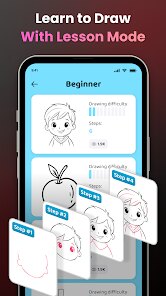
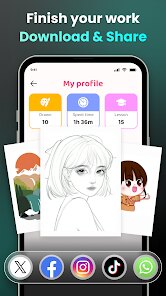
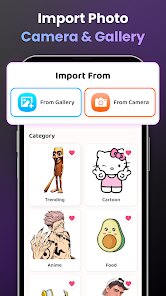
editor reviews
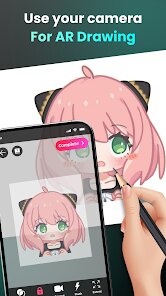
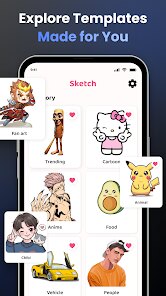
AR Drawing - Sketchar is a mobile app that sits at the intersection of augmented reality and art education. It's essentially a tracing tool that turns your phone's camera into a stencil projector. You pick an image from the built-in library or upload your own, the app processes it into a line drawing, and then you trace it onto paper by looking through the phone screen. Plenty of people searching Google Play or the App Store for "how to draw better" end up here. The app has racked up over ten million downloads, and the core tracing features are free. Once you launch it, the first thing that hits you is the clean, dark interface. It feels modern, not cluttered. The camera activates immediately, so your first instinct is to point it at something and see the magic happen. There's an optional sign-up prompt, but you can skip it and start tracing right away.
The real experience starts when you pick a reference image. I grabbed a simple flower outline from their library. The app prompts you to prop up your phone or tablet at a 45-degree angle over your paper, which sounds fiddly but works with a makeshift stand. You lock the device in place, the image overlays onto the live camera feed, and you see the lines projected onto your blank page. The main actions are straightforward: select, load, adjust the opacity or brightness of the overlay, and trace. The onboarding is a short video, but honestly, the trial-and-error method teaches you faster. I noticed that the tracking holds steady unless you breathe too hard and shift the phone. One small trick I figured out quickly was to lower the brightness of the overlay so the pencil marks don't get washed out by the screen glow. The process feels a bit like those old-school lightbox tracing setups, just without the physical transparency and the bulky lamp.
After a week of casual use, I feel like the app is genuinely useful for beginners who want to build muscle memory for drawing shapes and proportions. It's less helpful if you already have a solid grasp on freehand sketching, because the crutch can feel stifling. What sets it apart from something like SketchAR or Da Vinci Eye is the focus on a clean, minimal workflow rather than a social community or endless tutorials. The image processing removes color gradients fast, leaving clean contour lines. I can see someone keeping it installed for quick projects like custom greeting cards or learning a new subject's anatomy. On the other hand, the frustration comes from needing a stable stand and decent lighting. Without good light, the camera picks up shadows and the overlay gets noisy. I uninstalled it after a while, but only because my drawing habit moved back to pure freehand. If you're the type who wants to nail a perfect cat portrait in under an hour, this app earns its keep.
features
- 🎨 Live camera overlay with adjustable brightness and opacity — Unlike many tracing apps that lock you into preset layers, Sketchar lets you fade the reference image to a faint ghost so your pencil marks remain fully visible in real time. This makes a huge difference when you're working on detailed line work without stopping to toggle settings.
- 🖼️ Fully offline image import from your own gallery — While apps like Adobe Fresco require an active internet connection for asset downloads, Sketchar lets you load any photo you shot yourself and convert it into a traceable line drawing right there, no Wi-Fi needed. Perfect for when you're sketching outdoors or traveling.
- 📐 Built-in grid and mirror tools for proportion checks — You can overlay a grid pattern onto the camera view to measure distances visually, or flip the reference horizontally to fix symmetry errors. This is something you'd normally need a separate ruler or mirror app to do, and it's baked straight into the drawing flow here.
pros
- ☀️ Extremely low barrier to entry — Compared to Procreate or Sketchbook, which expect you to understand layers, brushes, and blending modes, Sketchar just needs a steady hand and a piece of paper. Anyone who flunked art class can produce a recognizable outline in ten minutes.
- 📱 Minimalist interface with no subscription gate — Many competitors like Trace Table or SketchAR lock advanced features behind monthly paywalls. Sketchar gives you the core tracing functionality, image import, and basic editing tools without forcing you into a recurring payment.
- 🔋 No heavy rendering lag — Even on an older mid-range Android phone, the camera-to-overlay pipeline stays responsive. The app doesn't drain battery trying to process 3D models or live effects, which is a relief compared to resource-heavy art apps that heat up your device.
cons
- 🪞 No live projection mirror flip — Unlike apps like Da Vinci Eye that let you mirror the camera feed horizontally so you trace the reversed image for print transfers, Sketchar leaves you to mentally flip your reference. This is a small omission that makes certain projects needlessly harder.
- 📡 Limited built-in image library — The selection of preset drawings is small compared to SketchAR's cloud gallery. After a few days, you'll have cycled through all the free outlines and will rely entirely on your own photos, which may not always convert cleanly into simple line art.
- ⚙️ Stand calibration can be finicky — The app assumes you have a phone stand or tripod at exactly 45 degrees. In practice, any slight wobble or angle change misaligns the overlay, forcing you to restart from scratch. Competing apps with gyroscope-based recalibration handle this more gracefully.
Recommended Apps
![]()
BetterMe: Health Coaching
BetterMe Limited4.3
![]()
Walli - HD, 4K Wallpapers
Tap AI4.4![]()
Future Self - Old Age Filter
Vidler Koiter1.6
![]()
AI Photo Editor, Collage-Fotor
AI Art Photo Editor | Everimaging Ltd.4.3![]()
AI Face Swap: MagicFace &Photo
Braly JSC0![]()
QR Code Reader: QR Scanner
WECHOICE MOBILE4.3![]()
Lip Fall Challenge: Fun Filter
Braly JSC0![]()
Funny Reverse Audio - Singing
PlayStudioInc0![]()
Birthday Secrets
shasunder4.4![]()
Live Wallpapers HD 4K
Wallpaper app4.4![]()
Find Your Phone By Clap
Trusted App Global4.5![]()
Wizz - Expand Your World
Wizz3.8![]()
NCAA March Madness Live
NCAA Digital4.7![]()
Hulu: Stream TV shows & movies
Disney4.5![]()
Lethal Love: a Yandere game
AniByte!4.4















Disclaimer
1.Apklifts does not represent any developer, nor is it the developer of any App or game.
2.Apklifts provide custom reviews of Apps written by our own reviewers, and detailed information of these Apps, such as developer contacts, ratings and screenshots.
3. All trademarks, registered trademarks, product names and company names or logos appearing on the site are the property of their respective owners.
4.Apklifts abides by the federal Digital Millennium Copyright Act (DMCA) by responding to notices of alleged infringement that complies with the DMCA and other applicable laws.
5.If you are the owner or copyright representative and want to delete your information, please contact us [email protected].
6.All the information on this website is strictly observed all the terms and conditions of Google Ads Advertising policies and Google Unwanted Software policy.
7.Apklifts.com is an independent, information-only website which is 100% free to all the users.














