

Meta AI

10M+
Installs
Meta Platforms, Inc.
Developer
-
Productivity
Category
-
Everyone
Content Rating
-
https://www.facebook.com/privacy/policy/
Privacy Policy
Screenshots

editor reviews
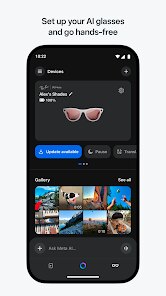
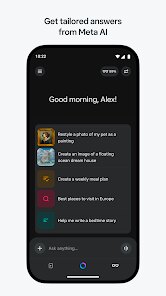
Meta AI is Meta's own artificial intelligence assistant, baked right into their family of apps like Facebook, Instagram, WhatsApp, and Messenger. It's not a standalone download you grab from Google Play or the App Store; instead, it shows up as a chat bubble or a search bar enhancement after you update those main apps. With over a billion installs across Meta's suite, it's free to use, no registration needed beyond your existing account, and there are no in-app purchases or ads interrupting you. The first impression after launching, say, Instagram and swiping to the search tab, is that a little blue-and-purple circle icon has appeared. Tapping it opens a chat window that feels familiar, like texting a friend, and it instantly suggests things like “Plan a weekend trip” or “Tell me a joke,” which makes you curious to try it out.
After using Meta AI for a few days, the hands-on experience is pretty straightforward. The interface is clean, almost minimal, just a text box at the bottom and your chat history above. Onboarding is nonexistent because there's nothing to set up; you just start typing. I found myself asking it to summarize a long Facebook group discussion, and it pulled out the key points without me having to scroll through hundreds of comments. You can also use it to generate images by typing “imagine…” followed by a description, and it pops up four options in seconds. One smooth moment was when I asked for a dinner recipe using leftover chicken, and it walked me through steps without any fluff. A confusing bit, though, is that it sometimes stops mid-response if your internet connection dips, but hitting the send button again usually fixes it. A practical tip: you can long-press any generated image to save it directly to your camera roll, which is handy for quick shares.
After sticking with Meta AI for a while, I'd say it's a decent helper for casual tasks, but it's not a powerhouse for deep work. People who already live inside Meta's apps will enjoy it because it saves you from switching to something like ChatGPT or Perplexity for quick questions. But if you're looking for a robust research tool or a chatbot that handles complex coding or detailed analysis, this one feels more like a fun sidekick than a serious assistant. What makes it different is its tight integration, you can ask it to find a specific post from last month or draft a reply for a comment without leaving the app. I kept it installed because it's just there, no extra clutter. But I could see someone uninstalling the main Meta app altogether if they find the constant nudges to use AI more annoying than helpful. Compared to Google's Gemini or Apple's Siri, Meta AI feels less proactive and more reactive, which works fine for quick tasks but not for proactive planning.
features
- ✨ Meta AI stands out for its seamless integration across Meta's ecosystem, meaning you can ask it to fetch a specific WhatsApp message from last week about a dinner plan, then instantly share the summary in a Facebook post, all without copy-pasting anything manually. In contrast, OpenAI's ChatGPT requires you to be in its own app or web interface, which breaks the flow when you're already scrolling through social feeds.
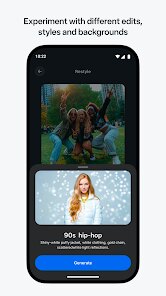
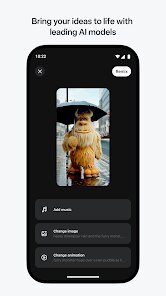
- 🎨 The “Imagine” feature for image generation is a big plus because you can type “imagine a cat riding a skateboard in cyberpunk Tokyo” and get four unique images right in the chat, which you can tweak or refine. Microsoft Copilot does this too, but Meta AI's results feel more playful and less corporate, plus they're instantly shareable, which is perfect for quick memes or inspiration.
- 📱 Since Meta AI is embedded in apps like Instagram and Messenger, you can use it to plan your day without switching apps. Tell it “Plan my Saturday,” and it suggests a schedule based on your recent posts, events, and messages, which feels personal. Google Gemini requires accessing its standalone app, and Apple's Siri needs specific permissions, so Meta's approach is more casual and social-focused.
- 🔍 The ability to search for old posts or comments across Meta's apps is a hidden gem. You can ask, “Find that post where I mentioned my birthday cake,” and it digs through your timeline. No other AI assistant currently ties into social media archives this deeply, making it great for nostalgic or practical digging.
pros
- 💪 A major strength is its zero-cost nature; unlike ChatGPT Plus or Gemini Advanced, Meta AI is completely free with no subscription or paywall, so you get image generation, web search (via Bing), and chat history without ever being asked for a credit card.
- ⚡ Speed is another win, responses pop up almost instantly because Meta's servers handle the load efficiently. Compared to Anthropic's Claude, which can feel sluggish during peak hours, Meta AI stays snappy even when I'm asking it to rewrite a paragraph on the fly.
- 🔗 Integration with events and groups is unmatched. I can ask Meta AI to create a group poll on Facebook based on a conversation we had in Messenger, which is something neither Perplexity nor Snapchat's My AI can do natively, saving steps in community management.
cons
- ⚠️ A clear weakness is its dependency on Meta's ecosystem; if you log out of Instagram or delete WhatsApp, you lose access entirely. Tools like ChatGPT or Google Gemini work across any browser or device, so Meta AI feels locked in a cage.
- 🌐 Privacy is a concern for many users since Meta AI reads your activity across apps to personalize answers, which feels intrusive. Perplexity or DuckDuckGo's AI chat don't mine your social data, so they're seen as more trustworthy for sensitive queries.
- 🎯 Accuracy can be hit or miss, especially with current events. I asked about a breaking news story, and it gave me outdated info from a week ago, while Google's Gemini pulled the latest from news sites. For reliability, it's not the best choice.
- 📝 Creativity in writing isn't as polished as Claude or ChatGPT; when I asked it to draft a funny birthday card, the joke felt generic and stiff. Other AI assistants offer more nuanced humor or tone control, so for creative tasks, Meta AI falls short.
Recommended Apps
![]()
Japevox - Funny Prank Sound
SecureTool4.3
![]()
AstroMatrix Birth Horoscopes
AstroMatrix4.7
![]()
Personalized Call from Santa (
www.PackageFromSanta.com4.3![]()
Prank Call - Fake Call & Chat
Bravestars Casual4.1![]()
Persona: Beauty Camera
TICKET TO THE MOON, INC.4.5![]()
Peacock TV: Stream TV & Movies
Peacock TV LLC4.5![]()
Instant Buttons Soundboard App
Snow Peak Apps2.1![]()
GPS Speedometer: Speed Tracker
SM Infotech3.2![]()
Subway®
SUBWAY Restaurants4.2![]()
Find Your Phone By Clap
Trusted App Global4.5![]()
Gorilla Skins for Monkey Arena
Dumitru Boico4![]()
Vimeo
Vimeo.com, Inc.3.8![]()
Vinted - Buy and sell clothes
Vinted4.6![]()
Galaxy Starry Keyboard Backgro
Fun Keyboard Theme for Android4.7![]()
Chat AI - Ask AI anything
AI Chat Bot, Ask AI4.4















Disclaimer
1.Apklifts does not represent any developer, nor is it the developer of any App or game.
2.Apklifts provide custom reviews of Apps written by our own reviewers, and detailed information of these Apps, such as developer contacts, ratings and screenshots.
3. All trademarks, registered trademarks, product names and company names or logos appearing on the site are the property of their respective owners.
4.Apklifts abides by the federal Digital Millennium Copyright Act (DMCA) by responding to notices of alleged infringement that complies with the DMCA and other applicable laws.
5.If you are the owner or copyright representative and want to delete your information, please contact us [email protected].
6.All the information on this website is strictly observed all the terms and conditions of Google Ads Advertising policies and Google Unwanted Software policy.
7.Apklifts.com is an independent, information-only website which is 100% free to all the users.













