

Fingerprint Scan Simulator

1M+
Installs
Dream-Up
Developer
-
Lifestyle
Category
-
Teen
Content Rating
-
https://www.dream-up.eu/index.php/privacy-policy
Privacy Policy
Screenshots
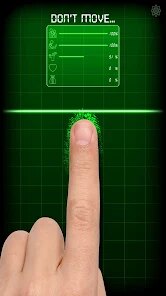
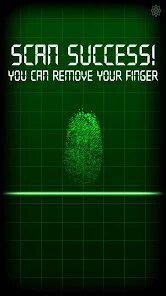
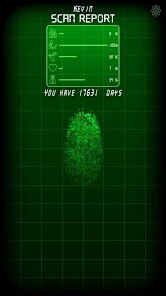
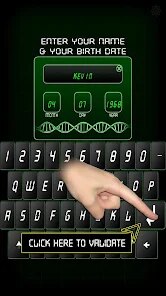

editor reviews
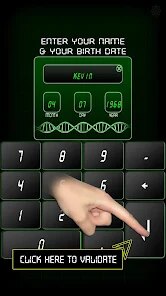
Fingerprint Scan Simulator is a quirky utility app from developer Dream-Up that lives in the novelty category on Google Play. It basically turns your phone into a fake fingerprint scanner, letting you pretend to scan your finger and getting a simulated result on screen. A normal user might download this for a quick laugh with friends, to prank someone, or just to satisfy curiosity. After launching it for the first time, the initial impression is honestly a bit underwhelming — the interface is very barebones with a simple scanning animation and a fake sensor area. The app has been installed over a million times, and it's free to download with no registration required, though there are occasional ads and a few optional in-app purchases.
Once you get past the novelty, using the app is straightforward: you press your finger on the on-screen sensor, and a scanning animation plays before showing a fake result like “Access Granted” or “Fingerprint Not Recognized.” There's no real onboarding, so you just jump straight in. A common step is choosing different scanning modes or sound effects from a small settings menu. The scanning animation feels smooth enough, but the fake result randomization can feel a bit too predictable after a few tries — you'll often get the same messages repeating. A practical tip is to mess with the sound effect settings if you want to make the prank more convincing for someone watching.
After using this app for a while, I'd say it's fun for a few minutes but doesn't have much staying power. People who enjoy prank apps or want a quick party trick might find it amusing, but those looking for something useful or long-term will likely uninstall it after showing a couple friends. Compared to other novelty apps like Fake Phone Call or Fake GPS, Fingerprint Scan Simulator feels less polished and more limited in what it does — it's really just one trick over and over. I can see someone keeping it installed if they use it for recurring pranks, but for most people, the charm wears off fast and it ends up deleted.
features
- 🖐️ The core gimmick works as advertised — press your finger, watch the scanning animation, and get a fake result. It's exactly what you'd expect from a prank tool, with no confusing extras. Compared to something like Fingerprint Lock Screen, which actually scans real prints, this one is pure simulation and completely harmless.
- 🎵 There's a sound effects section where you can switch between different scanning noises, including ones that mimic sci-fi or office security systems. This adds a bit of variety over similar prank apps like Fake Scanner Pro, which often stick to one generic sound.
- 🎨 The app has a few visual themes you can toggle, like dark mode or a retro green screen look. While not groundbreaking, it helps the fake scanner look more authentic than apps like Prank Scanner Lite, which just uses a static image.
- ⚡ No real setup is required — open it and you're ready to prank someone. This makes it faster to use than similar tools that have multi-step activation or require permissions.
pros
- 👍 It's lightweight and doesn't eat up battery or storage, unlike bloated prank apps like Prank Master 2024 that bundle tons of unnecessary features. You can keep it installed without worrying about performance.
- 👍 The fake scanning animation feels surprisingly realistic for a free app, with a pulsing light effect that looks similar to real fingerprint scanners on phones. This is better than Fake Scanner 101, where the animation feels jerky.
- 👍 No account or login is forced, which is rare among novelty apps nowadays. Many similar apps, like Fun Prank Tools, nag you constantly, but this one just lets you play immediately.
cons
- 👎 The content gets repetitive very quickly since there are only about five different fake result messages. After two or three uses, you've seen everything, while a similar app like Prank Buttons has a hundred randomized responses to keep it fresh.
- 👎 Ads pop up after every scan attempt, which ruins the flow when you're trying to prank someone. Competitors like Pro Prank Scanner offer an ad-free version for less money.
- 👎 There's no customization for the fake error messages or scan speed, so you can't tailor the prank to look more convincing. Apps like Fake Scanner Studio let you edit the text, which makes a big difference for repeat use.
- 👎 The app hasn't been updated in over a year and sometimes crashes on newer Android versions. Rivals like Prank Life have better compatibility and fix bugs faster.
Recommended Apps
![]()
BetterMe: Health Coaching
BetterMe Limited4.3
![]()
Walli - HD, 4K Wallpapers
Tap AI4.4![]()
Future Self - Old Age Filter
Vidler Koiter1.6
![]()
AI Photo Editor, Collage-Fotor
AI Art Photo Editor | Everimaging Ltd.4.3![]()
AI Face Swap: MagicFace &Photo
Braly JSC0![]()
QR Code Reader: QR Scanner
WECHOICE MOBILE4.3![]()
Lip Fall Challenge: Fun Filter
Braly JSC0![]()
Funny Reverse Audio - Singing
PlayStudioInc0![]()
Birthday Secrets
shasunder4.4![]()
Live Wallpapers HD 4K
Wallpaper app4.4![]()
Find Your Phone By Clap
Trusted App Global4.5![]()
Wizz - Expand Your World
Wizz3.8![]()
NCAA March Madness Live
NCAA Digital4.7![]()
Hulu: Stream TV shows & movies
Disney4.5![]()
Lethal Love: a Yandere game
AniByte!4.4















Disclaimer
1.Apklifts does not represent any developer, nor is it the developer of any App or game.
2.Apklifts provide custom reviews of Apps written by our own reviewers, and detailed information of these Apps, such as developer contacts, ratings and screenshots.
3. All trademarks, registered trademarks, product names and company names or logos appearing on the site are the property of their respective owners.
4.Apklifts abides by the federal Digital Millennium Copyright Act (DMCA) by responding to notices of alleged infringement that complies with the DMCA and other applicable laws.
5.If you are the owner or copyright representative and want to delete your information, please contact us [email protected].
6.All the information on this website is strictly observed all the terms and conditions of Google Ads Advertising policies and Google Unwanted Software policy.
7.Apklifts.com is an independent, information-only website which is 100% free to all the users.














