
Prank Sounds: Haircut & Taser

1M+
Installs
Mobile Innovate X
Developer
-
Entertainment
Category
-
Everyone
Content Rating
-
https://innovatex.one/policy.html
Privacy Policy
Screenshots
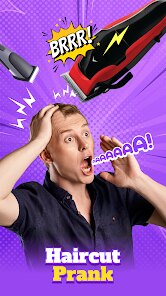
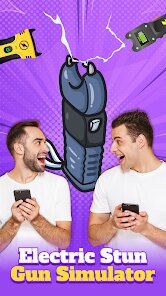
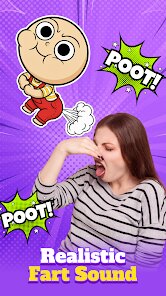

editor reviews
I stumbled upon Prank Sounds: Haircut & Taser on the Google Play Store during a bored weekend scroll. It's exactly what the name suggests — a prank soundboard app, stuffed with audio clips like buzzing clippers, scissors snipping, and that sharp electric crackle of a taser. You download it for free, and after a quick install, you're greeted with a simple list of sound buttons. The first impression is that it feels a bit cheap, like a free app from 2012, but the sounds themselves are surprisingly clear and loud through phone speakers. Registration is optional, and there are banner ads at the bottom, but they don't get in the way too much.
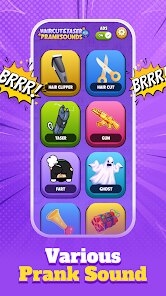
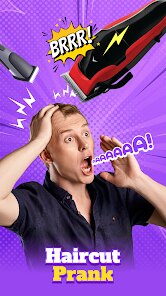
Actually using the app is pretty straightforward. You open it, see a grid of labeled buttons — "Haircut Buzz," "Taser Crackle," "Electric Shave" — and tap one to play the sound. The interface is plain, with a dark background and basic icons, so there's no confusion about what does what. I tested the "Haircut" set on my roommate from the next room, and he actually stopped to check his hair in the mirror. That got a laugh. The "Taser" sound is more jarring; it's loud and sudden, so using it in public might get you weird looks. One small tip: the sounds keep playing even if you lock the screen or switch apps, which is useful for longer pranks. But there's no volume slider inside the app, so you have to rely on your phone's physical buttons, which feels like an oversight.
After a few days of messing around, I think this app is great for teenagers and anyone who loves harmless, silly pranks. The novelty wears off fast though, because it only offers about a dozen sound clips, and none of them are customizable. It's definitely more of a conversation starter or a party trick than anything useful. Compared to apps like "Prank Caller" or "iPrank," this one is simpler but also more limited; those apps let you record your own sounds or layer effects. The standout moment for me was the haircut sound — it's genuinely convincing. But after the first few laughs, I found myself opening it less. I kept it installed for the occasional joke, but I get why someone might uninstall it after a week. It's a one-trick pony, but that trick works.
features
- 🎵 The sound quality is the app's main hook — the "Haircut" clips are studio-level clear, with realistic buzzing and snipping. Compared to "Prank Button," which has muffled audio, this app nails the crispness. The "Taser" sound feels sharp and startling, which is perfect for a jump scare.
- 🎵 It's dead simple to use — one tap per sound, no menus or settings to dig through. "Prank Caller" buries its sounds behind multiple screens, but here you're on the grid instantly. That makes it great for quick pranks during a conversation.
- 🎵 The sounds play in the background even after you exit the app, which is a sneaky advantage. You can trigger a clip, lock your phone, and the noise keeps going. "iPrank" pauses when you switch apps, so this feels more polished for practical jokes.
- 🎵 No registration or permissions required — you install it, open it, and it works. That's rare among prank apps, since many ask for microphone or storage access. Here, you just tap and prank.
pros
- ✅ The free price tag is a big win — there's no paywall for the good sounds. "Prank Caller" hides its best clips behind a $2.99 purchase, but Mobile Innovate X gives you everything upfront.
- ✅ The "Haircut" clips sound terrifyingly real. I tested it on a friend who actually went to check a mirror. "Prank Button" offers similar sounds but they lack that convincing texture.
- ✅ No ads that interrupt playback. Banner ads sit at the bottom silently, unlike "iPrank" which shows video ads every third tap. That keeps the prank from being ruined by a loud ad.
- ✅ The app is tiny in size, under 10MB. That matters when your phone is full of other stuff. "Prank Studio" is 50MB, so this is more practical for quick installs.
cons
- ❌ The sound library is way too small — only about a dozen clips. "Prank Caller" has over 50 sounds and lets you categorize them. After three days, I was tired of hearing the same buzz and crackle.
- ❌ You can't record your own sounds or import audio files. "iPrank" allows custom uploads, so you can prank with inside jokes. This app feels closed off in comparison.
- ❌ The UI is dated and ugly, with a black background and cartoonish icons. "Prank Studio" has a modern dark theme with smooth animations. This app looks like it was coded in an afternoon.
- ❌ There's no way to schedule or queue sounds. You have to tap each one manually each time. "Prank Caller" lets you set a timer for delayed playback, which is way more strategic for pranks.
Recommended Apps
![]()
BetterMe: Health Coaching
BetterMe Limited4.3
![]()
Walli - HD, 4K Wallpapers
Tap AI4.4![]()
Future Self - Old Age Filter
Vidler Koiter1.6
![]()
AI Photo Editor, Collage-Fotor
AI Art Photo Editor | Everimaging Ltd.4.3![]()
AI Face Swap: MagicFace &Photo
Braly JSC0![]()
QR Code Reader: QR Scanner
WECHOICE MOBILE4.3![]()
Lip Fall Challenge: Fun Filter
Braly JSC0![]()
Funny Reverse Audio - Singing
PlayStudioInc0![]()
Birthday Secrets
shasunder4.4![]()
Live Wallpapers HD 4K
Wallpaper app4.4![]()
Find Your Phone By Clap
Trusted App Global4.5![]()
Wizz - Expand Your World
Wizz3.8![]()
NCAA March Madness Live
NCAA Digital4.7![]()
Hulu: Stream TV shows & movies
Disney4.5![]()
Lethal Love: a Yandere game
AniByte!4.4















Disclaimer
1.Apklifts does not represent any developer, nor is it the developer of any App or game.
2.Apklifts provide custom reviews of Apps written by our own reviewers, and detailed information of these Apps, such as developer contacts, ratings and screenshots.
3. All trademarks, registered trademarks, product names and company names or logos appearing on the site are the property of their respective owners.
4.Apklifts abides by the federal Digital Millennium Copyright Act (DMCA) by responding to notices of alleged infringement that complies with the DMCA and other applicable laws.
5.If you are the owner or copyright representative and want to delete your information, please contact us [email protected].
6.All the information on this website is strictly observed all the terms and conditions of Google Ads Advertising policies and Google Unwanted Software policy.
7.Apklifts.com is an independent, information-only website which is 100% free to all the users.














