

Santa's Naughty List App

100K+
Installs
Steven J Q McAnena
Developer
-
Entertainment
Category
-
Everyone
Content Rating
-
http://www.mcanena.uk/About/EULA/eula.html
Privacy Policy
Screenshots
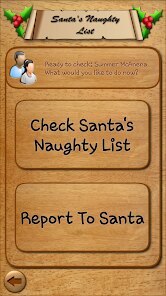
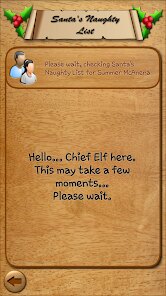
editor reviews
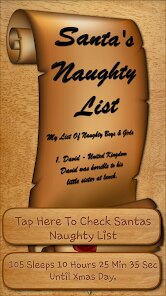
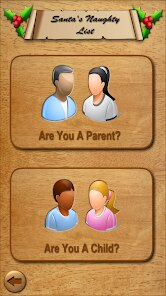
So, there's this app called Santa's Naughty List, and it's exactly what it sounds like — a playful utility that lets you keep track of who's been good or bad this year. It's basically a digital version of the classic Christmas list, but with a cheeky, interactive twist. You download it from the App Store (it's free, no in-app purchases that I noticed), and the first impression is pretty straightforward: a festive, cartoonish interface with Santa's face and a big "Add Person" button. I think it's meant for casual holiday fun, maybe for parents to joke around with kids or for office Secret Santa games. No registration or sign-up needed, which was a relief — just tap and go.
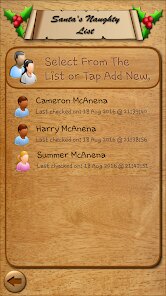
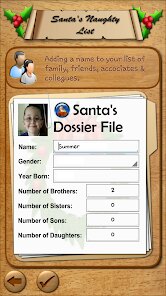
Once you open it, the whole experience is quite simple. You add a name, assign them a status — naughty or nice — and the app builds a list. The interface is really basic: a few buttons, some Christmas-y fonts, and a scrollable list. I added a few friends and family members, and the process took maybe thirty seconds per person. The only slightly confusing part was that there isn't an obvious "edit" option if you make a typo. You have to delete the person entirely and re-add them. Other than that, it's smooth and intuitive. A small tip: you can swipe to delete someone from the list, which makes cleanup faster. But don't expect any fancy animations or sound effects — it's very minimal.
After using it for a bit, I'd say this app is really just for a laugh, not a serious tool. If you're hosting a Christmas party or want to tease your siblings, it's charming. But if you're looking for something more functional — like a shared family organizer or a task manager with a holiday theme — this isn't that. It's a one-trick pony, but it does that trick well. Compared to something like "Christmas List" or "Giftster," which focus on gift planning and sharing, this feels more like a gag. I could see someone keeping it installed for the novelty of checking their friends' "naughtiness" throughout December, but realistically, most people would probably uninstall it after the holidays. The lack of updates or support (the developer is just one person, Steven J Q McAnena) means it won't evolve, but for what it is, it's fine.
features
- 🎄 Instant Naughty/Nice Tagging: You add someone's name and pick a status in two taps. It's way simpler than, say, the "Elf on the Shelf" app, which has games and stories but no direct list. This is pure, no-fuss labeling.
- 🎄 No Account Needed: Unlike "Santa's Naughty Nice List" apps that ask for sign-ups to share lists, this one works offline and immediately. You download it and start using it without any data sharing, which feels more private.
- 🎄 Simple Visual Feedback: Each person gets a small Santa hat icon for "nice" or a coal icon for "naughty." It's not flashy, but the icons are clear and easy to read at a glance. Other apps often spam you with ads or pop-ups, but this stays clean.
pros
- 🌟 Quick Setup: Compared to "Christmas Countdown" apps that require calendar access and notifications, this app launches ready to go. You don't fiddle with permissions or settings.
- 🌟 No Ads or Distractions: A lot of holiday apps (like "Santa Tracker") are full of video ads. This one has zero interruptions, making it feel like a genuine, no-nonsense tool.
- 🌟 Shareable by Screen: Since there's no share button, you just show your phone to someone. It's oddly social in an old-school way, unlike app-specific sharing features that feel forced.
cons
- 💥 No Edit or Undo: If you misspell a name, you can't edit it. You have to delete and re-add. Apps like "List Perfectly" let you edit entries easily, so this feels dated.
- 💥 No Sharing Feature: You can't send the list to someone else via text or email. Similar apps like "Christmas List" allow list sharing, which is handy for family planning.
- 💥 Limited to One List: You can't create multiple lists (like one for family, one for coworkers). "Giftster" lets you manage several lists, which is more practical.
- 💥 No Sorting or Search: If you add 20 people, you have to scroll manually. No alphabetical sort or search bar, which becomes annoying with a large group.
Recommended Apps
![]()
BetterMe: Health Coaching
BetterMe Limited4.3
![]()
Walli - HD, 4K Wallpapers
Tap AI4.4![]()
Future Self - Old Age Filter
Vidler Koiter1.6
![]()
AI Photo Editor, Collage-Fotor
AI Art Photo Editor | Everimaging Ltd.4.3![]()
AI Face Swap: MagicFace &Photo
Braly JSC0![]()
QR Code Reader: QR Scanner
WECHOICE MOBILE4.3![]()
Lip Fall Challenge: Fun Filter
Braly JSC0![]()
Funny Reverse Audio - Singing
PlayStudioInc0![]()
Birthday Secrets
shasunder4.4![]()
Live Wallpapers HD 4K
Wallpaper app4.4![]()
Find Your Phone By Clap
Trusted App Global4.5![]()
Wizz - Expand Your World
Wizz3.8![]()
NCAA March Madness Live
NCAA Digital4.7![]()
Hulu: Stream TV shows & movies
Disney4.5![]()
Lethal Love: a Yandere game
AniByte!4.4















Disclaimer
1.Apklifts does not represent any developer, nor is it the developer of any App or game.
2.Apklifts provide custom reviews of Apps written by our own reviewers, and detailed information of these Apps, such as developer contacts, ratings and screenshots.
3. All trademarks, registered trademarks, product names and company names or logos appearing on the site are the property of their respective owners.
4.Apklifts abides by the federal Digital Millennium Copyright Act (DMCA) by responding to notices of alleged infringement that complies with the DMCA and other applicable laws.
5.If you are the owner or copyright representative and want to delete your information, please contact us [email protected].
6.All the information on this website is strictly observed all the terms and conditions of Google Ads Advertising policies and Google Unwanted Software policy.
7.Apklifts.com is an independent, information-only website which is 100% free to all the users.














