
Reverse Voice - Voice Changer

100K+
Installs
Hammad67
Developer
-
Entertainment
Category
-
Everyone
Content Rating
-
https://voicechangerappprivacypolicy.blogspot.com/2025/11/privacy-policy-of-prank-voice-voice.html
Privacy Policy
Screenshots
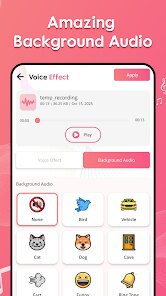
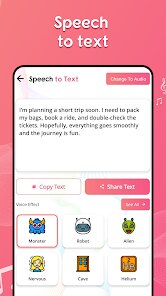
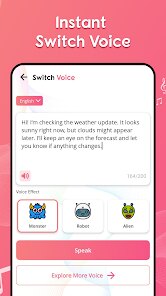
editor reviews
Reverse Voice - Voice Changer is a bit of an oddball in the app store. It's a straightforward sound utility that lets you record your voice and then play it back in reverse. You might think that's a gimmick, and honestly, it kind of is, but it has its uses. People grab it for making silly sounds, creating weird sound effects for videos, or just to mess around with friends. When you first launch it, the interface is super simple a big record button and a playback button. It feels very barebones, which makes sense since it's a free download on Google Play with a moderate number of installs. You don't need to register anything, which is a relief, and there are no annoying pop-ups for in-app purchases right away.
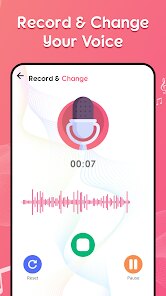
The hands-on experience is as straightforward as it gets. You tap the red record button, say something, and then hit stop. The app instantly processes your audio and plays it backward. It's surprisingly clean for what it is no lag, no confusing menus. If you record a single word like "hello," it comes out as a jumbled, alien-like sound. But if you record a whole sentence, the reverse effect sounds more like a weird, flowing language. A small tip: speaking slowly and clearly gives the best reversed results. There's no onboarding tutorial because none is needed. You just press and play. The only slightly confusing moment might be realizing that the app doesn't save your files automatically you have to manually save a recording if you want to keep it.
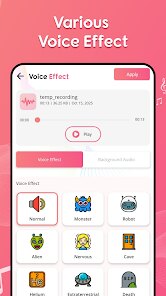
After using it for a while, I'd say this app is perfect for anyone who needs a quick laugh or a creative sound effect without any hassle. Kids love it, and it's great for making prank calls or weird audio clips for social media. But if you're looking for a serious audio editor with effects like pitch shifting or reverb, this isn't it. Compared to something like Voice Changer with Effects, this app is extremely limited because it only does one thing reverse audio. What makes it different is its simplicity and lack of clutter. I could see someone keeping it installed just for the novelty factor, but it could also be the first app to get deleted when storage gets tight because it's not something you use daily.
features
- 🎤 Reverse Effect Ability: This app focuses entirely on audio reversal. Unlike apps such as "Funny Voice Changer" that offer dozens of effects, this one does one thing and does it well. The quality of the reversed audio is crisp and clear, without any background noise or distortion that you sometimes get from multi-effect apps.
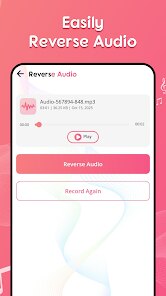
- 🎤 Instant Preview: There's no processing time. As soon as you stop recording, it plays the reversed audio. In comparison to tools like "Voice Changer" on the App Store, which often require you to save and then apply an effect, this immediate playback is much more satisfying for quick experiments.
- 🎤 Minimal and Clean UI: The interface is just a single screen with a record button. No ads clutter the main recording area, and there are no confusing sliders. Other apps, like "Voice Effects," sometimes bury the reversal function behind a menu, but here it's front and center.
- 🎤 No Account Needed: You can use the entire app without signing in or giving up personal data. This is a big plus compared to more feature-rich apps that usually require a login to save your creations.
pros
- ⚡ Totally Free: There are no hidden costs, no premium version, and no limit on recordings. You get the full reversal ability without paying a cent, which is rare compared to apps like "Prank Call Voice Changer" that lock their best features behind a paywall.
- ⚡ Extremely Simple to Use: It's designed for anyone, from a five-year-old child to a grandparent. There's no learning curve at all. Apps like "Clownfish Voice Changer" require system-level setup, but this one is just tap and play.
- ⚡ No Wasted Storage: The app is incredibly lightweight and doesn't fill your phone with unnecessary sample sounds or bloated graphics. It's a refreshing change from other sound utility apps that take up 50MB or more for essentially the same function.
cons
- 🔇 No Saving Button by Default: The biggest frustration is that after you record, the app doesn't suggest or prompt you to save the file. If you accidentally close the app, your creation is gone. Apps like "Audio Evolution" make saving your work a priority, while this one seems to treat every recording as a temporary gag.
- 🔇 Single Effect Only: There's no way to layer the reversed audio with other effects or adjust its pitch. Compared to "Voice Changer Plus," which lets you reverse and then add echo or reverb, this app feels very basic.
- 🔇 No Background Recording: You cannot apply the reversal effect to existing audio files or music. You are forced to record directly into the app. More versatile tools allow you to import audio and then reverse it, which is a feature sorely missing here.
- 🔇 No Sharing Feature: There is no built-in button to share your reversed clip directly to social media or messaging apps. You have to manually save it and then share it through your phone's file manager, which is an extra step that many similar apps handle automatically.
Recommended Apps
![]()
BetterMe: Health Coaching
BetterMe Limited4.3
![]()
Walli - HD, 4K Wallpapers
Tap AI4.4![]()
Future Self - Old Age Filter
Vidler Koiter1.6
![]()
AI Photo Editor, Collage-Fotor
AI Art Photo Editor | Everimaging Ltd.4.3![]()
AI Face Swap: MagicFace &Photo
Braly JSC0![]()
QR Code Reader: QR Scanner
WECHOICE MOBILE4.3![]()
Lip Fall Challenge: Fun Filter
Braly JSC0![]()
Funny Reverse Audio - Singing
PlayStudioInc0![]()
Birthday Secrets
shasunder4.4![]()
Live Wallpapers HD 4K
Wallpaper app4.4![]()
Find Your Phone By Clap
Trusted App Global4.5![]()
Wizz - Expand Your World
Wizz3.8![]()
NCAA March Madness Live
NCAA Digital4.7![]()
Hulu: Stream TV shows & movies
Disney4.5![]()
Lethal Love: a Yandere game
AniByte!4.4















Disclaimer
1.Apklifts does not represent any developer, nor is it the developer of any App or game.
2.Apklifts provide custom reviews of Apps written by our own reviewers, and detailed information of these Apps, such as developer contacts, ratings and screenshots.
3. All trademarks, registered trademarks, product names and company names or logos appearing on the site are the property of their respective owners.
4.Apklifts abides by the federal Digital Millennium Copyright Act (DMCA) by responding to notices of alleged infringement that complies with the DMCA and other applicable laws.
5.If you are the owner or copyright representative and want to delete your information, please contact us [email protected].
6.All the information on this website is strictly observed all the terms and conditions of Google Ads Advertising policies and Google Unwanted Software policy.
7.Apklifts.com is an independent, information-only website which is 100% free to all the users.














