
Blood Pressure Log

1M+
Installs
Sharon Evans
Developer
-
Health & Fitness
Category
-
Everyone
Content Rating
-
https://www.sharon-apps.com/privacy_policy.html
Privacy Policy
Screenshots
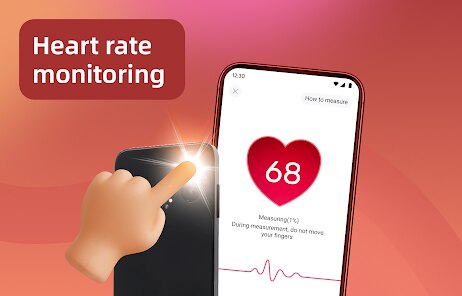
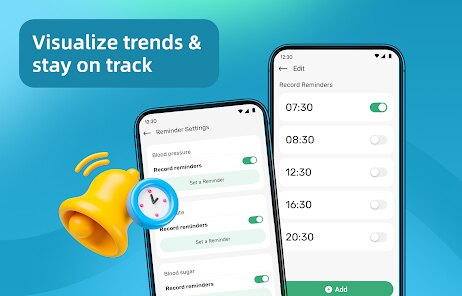
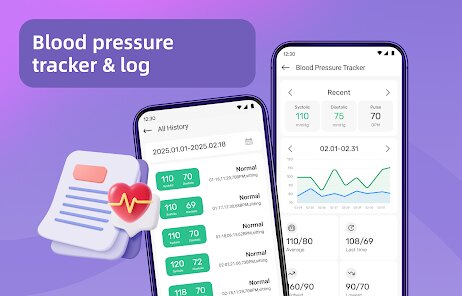
editor reviews
Blood Pressure Log is a straightforward health tracking app designed for anyone monitoring their cardiovascular health. It belongs to the medical and health utility category, letting users record daily systolic and diastolic readings, heart rate, and weight. The app is available on both Google Play and the App Store. When I first downloaded and installed it, the welcome screen was clean with no overwhelming clutter. There is no forced registration, which was a relief. You can start using it immediately without an account. It appears to offer a free download, though I later noticed some optional in-app purchases and occasional banner ads. The install count on Google Play is moderate, suggesting a niche but loyal user base. My first impression was that it felt like a no-nonsense tool, which is exactly what I wanted for something this routine.
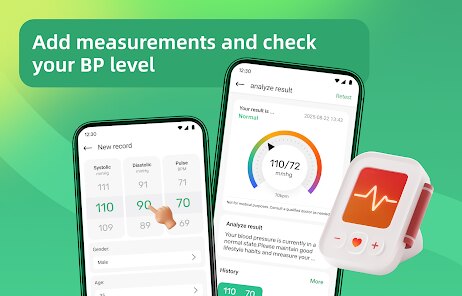
After launching the app, the main screen shows recent logs in a simple list format, and a large circular meter displaying your latest reading. Onboarding is minimal, just a single screen explaining how to add a new entry. Adding a blood pressure reading is easy: you tap the big blue plus button, input the numbers via a number pad, and optionally add notes or medication tags. I found the interface responsive, but the date picker could be a bit finicky when scrolling back to previous days. A small tip I discovered is that you can long-press any log to delete or edit it, which is handy for fixing typos. A minor confusion I faced was figuring out how to see the weekly graph, but it turns out you just swipe left on the main screen. Overall, the navigation is mostly intuitive, though the graph feature could use a more obvious label.
After a few weeks of daily use, I have a mixed but honest verdict. This app is best for people who just want a quick, no-frills way to track their numbers without social features or flashy charts. If you are someone who needs detailed trend analysis or medication reminders, you might find it too basic. Compared to apps like BP Monitor or SmartBP, this one lacks syncing with smart cuffs or cloud backup, which some users may need. However, its simplicity is actually a strength as it loads instantly and never crashes. I will probably keep it installed because I only need a simple digital logbook, not a full health dashboard. Someone who prefers comprehensive analytics might uninstall it after a week. It feels fair to say it is a decent tool for a very specific purpose.
features
- 💜 Unlimited manual entries: You can record as many readings as you want without worrying about a cap, unlike some freemium apps that limit daily logs.
- 💜 Color-coded risk indicators: After you enter a reading, the app automatically shows a green, yellow, or red background based on standard blood pressure ranges. This makes it easy to spot concerning numbers at a glance.
- 💜 CSV export: You can export all your data as a CSV file and send it via email or save it locally. This is great for sharing with your doctor without needing an internet sync.
pros
- 👍 No registration required: Unlike apps like BP Diary that force you to create an account first, this one lets you start tracking immediately. It respects your privacy upfront.
- 👍 Lightweight and fast: The app barely takes up any storage space and loads almost instantly. This is a big plus compared to bloated alternatives like SmartBP that have heavy animations.
- 👍 Clean offline operation: It works completely offline, so you don't need to worry about internet access or data sync failures. This makes it more reliable than cloud-dependent trackers.
cons
- 👎 No cloud backup: If you lose your phone, all your data is gone. Competitors like BP Monitor offer Google Drive or iCloud syncing, which is a major omission here.
- 👎 Minimal graph customization: The weekly graph only shows systolic and diastolic lines. You cannot add heart rate or weight to the same chart, which is limiting for detailed trend analysis.
- 👎 Basic medication tracking: You can add medication names as notes, but there is no reminder system or dosage tracking. Apps like Health Tracker offer proper medication schedules.
Recommended Apps
![]()
BetterMe: Health Coaching
BetterMe Limited4.3
![]()
Walli - HD, 4K Wallpapers
Tap AI4.4![]()
Future Self - Old Age Filter
Vidler Koiter1.6
![]()
AI Photo Editor, Collage-Fotor
AI Art Photo Editor | Everimaging Ltd.4.3![]()
AI Face Swap: MagicFace &Photo
Braly JSC0![]()
QR Code Reader: QR Scanner
WECHOICE MOBILE4.3![]()
Lip Fall Challenge: Fun Filter
Braly JSC0![]()
Funny Reverse Audio - Singing
PlayStudioInc0![]()
Birthday Secrets
shasunder4.4![]()
Live Wallpapers HD 4K
Wallpaper app4.4![]()
Find Your Phone By Clap
Trusted App Global4.5![]()
Wizz - Expand Your World
Wizz3.8![]()
NCAA March Madness Live
NCAA Digital4.7![]()
Hulu: Stream TV shows & movies
Disney4.5![]()
Lethal Love: a Yandere game
AniByte!4.4















Disclaimer
1.Apklifts does not represent any developer, nor is it the developer of any App or game.
2.Apklifts provide custom reviews of Apps written by our own reviewers, and detailed information of these Apps, such as developer contacts, ratings and screenshots.
3. All trademarks, registered trademarks, product names and company names or logos appearing on the site are the property of their respective owners.
4.Apklifts abides by the federal Digital Millennium Copyright Act (DMCA) by responding to notices of alleged infringement that complies with the DMCA and other applicable laws.
5.If you are the owner or copyright representative and want to delete your information, please contact us [email protected].
6.All the information on this website is strictly observed all the terms and conditions of Google Ads Advertising policies and Google Unwanted Software policy.
7.Apklifts.com is an independent, information-only website which is 100% free to all the users.














