

YouTube

10,000,000,000+
Installs
Google LLC
Developer
-
Entertainment
Category
-
Rated for 12+
Content Rating
-
http://www.google.com/policies/privacy
Privacy Policy
Screenshots
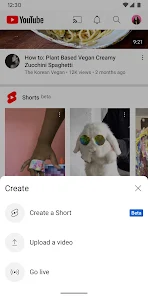
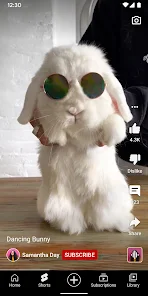
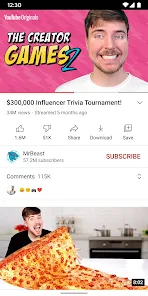
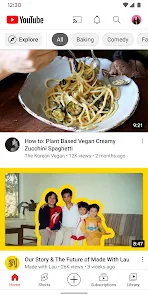
editor reviews
YouTube is a massive video-sharing platform, owned by Google, that has become the default place online for watching, uploading, and sharing videos. With over a billion hours of content watched daily, it's more of a cultural hub than just a simple app. You can find everything from music videos and vlogs to full documentaries and how-to guides. I downloaded it from the Google Play Store for free, and after the quick install and a mandatory sign-in with my Google account, I was dropped straight into a endless feed of recommended videos. Honestly, the homepage can feel a bit overwhelming at first. It throws a huge mix of popular clips, sponsored content, and channels you've never heard of at you. You immediately notice the sheer scale of it, but it also feels like you're stepping into a gigantic, chaotic library where you have to know exactly what you want, or you'll just get lost in recommendations.
Using the app is pretty straightforward once you get the hang of it. You tap a video, and it starts playing in portrait, but flipping my phone to landscape gives the full viewing experience. Browsing between the Home, Explore, and Subscriptions tabs is done by swiping horizontally near the top. The Subscriptions tab is the real gem for me. Instead of getting lost in random suggestions, I can just scroll through the latest uploads from channels I actually chose to follow. A small tip: using the "Remind me to take a break" setting in your profile has saved me from endless scrolling more than once. Swiping down on a video minimizes it into a small picture-in-picture window, which is super handy for listening to a podcast while checking out comments. Onboarding was seamless, but finding the "Watch Later" playlist or your history requires poking around in the Library tab, which isn't immediately obvious.
After using it for a few months, I see it as a double-edged sword. For anyone who loves learning new skills, keeping up with news, or just needs background noise, YouTube is essential. It's free, insanely deep, and has something for everyone. The main difference from other platforms like Vimeo or Dailymotion is the sheer volume of user-generated content and the sophisticated recommendation algorithm. However, the trade-off is constant ads unless you pay for YouTube Premium, and the algorithm can pull you into a rabbit hole of low-effort content. I truly appreciate being able to subscribe to creators and build a personalized feed, but the dark pattern of endless autoplay makes it hard to put down. I keep it installed because it's irreplaceable for tutorials and music, but I often uninstall it temporarily for a few days just to break the habit of wasting time on autoplay.
features
- 🎬 The biggest standout feature is the advanced recommendation algorithm. Unlike Vimeo, which relies more on curated collections, YouTube actively learns your viewing habits and serves you a never-ending stream of videos it thinks you'll like, often leading to hours of uninterrupted viewing without you even searching.
- 📹 Native video editor built into the app is a huge plus for creators. With tools to trim, add music, blur faces, and add end screens, it competes well with apps like InShot for quick edits, but it integrates directly into the upload process, making it super convenient to polish a clip before hitting publish.
- 🎮 Live streaming is seamless and incredibly popular. While Twitch is the king of gaming streams, YouTube's live feature is catching up fast, offering lower latency and tight integration with your channel. You can go live from your phone with just a tap, which is more straightforward than setting up a stream on many other platforms.
- 📚 The "Playlist" and "Watch Later" functions are deeply practical. Unlike TikTok, where saving is clunky, you can create public or private playlists to organize videos by mood or topic. "Watch Later" becomes your personal queue, saving you from losing a great tutorial or music mix.
pros
- 👍 Massive library of user-generated content is its biggest strength. Apps like Twitch or Vimeo feel empty in comparison. You can find a tutorial for almost anything, from fixing a sink to advanced coding, all uploaded by regular people for free.
- 👍 Cross-platform sync is flawless. Start a video on my phone, and I can pick it up on my laptop or TV without missing a beat. Services like Netflix also do this, but YouTube's integration is quicker and works across a wider range of devices.
- 👍 Deep integration with Google services makes sign-up instant and sharing easy. Unlike Dailymotion, where creating an account can be a hassle, YouTube connects directly with my Google account, so my subscriptions and history follow me everywhere.
cons
- 👎 Overwhelming ad load is the biggest pain point. Unlike Spotify, where ads are limited to audio, YouTube plays video ads before, during, and after content. It's disruptive and pushes users toward paying for Premium just to get a clean experience.
- 👎 Comment section is often toxic and full of spam. Compared to platforms like Vimeo, where discussions are generally more professional, YouTube's comments are crowded with bots, trolls, and irrelevant replies, making it hard to find meaningful conversations.
- 👎 Algorithm promotes clickbait and low-effort content over quality. While Netflix gets criticized for bloat, YouTube's algorithm rewards sensational titles and flashy thumbnails. This buries smaller creators with actual substance in favor of viral but shallow videos.
Recommended Apps
![]()
BetterMe: Health Coaching
BetterMe Limited4.3
![]()
Walli - HD, 4K Wallpapers
Tap AI4.4![]()
Future Self - Old Age Filter
Vidler Koiter1.6
![]()
AI Photo Editor, Collage-Fotor
AI Art Photo Editor | Everimaging Ltd.4.3![]()
AI Face Swap: MagicFace &Photo
Braly JSC0![]()
QR Code Reader: QR Scanner
WECHOICE MOBILE4.3![]()
Lip Fall Challenge: Fun Filter
Braly JSC0![]()
Funny Reverse Audio - Singing
PlayStudioInc0![]()
Birthday Secrets
shasunder4.4![]()
Live Wallpapers HD 4K
Wallpaper app4.4![]()
Find Your Phone By Clap
Trusted App Global4.5![]()
Wizz - Expand Your World
Wizz3.8![]()
NCAA March Madness Live
NCAA Digital4.7![]()
Hulu: Stream TV shows & movies
Disney4.5![]()
Lethal Love: a Yandere game
AniByte!4.4















Disclaimer
1.Apklifts does not represent any developer, nor is it the developer of any App or game.
2.Apklifts provide custom reviews of Apps written by our own reviewers, and detailed information of these Apps, such as developer contacts, ratings and screenshots.
3. All trademarks, registered trademarks, product names and company names or logos appearing on the site are the property of their respective owners.
4.Apklifts abides by the federal Digital Millennium Copyright Act (DMCA) by responding to notices of alleged infringement that complies with the DMCA and other applicable laws.
5.If you are the owner or copyright representative and want to delete your information, please contact us [email protected].
6.All the information on this website is strictly observed all the terms and conditions of Google Ads Advertising policies and Google Unwanted Software policy.
7.Apklifts.com is an independent, information-only website which is 100% free to all the users.














