

Zoom - One Platform to Connect

1,000,000,000+
Installs
zoom.us
Developer
-
Business
Category
-
Rated for 12+
Content Rating
-
http://zoom.us/privacy/
Privacy Policy
Screenshots
editor reviews
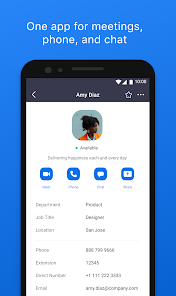
Zoom is a video conferencing and communication platform that lets people connect through virtual meetings, webinars, and chat. When you first download and install it from Google Play or the App Store, you'll notice it's free to get started, though there are paid plans for longer meetings and extra features. The initial impression after launching the app is clean and simple, with a big green "New Meeting" button and easy options to join or schedule calls. It feels like something built for real work or catching up with friends, not just a tech demo. The sign-up process is quick, and you don't even need an account to join someone else's meeting, which removes a lot of friction right away.
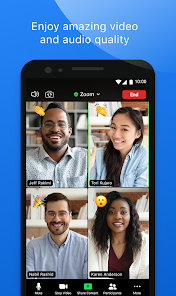
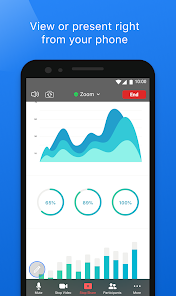
Once you're inside, the hands-on experience is surprisingly straightforward. The interface shows your video preview, controls for mute and camera toggle at the bottom, and a participants list on the side. During my first call, I tapped "Join" and entered a meeting ID, and I was in within seconds. Common actions like sharing your screen, sending a chat message, or raising a hand are all right there without hunting through menus. I did notice that on mobile, switching between camera views can feel a bit cramped if there are many participants, but it's manageable. A practical tip I picked up is to use the "Focus Mode" in settings to only see the speaker, which helps when you're in a large session and just want to follow the conversation.
After using Zoom for a few weeks, my personal take is that it's a solid choice for anyone who needs reliable video calls, whether for remote work, school, or family gatherings. The thing that makes it different from something like Google Meet or Microsoft Teams is how user-friendly it is for hosts, with breakout rooms and virtual backgrounds that actually work well. I can see someone keeping it installed if they attend a lot of meetings where the host uses Zoom, but I might uninstall it if my team switched to a platform that's lighter on battery, because Zoom does drain more power than I'd like. It's not perfect, but for straightforward video chat, it gets the job done without overcomplicating things.
features
- 🎥 Virtual backgrounds and filters work reliably without needing a green screen, which is rare among similar apps like Google Meet where the effect often clips around your hair or glasses.
- 🔢 Breakout rooms let you split a big meeting into smaller groups for discussions, and the host can jump between rooms or send announcements, something that feels chaotic in Teams but is smooth here.
- 📲 The ability to join a meeting through a simple link and dial-in number, even without the app installed, beats other tools like Skype where you often hit compatibility issues with older systems.
- 📡 End-to-end encryption for all meetings, plus waiting rooms and password protection, gives a sense of security that I haven't seen as clearly in simpler apps like Jitsi Meet.
pros
- 🌟 The gallery view option shows up to 49 participants at once on desktop, which is unmatched compared to Cisco Webex where you can only see a handful of people in a grid.
- 🌟 Host controls are incredibly detailed, like muting all participants with one tap or locking the meeting after everyone is in, making it easier than with Whereby where such options are limited or paid-only.
- 🌟 Recording to the cloud is free for basic users and works without lag, unlike BlueJeans which often has more expensive plans for the same feature.
cons
- ⚠️ The free version limits group meetings to 40 minutes, which can be frustrating compared to Google Meet that now offers hour-long free calls without such a hard cutoff.
- ⚠️ Video quality drops noticeably on slower internet connections, and you can't adjust bitrate manually like you can in Discord's voice channels during a gaming session.
- ⚠️ The mobile app tends to overheat older phones after 20 minutes of video, a problem less pronounced in FaceTime which is optimized for Apple hardware.
Recommended Apps
![]()
Japevox - Funny Prank Sound
SecureTool4.3
![]()
AstroMatrix Birth Horoscopes
AstroMatrix4.7
![]()
Personalized Call from Santa (
www.PackageFromSanta.com4.3![]()
Prank Call - Fake Call & Chat
Bravestars Casual4.1![]()
Persona: Beauty Camera
TICKET TO THE MOON, INC.4.5![]()
Peacock TV: Stream TV & Movies
Peacock TV LLC4.5![]()
Instant Buttons Soundboard App
Snow Peak Apps2.1![]()
GPS Speedometer: Speed Tracker
SM Infotech3.2![]()
Subway®
SUBWAY Restaurants4.2![]()
Find Your Phone By Clap
Trusted App Global4.5![]()
Gorilla Skins for Monkey Arena
Dumitru Boico4![]()
Vimeo
Vimeo.com, Inc.3.8![]()
Vinted - Buy and sell clothes
Vinted4.6![]()
Galaxy Starry Keyboard Backgro
Fun Keyboard Theme for Android4.7![]()
Chat AI - Ask AI anything
AI Chat Bot, Ask AI4.4















Disclaimer
1.Apklifts does not represent any developer, nor is it the developer of any App or game.
2.Apklifts provide custom reviews of Apps written by our own reviewers, and detailed information of these Apps, such as developer contacts, ratings and screenshots.
3. All trademarks, registered trademarks, product names and company names or logos appearing on the site are the property of their respective owners.
4.Apklifts abides by the federal Digital Millennium Copyright Act (DMCA) by responding to notices of alleged infringement that complies with the DMCA and other applicable laws.
5.If you are the owner or copyright representative and want to delete your information, please contact us [email protected].
6.All the information on this website is strictly observed all the terms and conditions of Google Ads Advertising policies and Google Unwanted Software policy.
7.Apklifts.com is an independent, information-only website which is 100% free to all the users.













