

Moises: The Musician's AI App

50M+
Installs
Moises Systems
Developer
-
Entertainment
Category
-
Everyone
Content Rating
-
https://app.moises.ai/privacy
Privacy Policy
Screenshots
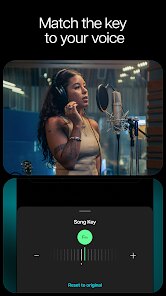
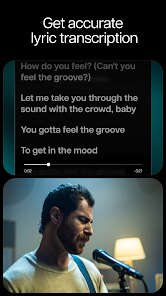
editor reviews
You know that feeling when you hear a song and wish you could pull the vocals out to sing along, or isolate the bass line to figure out a tricky riff? That's exactly what Moises does. It's an AI-powered music separation app, available on both Google Play and the App Store. I downloaded it after hearing a friend rave about it, and my first impression was honestly a bit overwhelming—there are a lot of options on the main screen. But after a minute of clicking around, it started to make sense. It's free to install, though the real power is locked behind a subscription. There are no obnoxious ads, just a clear prompt to upgrade.
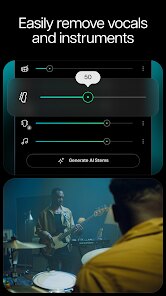
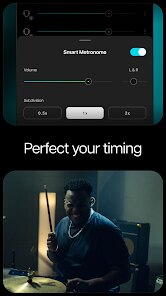
So how does it actually work in practice? You import a track from your files or a streaming link, wait a few seconds for the AI to process it, and then boom—you get separate stems for vocals, drums, bass, and other instruments. I started with a messy live recording of a rock band, and I was honestly shocked at how clean the vocal track came out. The interface is straightforward: you press play, mute or solo any stem, and even change the tempo or pitch without affecting audio quality. There's a small slider for "Stem Separation Detail" that I found makes a big difference—cranking it up works better for complex mixes. One annoying thing is that the free tier limits how many tracks you can process per month, so you might find yourself rationing them. For practice sessions, I'd set the metronome on low and loop a section, which is perfect for learning licks.
After using it for a few weeks, I think Moises shines for musicians and singers who want to learn songs by ear or create backing tracks. It's way more precise than older tools like Audacity's vocal remover, though not as polished for quick edits as something like LALAL.AI. The AI definitely handles complex mixes better than most competitors, but the monthly limit on free processing is a real bummer for casual users. I ended up keeping the app for those rare times I need to transcribe a tricky part, but I can see it becoming essential for a gigging musician or a band practicing at home. If you're just a casual listener wanting to hear your favorite song without vocals, this might feel overkill—but as a practice tool, it's hard to beat.
features
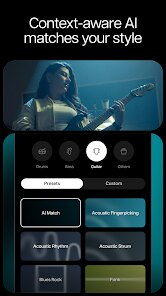
- 🧠 Smart Stem Separation: Unlike free tools like Vocal Remover that can leave artifacts, Moises uses AI to cleanly isolate vocals, drums, bass, and other instruments from even dense recordings in seconds.
- ⚙️ Pitch Shifting and Tempo Change: You can adjust the key or speed of any track without messing up the audio quality, which is great for singers changing keys or guitarists slowing down solos—something Audacity struggles with smoothly.
- 🎛️ Polished Mixing Controls: The app gives you individual volume sliders for each stem, plus a built-in metronome and a slider for separation detail. This level of control feels more refined than what you get in most browser-based alternatives.
pros
- 🎵 Cleaner Separation Than Audacity: While Audacity's built-in vocal remover is free, it often leaves behind a messy, echoey vocal trace. Moises produces much cleaner stems that actually sound usable for practice or remixing.
- 📱 Mobile-First Design: Unlike LALAL.AI, which works well on desktop, Moises is optimized for phones and tablets. You can import tracks directly from your music library or cloud storage, making it much easier to use on the go.
- 🚫 No Annoying Ads: You won't get slammed with video ads after every export like you do on many free music apps. The monetization is straightforward—you hit a processing limit, and then you're gently asked to subscribe.
cons
- 💸 Limited Free Tier: After just a few track uploads per month, the free version stops processing new songs. This feels restrictive compared to LALAL.AI's more generous free allowance or Audacity's completely free offline processing.
- 🐌 Internet Required: You can't use the AI separation offline at all. If you're on a plane or somewhere with bad signal, the app is basically useless for its main job. Competitors like Audacity work entirely offline.
- 🪜 Export Restrictions in Free Version: You cannot export your separated stems in the free plan, which defeats the purpose for anyone wanting to use the tracks in a DAW or for recording. You're limited to just listening within the app.
Recommended Apps
![]()
BetterMe: Health Coaching
BetterMe Limited4.3
![]()
Walli - HD, 4K Wallpapers
Tap AI4.4![]()
Future Self - Old Age Filter
Vidler Koiter1.6
![]()
AI Photo Editor, Collage-Fotor
AI Art Photo Editor | Everimaging Ltd.4.3![]()
AI Face Swap: MagicFace &Photo
Braly JSC0![]()
QR Code Reader: QR Scanner
WECHOICE MOBILE4.3![]()
Lip Fall Challenge: Fun Filter
Braly JSC0![]()
Funny Reverse Audio - Singing
PlayStudioInc0![]()
Birthday Secrets
shasunder4.4![]()
Live Wallpapers HD 4K
Wallpaper app4.4![]()
Find Your Phone By Clap
Trusted App Global4.5![]()
Wizz - Expand Your World
Wizz3.8![]()
NCAA March Madness Live
NCAA Digital4.7![]()
Hulu: Stream TV shows & movies
Disney4.5![]()
Lethal Love: a Yandere game
AniByte!4.4















Disclaimer
1.Apklifts does not represent any developer, nor is it the developer of any App or game.
2.Apklifts provide custom reviews of Apps written by our own reviewers, and detailed information of these Apps, such as developer contacts, ratings and screenshots.
3. All trademarks, registered trademarks, product names and company names or logos appearing on the site are the property of their respective owners.
4.Apklifts abides by the federal Digital Millennium Copyright Act (DMCA) by responding to notices of alleged infringement that complies with the DMCA and other applicable laws.
5.If you are the owner or copyright representative and want to delete your information, please contact us [email protected].
6.All the information on this website is strictly observed all the terms and conditions of Google Ads Advertising policies and Google Unwanted Software policy.
7.Apklifts.com is an independent, information-only website which is 100% free to all the users.














