

Dawn AI - Avatar Generator

5M+
Installs
Splice Video Editor
Developer
-
Generative AI
Category
-
Rated for 3+
Content Rating
-
support-android-dawn.ai@bendingspoons.com
Developer Email
-
https://bendingspoons.com/privacy.html?app=4975764015383620545
Privacy Policy
Screenshots
editor reviews
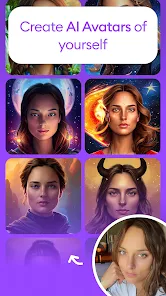
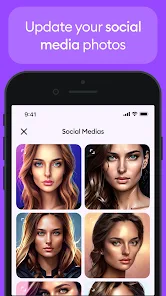
Dawn AI is an avatar generator that uses artificial intelligence to transform your photos into stylized digital portraits. It falls under the category of AI-powered creativity tools, similar to apps like FaceApp or Lensa, but with a stronger focus on fantasy and aesthetic transformations. Most people download it to create unique profile pictures, often for social media, gaming, or just for fun. When you first launch the app, the clean layout and minimal setup process leave a decent first impression — you're prompted to upload a photo almost immediately. It's free to download on both Google Play and the App Store, and it has racked up over a million installs quickly. There's no mandatory registration at first, but you'll eventually hit a paywall for generating the full-resolution, polished avatars. Ads pop up occasionally, but they aren't overly intrusive during the early stages.
Once you start using Dawn AI, the experience is pretty straightforward. You pick or take a photo, then choose from a wide variety of styles — cyberpunk, fantasy, futuristic, and more. The app processes the image in about 20 to 30 seconds, which feels reasonable. The interface is clean, though sometimes the loading animation makes you wonder if it's actually working or just stuck. After the first few results, you might notice some inconsistency: some avatars look stunning, while others distort facial features or change your expression entirely. It works best with clear, well-lit, front-facing photos. If you upload a group shot or a side profile, the results get messy. One small tip — avoid sunglasses or heavy face filters in your source photo, because the AI tends to exaggerate them in odd ways.
After spending a few days with Dawn AI, I can say it's a fun tool for specific moments, but not something you'll use daily. People who enjoy experimenting with their online identity or need a fresh profile pic for a new account will get a kick out of it. But if you're looking for consistent, photorealistic results, you might be let down. Compared to something like Lensa, Dawn AI offers more wild and imaginative styles, but Lensa handles facial consistency better. What sets Dawn apart is the sheer variety of themes — you can turn yourself into a space ranger or a medieval knight, which Lensa doesn't really do as well. That said, I could see someone uninstalling it after they've generated a few sets because there's not much depth beyond the initial novelty. It's a one-trick pony, but that trick is pretty entertaining for a while.
features
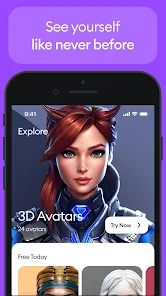
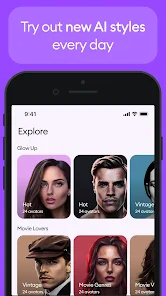
- ✨ Diverse Style Library: Dawn AI offers over 50 distinct visual themes, from steampunk to ethereal fantasy. Compared to FaceApp, which focuses mostly on realistic age filters and minor edits, Dawn feels more like a costume shop for your face. You can dress up as anything from a cyberpunk hacker to a fairy tale princess without needing any photo editing skills.
- ✨ Quick Processing Time: The app generates avatars in about 20–30 seconds on a standard 4G connection. That's noticeably faster than some rivals like Remini, which can take over a minute for similar AI enhancements. For impatient users, that speed makes a big difference when you're trying to batch-create avatars.
- ✨ No Complex Manual Editing: Unlike professional tools such as Photoshop Express or PicsArt, Dawn doesn't require you to tweak layers, masks, or sliders. You upload a photo, pick a style, and get results. This simplicity is its standout feature — it's designed for absolute beginners who just want cool results without a learning curve.
pros
- 🌟 Creative & Unique Styles: The fantasy and sci-fi options really shine here. While Lensa mostly sticks to polished, studio-quality portraits, Dawn AI offers genuinely creative themes like “Dragonborn” or “Alien Entity.” For someone who wants to stand out on a gaming profile or roleplay forum, this is a huge plus.
- 🌟 Lower Barrier to Entry: You don't need to sign up for a free trial or give your credit card info to get started. Apps like Lensa lock most features behind a paid subscription after a few previews. Dawn gives you a handful of free generations upfront, which is friendlier for casual users.
- 🌟 Light on Storage: The processed avatars are saved in compressed formats — roughly 1-2 MB each. In contrast, apps like FaceApp create larger files that can eat up phone storage quickly if you generate many variations. Dawn is kinder to your gallery space.
cons
- ⚠️ Inconsistent Facial Recognition: When you upload a photo with shadows, glasses, or unusual angles, the AI can distort features. Lensa handles these edge cases much better, usually preserving your identity even in challenging lighting. Dawn sometimes gives you a face that barely resembles your original photo.
- ⚠️ Aggressive Paywall: After the initial free generations, you hit a hard paywall. Unlike some apps that offer gradual upgrades, Dawn forces you to subscribe or buy a pack to continue. FaceApp is more generous with its free tier, letting you explore more before asking for money.
- ⚠️ Ads Can Be Disruptive: An ad pops up after each generation, which gets annoying quickly. PicsArt, by comparison, integrates ads more slowly and gives you longer ad-free sessions. On Dawn, you feel like you're watching an ad for every avatar you make.
- ⚠️ Limited Editing After Generation: Once an avatar is created, you can't tweak it — no brightness adjustment, no crop, no retouch. Remini allows post-generation enhancements, like sharpening or smoothing. Dawn is a one-shot tool; if you don't like the result, you have to start from scratch.
Recommended Apps
![]()
Daily Horoscope
KADO Apps4.4
![]()
FOX Sports: Watch Live Games
Fox Digital Services, LLC3.7
![]()
Fake Call from Santa Claus
ThunderClap4.2![]()
Google Maps
Google LLC4.2![]()
PhotoLayers-Superimpose,Eraser
handyCloset Inc.4.6![]()
Healthy Benefits+
Solutran, Inc.4.5![]()
SuperMe - Avatar Maker Creator
THE.DEMON3.7![]()
Air Horn
Tenoku4.8![]()
Football Wallpaper HD 4K
Orange Infotech Studio4.6![]()
Artplay - AI Photo & Video
Hideaway Technology Limited4.5![]()
Horoscopes – Daily Zodiac Horo
Mail.Ru Group4.1![]()
Passport Parking
Passport Labs, Inc.2.5![]()
ParkMobile: Park. Pay. Go.
Parkmobile, LLC4.3![]()
FestAI: Ghost Detector App
Now Tech3.2![]()
Photo Tool
COLIFER LAB4





























