
AI Art Image Generator – GoArt

1M+
Installs
AI Art Photo Editor | Everimaging Ltd.
Developer
-
Generative AI
Category
-
Rated for 3+
Content Rating
-
support@fotor.com
Developer Email
-
https://nuls-mobile.fotor.com/mobile/goArt/privacy_en
Privacy Policy
Screenshots
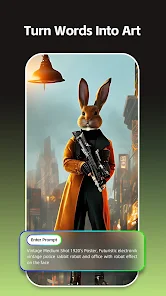
editor reviews
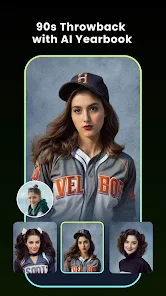
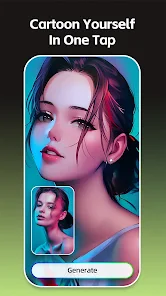
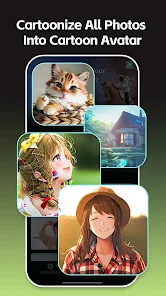
GoArt is an app that turns your regular photos into paintings that look like they were made by famous artists. It's basically an AI-powered art filter app, one of many on the market, but it positions itself as a way to get classic art styles without needing any actual skill. You mainly use it to upload a picture, pick a style—like Van Gogh or Monet—and the app generates a new version of your image in that look. I downloaded it from the Google Play store because I saw an ad on social media promising high quality results, and the install count shows millions of people have tried it. It is free to download and launch, though there are ads and in-app purchases. My first impression after opening it was that the interface looked clean and modern, with a lot of style options right on the home screen, but I also immediately noticed it was pushing the paid subscription pretty hard.
After actually using it for a while, the experience is pretty straightforward. You pick a photo from your gallery or take a new one, then you browse through categories like Impressionism or Abstract. Each style gives you a preview before you render it, which is helpful. The first time I tried it, the processing took maybe 10 to 15 seconds, and the result looked decent but not as sharp as the sample images they show. You can adjust the intensity of the effect with a slider, which lets you tone it down if you want your original photo to still show through. One smooth moment was how fast it felt to switch between styles, but a confusing part was that some of the best filters are locked behind a subscription. A practical tip is to use high-resolution photos for better results since the AI tends to lose detail on low-res images.
After using GoArt for a few weeks, I have mixed feelings. It works fine for a quick, fun edit if you want to share something artistic on social media, especially if you are into the whole AI art trend. But if you are looking for something more serious or professional, the free version feels too limited. The ads pop up after every render, and the watermark on free outputs is annoying. What makes it different from apps like Prisma or Picsart is the focus on specific classic art styles rather than general filters, which I appreciate. However, Prisma offers similar results with a smoother free experience. I ended up uninstalling it because the subscription cost did not feel worth it for occasional use, but I can see someone keeping it if they enjoy creating art posts regularly.
features
- 🎨 Turn any photo into a painting with famous artist styles like Van Gogh or Picasso, which feels more authentic than general filters you find in apps like Prisma, where the focus is more on trendy looks.
- 🎨 You get a preview of each style before rendering, so you are not wasting time, and that is a small but very practical feature that most similar apps, like Picsart's art effects, do not offer.
- 🎨 The intensity slider lets you control how much of the effect shows through, which helps keep your original photo recognizable—unlike in many other apps where the result is too overwhelming.
- 🎨 The free version generates decent quality images quickly, usually within seconds, which beats some subscription-only apps where you have to wait longer for similar output.
pros
- 👍 The clean and simple interface makes it easy to upload and apply effects, much more beginner-friendly than some complex apps like Photoshop Express.
- 👍 The focus on classic art styles sets it apart from generic filter apps, giving you a more museum-like feel than something like Picsart's wild options.
- 👍 Processing speed is solid even on older phones, which is better than Prisma's occasional lag on the same device.
cons
- 👎 The free version has too many restrictions, with watermarks on all outputs and only a few styles unlocked, which is worse than Prisma's more generous free tier.
- 👎 Ads pop up after almost every single render, disrupting the flow entirely—compared to Picsart, where ads are less frequent.
- 👎 The result quality is not always as sharp as the preview suggests, so you might be disappointed with the final image sometimes.
- 👎 The subscription price feels too high for what you get, especially since apps like Remini offer more advanced AI features for less money.
Recommended Apps
![]()
Daily Horoscope
KADO Apps4.4
![]()
FOX Sports: Watch Live Games
Fox Digital Services, LLC3.7
![]()
Fake Call from Santa Claus
ThunderClap4.2![]()
Google Maps
Google LLC4.2![]()
PhotoLayers-Superimpose,Eraser
handyCloset Inc.4.6![]()
Healthy Benefits+
Solutran, Inc.4.5![]()
SuperMe - Avatar Maker Creator
THE.DEMON3.7![]()
Air Horn
Tenoku4.8![]()
Football Wallpaper HD 4K
Orange Infotech Studio4.6![]()
Artplay - AI Photo & Video
Hideaway Technology Limited4.5![]()
Horoscopes – Daily Zodiac Horo
Mail.Ru Group4.1![]()
Passport Parking
Passport Labs, Inc.2.5![]()
ParkMobile: Park. Pay. Go.
Parkmobile, LLC4.3![]()
FestAI: Ghost Detector App
Now Tech3.2![]()
Photo Tool
COLIFER LAB4





























