
Walli

100K+
Installs
AI Art
Developer
-
Generative AI
Category
-
Rated for 3+
Content Rating
-
555johnkenny@gmail.com
Developer Email
-
https://thewalli.com/walliprivacypolicy.html
Privacy Policy
Screenshots
editor reviews
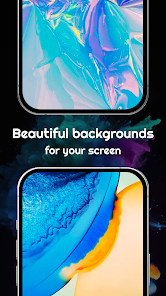
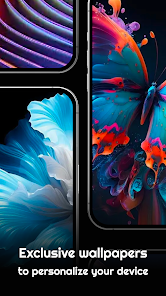
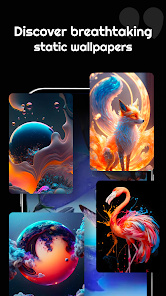
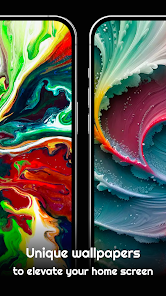
Walli is a wallpaper app that focuses on AI-generated artwork, sitting somewhere between a standard wallpaper gallery and an art discovery platform. Unlike the usual apps that scrape images from random sites, Walli curates pieces that feel more like digital paintings or illustrations. After downloading it from the Play Store or App Store, the app opens with a clean, dark interface that immediately shows off its collection in a grid layout. The first impression I got was that it felt more polished than I expected for a free wallpaper app, with no aggressive ads popping up right away. Registration isn't forced, which is nice if you just want to browse, but in-app purchases are present for premium content. The install count seems solid, though I didn't check exact numbers, and the whole setup felt refreshingly straightforward for anyone tired of cluttered lock screen apps.
Once you start using Walli, the experience is mostly smooth. The onboarding is minimal, just a quick swipe through a few screens explaining the categories, and then you're dropped into the main feed. The interface is intuitive, with a bottom bar for Home, Explore, and Saved collections. Tapping on a wallpaper shows a full preview with options to apply, download, or share it. I spent a while swiping through categories like Cyberpunk, Nature, and Abstract—the variety is decent, but the AI generation style is noticeable, so some images have that slightly surreal or overly sharp edge to them. Applying a wallpaper is a few taps, and the app handles cropping automatically in most cases. One small tip: if you're using a phone with a notch or punch-hole camera, double-check the preview because some images don't align perfectly in portrait mode. I also noticed that sometimes the app takes a few seconds to load high-resolution previews, which was a minor hiccup over WiFi.
After using Walli for a couple of weeks, I think it's a solid choice for people who enjoy unique, AI-crafted visuals rather than generic photos. It's not the app for someone who wants real photography or high-res nature shots from, say, Unsplash or Zedge. What sets it apart is the artistic coherence—each wallpaper feels like it belongs in a themed collection, not just random stock images. I could see someone keeping it installed if they frequently change their wallpaper and appreciate that creative, surreal aesthetic. On the flip side, if you prefer minimalism or realistic scenes, the AI touch might feel too artificial after a while. I'm keeping it around because it's lightweight and ad-free in practice, but I can see myself uninstalling it if the library doesn't expand fast enough or if the premium paywall blocks too many good pieces.
features
- 🎨 Walli's standout feature is its exclusive AI-generated art collection, which sets it apart from apps like Zedge that mix stock photos and user uploads. Every wallpaper here is originally created using AI, so you won't find duplicates or low-effort images. The styles range from surreal landscapes to character portraits, all with a consistent artistic touch that feels curated rather than randomly scraped.
- 🔍 Compared to Walli HD, Walli offers a more modern, gesture-friendly interface. You can swipe left or right to quickly jump between wallpapers in a category, and the preview loads with a blurred background effect so you can see how the image looks before fully committing. The Explore section uses tags like "Neon" or "Mystical," making discovery feel more intentional.
- 🖼️ One feature I haven't seen in other apps is the "Apply to Home Screen" preview that shows a mockup of your phone with the wallpaper applied. It automatically detects your device screen ratio and scales the image accordingly, which saves time compared to apps like Resplash where you often have to crop manually.
pros
- 🔋 Walli is very lightweight even with a large collection, unlike Zedge which can slow down due to ads and heavy animations. The app runs smoothly and doesn't drain your battery during browsing.
- 🆓 Most wallpapers are free to download and apply, with only a small premium section locked behind a one-time purchase. Compared to Backdrops, which has a subscription model for full access, Walli feels more generous for casual users who just want a few nice wallpapers now and then.
- 🎯 The art style consistency is a big plus. While apps like Unsplash give you real photos, Walli ensures every image shares a similar creative vibe, making it easier to build a theme across your phone without mismatched styles.
cons
- 📱 The AI-generated style can get repetitive—many wallpapers have that same glossy, surreal look, which might feel artificial after a week. Zedge offers more variety with real photos, memes, and fan art that aren't limited by a single aesthetic.
- 🚫 The library size is limited compared to apps like Walli HD or Backdrops. Even though new wallpapers are added regularly, the total count feels small, so you might run out of fresh options after a few months of regular use.
- 💾 Some wallpapers don't scale well for phones with unusual screen aspect ratios or notches. Unlike Resplash, which provides multiple resolution options, Walli sometimes forces a crop that cuts off important parts of the image, requiring manual adjustment.
Recommended Apps
![]()
Daily Horoscope
KADO Apps4.4
![]()
FOX Sports: Watch Live Games
Fox Digital Services, LLC3.7
![]()
Fake Call from Santa Claus
ThunderClap4.2![]()
Google Maps
Google LLC4.2![]()
PhotoLayers-Superimpose,Eraser
handyCloset Inc.4.6![]()
Healthy Benefits+
Solutran, Inc.4.5![]()
SuperMe - Avatar Maker Creator
THE.DEMON3.7![]()
Air Horn
Tenoku4.8![]()
Football Wallpaper HD 4K
Orange Infotech Studio4.6![]()
Artplay - AI Photo & Video
Hideaway Technology Limited4.5![]()
Horoscopes – Daily Zodiac Horo
Mail.Ru Group4.1![]()
Passport Parking
Passport Labs, Inc.2.5![]()
ParkMobile: Park. Pay. Go.
Parkmobile, LLC4.3![]()
FestAI: Ghost Detector App
Now Tech3.2![]()
Photo Tool
COLIFER LAB4





























