

PawAI: AI Cartoon Pet Filter

1M+
Installs
Now Tech
Developer
-
Generative AI
Category
-
Rated for 3+
Content Rating
-
quantumtech2021@gmail.com
Developer Email
-
https://nowtechpro.github.io/Privacy/Privacy.html
Privacy Policy
Screenshots
editor reviews
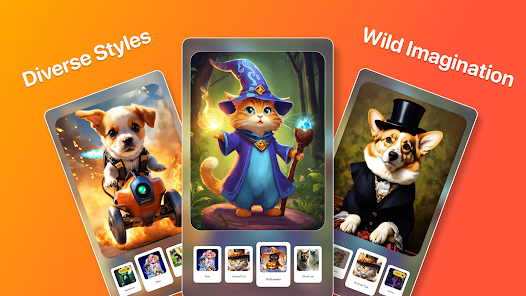
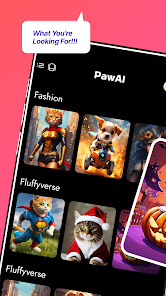
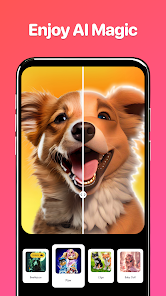
PawAI is a photo editing app that turns your pet pictures into cartoon-style illustrations. You just snap a photo of your cat or dog, and the app applies an AI-powered filter that transforms it into something that looks like it came straight out of an animated movie. It's one of those apps you download on a whim after seeing a friend's adorable cartoon pet on social media. When I first opened it, I was greeted with a clean, almost empty interface—just a big button to take a photo and a gallery of examples. It's free to download on both Google Play and the App Store, and it has racked up a few million installs. There's no forced sign-up, which I appreciated, but within minutes I noticed prompts for in-app purchases to unlock more filter styles. The first impression is that it's simple and focused, but also a bit barebones if you're expecting a full editing suite.
Using PawAI feels straightforward but has its quirks. You snap a photo of your pet, wait a few seconds for the AI to process it, and boom—you get a cartoon version. The interface is mostly intuitive: a camera button, a gallery button, and a few filter options. What surprised me was how well it handled my dog's fluffy ears but struggled with a friend's black cat—the AI seemed to lose detail in dark fur. The onboarding just auto-plays a short tutorial video, which is fine but skippable. In daily use, you'd probably snap a photo, try a few filters, and then save or share. One tip: make sure your pet is centered in good lighting, or the result can look muddy. There's no batch editing or manual tweaks, so if the first output looks off, you re-shoot or move on. It's not glitchy, but it can feel repetitive after the third or fourth attempt at getting a perfect cartoon face.
After a few days of regular use, I think PawAI is a fun novelty rather than a daily driver. It's perfect for pet owners who love sharing stylized photos on Instagram or WhatsApp, but it lacks the depth for anyone who wants more control. Compared to something like Prisma or even ToonMe, PawAI feels more specialized—it only does pets, and it does that one thing decently. What sets it apart is the AI's focus on animal features, making the cartoon look more authentic than a generic human-to-cartoon filter applied to a pet photo. That said, I could see people uninstalling it after they've cartoonified all their pet photos. The free filters are limited, and the paid ones aren't cheap enough to justify for occasional use. It's cute, but it doesn't stick around unless you're really into pet content.
features
- 🐾 Cartoon conversion that stays true to animal features: Unlike general cartoon apps, PawAI adjusts nose shapes, fur textures, and ear proportions so your pet doesn't end up looking like a strangely dressed human.
- 🐾 Snappy processing speed: Most images turn around in under five seconds, which beats waiting ages on other AI filter apps during a quick snapshot session.
- 🐾 Zero clutter interface: No ads interrupting your workflow, which is a relief compared to apps like ToonMe that push premium subscriptions after every tap.
- 🐾 Focused pet library: Only processes cats and dogs, but it does so with consistent accuracy, skipping the generic animal output you'd see in broader apps like Prisma.
pros
- 🐾 Uses pet-specific training data, so cartoon outputs look far more natural on fur and whiskers than using a generic human filter on a pet photo in apps like FaceApp.
- 🐾 Free to start with no forced account creation, which is a plus compared to ToonMe that locks basic features behind registration.
- 🐾 Output images are saved in decent resolution, making them share-ready without compression artifacts, unlike some free filters that drop quality.
cons
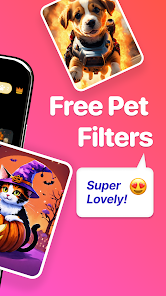
- 🐾 Very limited free filter selection—you only get two styles before hitting a paywall, which feels stingy compared to Prisma's free offerings.
- 🐾 Struggles with dark-furred pets; processing can yield flat or muddy results, something ToonMe handles better with contrast adjustments.
- 🐾 No way to manually touch up outputs, so any AI mistake means reshooting entirely, unlike apps like Picsart that allow manual edits.
- 🐾 Only supports cats and dogs, so owners of rabbits or hamsters are left out entirely, limiting its broader appeal.
Recommended Apps
![]()
Daily Horoscope
KADO Apps4.4
![]()
FOX Sports: Watch Live Games
Fox Digital Services, LLC3.7
![]()
Fake Call from Santa Claus
ThunderClap4.2![]()
Google Maps
Google LLC4.2![]()
PhotoLayers-Superimpose,Eraser
handyCloset Inc.4.6![]()
Healthy Benefits+
Solutran, Inc.4.5![]()
SuperMe - Avatar Maker Creator
THE.DEMON3.7![]()
Air Horn
Tenoku4.8![]()
Football Wallpaper HD 4K
Orange Infotech Studio4.6![]()
Artplay - AI Photo & Video
Hideaway Technology Limited4.5![]()
Horoscopes – Daily Zodiac Horo
Mail.Ru Group4.1![]()
Passport Parking
Passport Labs, Inc.2.5![]()
ParkMobile: Park. Pay. Go.
Parkmobile, LLC4.3![]()
FestAI: Ghost Detector App
Now Tech3.2![]()
Photo Tool
COLIFER LAB4





























