

Kling AI: AI Image&Video Maker

10M+
Installs
Lohas Games Pte. Ltd.
Developer
-
Generative AI
Category
-
Teen
Content Rating
-
kling@kuaishou.com
Developer Email
-
https://klingai.com/docs/privacy-policy
Privacy Policy
Screenshots
editor reviews
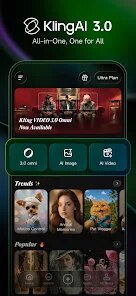
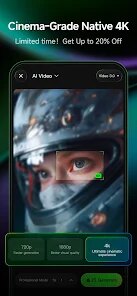
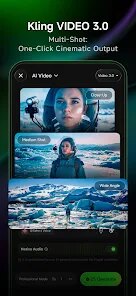
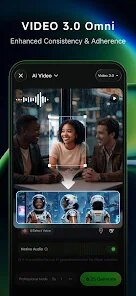
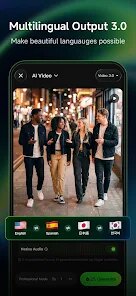
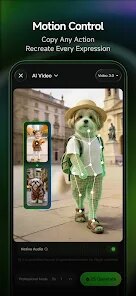
Kling AI is a mobile app that falls squarely into the AI media generation category, letting you turn text prompts into both still images and short video clips. I first came across it on the Google Play Store, where it boasts over a million installs and is free to download. Honestly, my first impression after launching it was a bit of a mixed bag. The interface is flashy and immediately pushes you towards creating something, which is exciting, but the sheer number of options—from different model types to video length settings—felt a little overwhelming right out of the gate. You are thrown in without much of a tutorial, just a "generate" button waiting for input.
Once you get past the initial splash screen, the actual hands-on experience is pretty straightforward. You start by typing a description into a text box, and you can also upload an image as a reference. The app then takes a solid 30 to 60 seconds to process your request, which feels long but is understandable given the task. The generated results are hit-or-miss; sometimes you get a photorealistic clip that matches your prompt perfectly, other times the faces come out wobbly or the motion is jerky. A practical tip I picked up: keep your prompts very simple and specific. Instead of "a dog running in a park," try "a golden retriever sprints on green grass," or the AI tends to hallucinate extra details. The navigation is mostly intuitive, with tabs for creating, browsing others' creations, and your own gallery.
After spending a couple of weeks with Kling AI, my judgment is that it is a fun toy but not a reliable tool for serious work yet. If you enjoy experimenting with AI and are not too picky about perfect quality, you will likely keep it installed for occasional fun. However, if you need consistent, professional-grade video generation for a project, apps like RunwayML or even the web-based Sora are far ahead in terms of smoothness and control. What sets Kling AI apart is its sheer accessibility—being a free app on your phone means you can mess around with AI video during your commute. I can see casual users keeping it for quick social media content, but serious creators might uninstall it after hitting the free daily limit or getting tired of the inconsistent results.
features
- 🎨 Text-to-Video Generation – Unlike Pika Labs, which often struggles with coherent motion, Kling AI does a fair job at creating short clips that actually move logically. You type a phrase, and it outputs a 5-second video that usually has some flow, though the quality is far from flawless.
- 🖼️ Image-to-Video Feature – This is a standout compared to DALL-E, which only outputs static images. You can upload your own photo, and Kling AI will animate it slightly—like making a portrait blink or a car move. It is not always smooth, but it is a neat party trick.
- 📱 Mobile-First Design – Both Stable Diffusion and Midjourney are clunky on phones, requiring third-party apps or complex setups. Kling AI is built straight for your smartphone, with a clean touch interface that makes generating on the go genuinely easy.
pros
- 💪 Free Tier Generosity – Other apps like RunwayML give you only a few free credits before asking for payment. Kling AI hands you multiple daily free generations, which is great for casual users who just want to play around without spending a dime.
- 💪 Fast Batch Processing – While Midjourney queues your requests on Discord, Kling AI handles multiple prompts in quick succession on its own servers. You can queue up three or four clips, and they will all come back within minutes, which is a huge time-saver for quick ideas.
- 💪 In-App Social Feed – Unlike Pika Labs, which is mostly a solo tool, Kling AI has a "Discover" tab showing others' creations. This community feel makes it more engaging, as you can see what prompts work well and get inspired without leaving the app.
cons
- 🔻 Inconsistent Video Quality – Compared to RunwayML's Gen-3, which usually produces clean footage, Kling AI often outputs wobbly faces or glitchy backgrounds. Around 40% of my clips had minor artifacts, which gets annoying after a while.
- 🔻 Limited Video Duration – While Sora can generate 60-second clips, Kling AI is capped at 5 seconds per generation. You cannot extend videos either, so you are stuck with tiny snippets that feel more like GIFs than real videos.
- 🔻 Irritating Ads – The free version shoves a video ad in your face after every single generation. Pika Labs and Leonardo AI have no ads at all on their free tiers, so this makes Kling AI feel a bit cheap and pushy in comparison.
- 🔻 No Camera Controls – Unlike RunwayML or even CapCut's AI features, Kling AI does not let you adjust camera angles or motion intensity. You get whatever the AI decides, which limits creative control heavily.
Recommended Apps
![]()
Daily Horoscope
KADO Apps4.4
![]()
FOX Sports: Watch Live Games
Fox Digital Services, LLC3.7
![]()
Fake Call from Santa Claus
ThunderClap4.2![]()
Google Maps
Google LLC4.2![]()
PhotoLayers-Superimpose,Eraser
handyCloset Inc.4.6![]()
Healthy Benefits+
Solutran, Inc.4.5![]()
SuperMe - Avatar Maker Creator
THE.DEMON3.7![]()
Air Horn
Tenoku4.8![]()
Football Wallpaper HD 4K
Orange Infotech Studio4.6![]()
Artplay - AI Photo & Video
Hideaway Technology Limited4.5![]()
Horoscopes – Daily Zodiac Horo
Mail.Ru Group4.1![]()
Passport Parking
Passport Labs, Inc.2.5![]()
ParkMobile: Park. Pay. Go.
Parkmobile, LLC4.3![]()
FestAI: Ghost Detector App
Now Tech3.2![]()
Photo Tool
COLIFER LAB4





























