

Dola: Smart AI Assistant

100M+
Installs
SPRING (SG) PTE. LTD.
Developer
-
Generative AI
Category
-
Rated for 12+
Content Rating
-
feedback@mail.dola.com
Developer Email
-
Privacy Policy
Screenshots
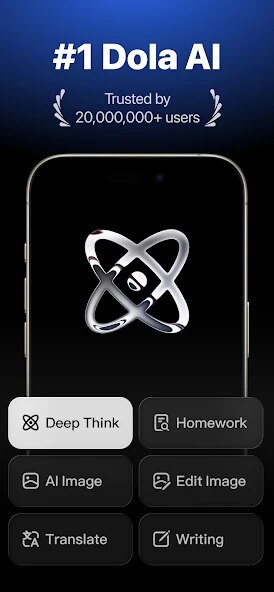
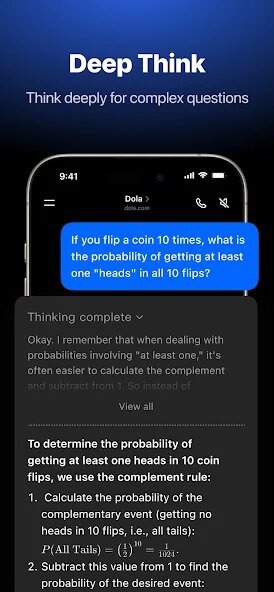

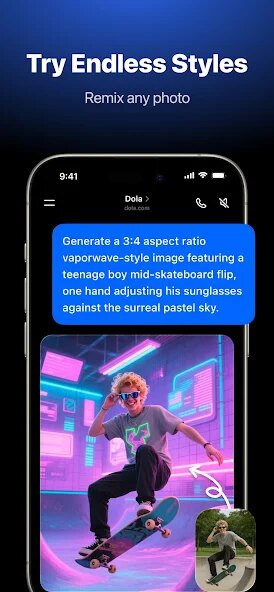
editor reviews
I first stumbled upon Dola: Smart AI Assistant during a late-night browsing session on Google Play. Developed by SPRING (SG) PTE. LTD., it's positioned as an all-in-one productivity tool that claims to handle scheduling, reminders, and basic queries through a conversational interface. The app has racked up a decent number of installs, though it's not exactly a household name yet. I downloaded it out of curiosity, mostly because I wanted something that could help me organize my chaotic work week without the bloat of bigger apps. After launching it, my first impression was mixed: the design is clean but a bit generic, with a lot of white space and a chat box that feels like texting a robot. There's no forced sign-up initially, which I appreciated, but I quickly noticed the free version nudges you toward in-app purchases for advanced features. Ads pop up occasionally, but they weren't too aggressive during the first few minutes.
Using Dola day-to-day was a bit of a learning curve. The onboarding is straightforward: you type a command like “set a reminder for 3 PM” or “schedule a meeting tomorrow,” and it creates a task. The interface is mostly a chat window, so you're essentially talking to the app like a friend. I found the voice input feature handy for when I was driving, but the speech recognition sometimes fumbled with accents or background noise. Setting up recurring tasks, like a weekly grocery list, took a few tries because the app doesn't always parse natural language perfectly. One smooth moment was when I asked, “What's my schedule for today?” and it pulled up a neat list from my connected calendar. However, the app felt sluggish after adding more than ten reminders, and I had to restart it once to sync new entries. A small tip: typing exact times instead of relative ones like “in an hour” works better. For daily use, it's decent for quick tasks, but if you rely heavily on complex projects, you'll hit limits.
After a few weeks, I have a clearer picture. Dola works well for people who just need a simple, hands-free assistant for reminders and basic organization—think students juggling assignments or casual users who hate setting alarms manually. But for anyone managing a packed calendar or multiple work projects, it falls short compared to apps like Todoist or Google Calendar. What sets it apart is the conversational style, which feels less robotic than typical assistants, though that also means slower navigation for power users. I kept it installed for a while because the free version is handy for quick voice notes, but I eventually uninstalled it when I needed more robust collaboration features. It's not a bad app, just one that's best for light use—if you require deep integrations or offline functionality, you'd be better off with something else.
features
- 🧠 Dola acts as a smart assistant that understands natural language commands, allowing you to set reminders, create events, or ask questions just by typing or speaking casually. Unlike Google Assistant, which relies heavily on voice recognition and system-level integration, Dola focuses more on text-based conversation. What really stands out is its ability to handle multi-step requests: you can say “remind me to call Mom at 5 PM and then set a dinner alarm at 7 PM,” and it processes both tasks in one go, which most other assistants fail to do smoothly.
- 📅 The scheduling feature here is smarter than typical planners. While apps like Todoist require you to manually fill dates and times, Dola can parse relative terms like “next Tuesday” or “after lunch” without breaking a sweat. This makes it feel more intuitive for quick entry, though it struggles with recurring patterns like “every other week.” Still, for on-the-fly planning, it beats competitors in speed.
- 🎙️ Voice integration adds a layer of convenience, but it's not perfect. Compared to Siri, Dola offers more flexibility in commands—like combining multiple reminders in one phrase—but it lacks the same level of accuracy in noisy environments. The real outstanding feature is its ability to create tasks from appended requests, so you can dictate a whole list without stopping.
pros
- 🌟 One big strength is how well Dola handles natural language compared to others like Microsoft To Do. It's far more forgiving if you phrase things casually, like saying “grab milk later” instead of strictly “set a reminder to buy milk at 6 PM.” This makes it feel less like a rigid tool and more like a person.
- 🔋 The app is lightweight and doesn't hog system resources, unlike larger assistants like Amazon Alexa which need constant background services. Dola runs smoothly even on older phones, and the interface is uncluttered, so you won't get distracted by tons of tabs or menus.
- 💡 Another plus is the response speed for basic commands. Setting a reminder or checking the time takes a fraction of a second, outperforming slower alternatives like Samsung's Bixby. For quick updates, it's one of the snappiest options out there.
cons
- ⚠️ A clear weakness is the lack of advanced task management. Apps like Todoist offer due dates, labels, and prioritization, but Dola skips these entirely. You can't sort tasks by importance or group them into projects, which limits it for serious productivity needs.
- 🔒 Privacy is another concern. Unlike Apple's on-device processing in Siri, Dola sends data to servers for analysis, and the privacy policy isn't super transparent. If you're cautious about your schedule or conversations being stored, that's a red flag.
- 📶 It requires a constant internet connection for most features, so it's useless offline. Competitors like Google Keep can work in airplane mode for notes, while Dola simply fails to respond if there's no signal, which is annoying during commutes or travel.
- 🔄 Integration with other apps is minimal. You can't link it to Slack, Teams, or even Gmail effectively, whereas Microsoft To Do syncs easily with Office 365. For users who rely on a wider ecosystem, Dola feels isolated.
Recommended Apps
![]()
Daily Horoscope
KADO Apps4.4
![]()
FOX Sports: Watch Live Games
Fox Digital Services, LLC3.7
![]()
Fake Call from Santa Claus
ThunderClap4.2![]()
Google Maps
Google LLC4.2![]()
PhotoLayers-Superimpose,Eraser
handyCloset Inc.4.6![]()
Healthy Benefits+
Solutran, Inc.4.5![]()
SuperMe - Avatar Maker Creator
THE.DEMON3.7![]()
Air Horn
Tenoku4.8![]()
Football Wallpaper HD 4K
Orange Infotech Studio4.6![]()
Artplay - AI Photo & Video
Hideaway Technology Limited4.5![]()
Horoscopes – Daily Zodiac Horo
Mail.Ru Group4.1![]()
Passport Parking
Passport Labs, Inc.2.5![]()
ParkMobile: Park. Pay. Go.
Parkmobile, LLC4.3![]()
FestAI: Ghost Detector App
Now Tech3.2![]()
Photo Tool
COLIFER LAB4





























