
Adobe Photoshop Mix - Cut-out,

10M+
Installs
Adobe
Developer
-
Video Players & Editors
Category
-
Rated for 3+
Content Rating
-
PSMix-Android@adobe.com
Developer Email
-
https://www.adobe.com/privacy/policy.html
Privacy Policy
Screenshots
editor reviews
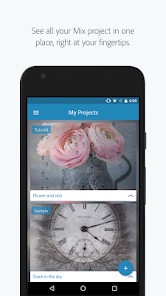
Adobe Photoshop Mix is a mobile editing tool from Adobe that focuses on one specific trick: cutting objects out of photos and combining them onto new backgrounds. It's basically a lightweight version of the desktop Photoshop masking features, but designed for phones and tablets. I found it on the App Store and gave it a download since it's free to install, though Adobe does push their Creative Cloud subscription for unlocking a few extras. First impression after launching the app was pretty clean, with a simple grid of recent projects and a big plus button to start something new. It felt more like a focused utility than a full editing suite, which made sense given its name. No registration was required to start playing around, which was a relief.
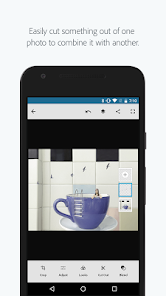
Getting into the actual use is where the app shows its purpose. You tap the plus icon, pick a photo from your camera roll, and then the fun begins. The main action is using your finger to roughly paint over the object you want to keep, then tapping a button to let the app figure out the edges. It's surprisingly quick at detecting where your subject ends and the background starts, though sometimes it messes up on hair or fluffy edges and you have to manually refine it with a brush tool. You can then drop in a different background from your gallery or pick one of the plain color options. I found myself using it to swap out boring walls behind my product shots for something more interesting. The interface is mostly smooth, but I did notice occasional lag when working with high resolution images from my iPhone. A small tip: zooming in makes the edge detection way more accurate.
After spending some time with Photoshop Mix, I think it's a solid choice for people who do quick compositing work on the go, like social media managers or anyone who needs to remove a background from a product photo without booting up a laptop. It's not a full editor, so if you need layers, text, or filters, you'd be better off with something like Snapseed or even the full Photoshop Express app. What makes Mix stand out is how effortless the cut-out feature feels once you get the hang of it, a lot more intuitive than trying to do the same thing in desktop software. I'd keep it installed for those moments when I just need a clean subject cut in under a minute, but if you rarely edit photos, it's probably a waste of storage space. It fills a narrow niche well, but it's not something I'd open daily.
features
- 👆 The standout part of Photoshop Mix is its cut-out tool, which lets you swipe over the area you want to keep and then automatically separates it from the background. Compared to TouchRetouch, which is better at removing objects but not isolating subjects, Mix gives you much cleaner edges for compositing work.
- 👆 It syncs with Adobe Creative Cloud, so you can start a cut-out on your phone and finish the edit in desktop Photoshop. This is something apps like PicsArt can't do, since they are self-contained and don't talk to a professional workflow.
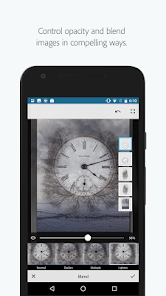
- 👆 The app also includes adjustment sliders for brightness, contrast, and saturation, just like the desktop version. While Snapseed has more fine-tuned controls for these, Mix keeps them simple and ties them directly to your masked selection, so you can tweak only your subject without affecting the background.
pros
- 👍 No learning curve. If you have ever used a brush tool in any app, you can start cutting out images immediately. Other similar tools like Background Eraser often require you to manually erase pixel by pixel, which is slower.
- 👍 The edge refinement is genuinely good for a free mobile app. It handles soft transitions like hair much better than what you get in YouCam Perfect, which tends to leave jagged borders.
- 👍 It respects your original photo's quality. Even after multiple edits, I didn't see noticeable compression or artifacts, which is a problem I often run into with apps like PhotoDirector.
cons
- 👎 It's too limited for general editing. If you want to add text, stickers, or draw on images, you have to switch to another app entirely. Snapseed gives you way more creative flexibility in one place.
- 👎 The app sometimes struggles with low contrast images, like a white shirt against a light gray wall, where it cannot tell where the subject ends. Background Eraser handles these scenarios better because it lets you set a color threshold manually.
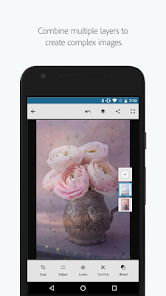
- 👎 No layer support. You can only work on one cut-out at a time, so compositing multiple subjects together requires saving and reimporting each piece separately. PicsArt lets you stack multiple images in one project, which is much more convenient for complex edits.
Recommended Apps
![]()
Daily Horoscope
KADO Apps4.4
![]()
FOX Sports: Watch Live Games
Fox Digital Services, LLC3.7
![]()
Fake Call from Santa Claus
ThunderClap4.2![]()
Google Maps
Google LLC4.2![]()
PhotoLayers-Superimpose,Eraser
handyCloset Inc.4.6![]()
Healthy Benefits+
Solutran, Inc.4.5![]()
SuperMe - Avatar Maker Creator
THE.DEMON3.7![]()
Air Horn
Tenoku4.8![]()
Football Wallpaper HD 4K
Orange Infotech Studio4.6![]()
Artplay - AI Photo & Video
Hideaway Technology Limited4.5![]()
Horoscopes – Daily Zodiac Horo
Mail.Ru Group4.1![]()
Passport Parking
Passport Labs, Inc.2.5![]()
ParkMobile: Park. Pay. Go.
Parkmobile, LLC4.3![]()
FestAI: Ghost Detector App
Now Tech3.2![]()
Photo Tool
COLIFER LAB4





























