

HD Camera for Android

50M+
Installs
Mobile_V5
Developer
-
Video Players & Editors
Category
-
Rated for 3+
Content Rating
-
mobilev5.dev@gmail.com
Developer Email
-
https://mobv5privacy.ijoysoftconnect.com/camera/AppPrivacy.html
Privacy Policy
Screenshots
editor reviews
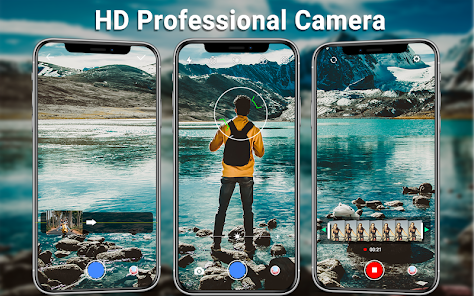
You know when you grab your phone to snap a quick photo and the default camera app just feels... limited? That's exactly why I ended up downloading HD Camera from the Google Play store. It's a straightforward camera enhancement app, not a full-on Photoshop replacement or a social media filter frenzy. The whole point is to give you more manual control over the hardware that's already in your pocket. After opening it for the first time, the first thing that hit me was how clean everything looked. No account signup, no tutorial popups begging for permissions—just a viewfinder and a bunch of sliders. It's free to install with some optional in-app purchases to unlock extra filters, and the ads are there but not in your face every two seconds. For a quick download and launch experience, it's hard to beat.
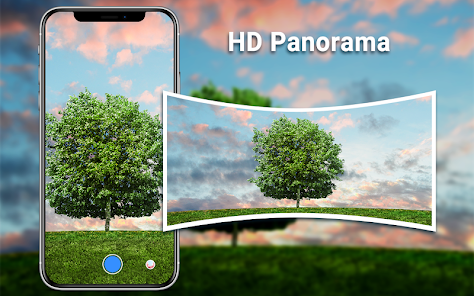
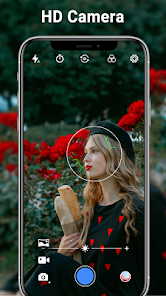
Once you start actually using HD Camera, the difference between this and your stock app becomes really obvious really fast. The interface is laid out like a pro-level photography app but simplified. You swipe left or right to switch between modes like auto, manual, panorama, and night. The manual mode is where this app shines—you get sliders for ISO, shutter speed, white balance, and focus. In daily use, I found myself just flicking up the ISO for dimly lit dinners or dragging the focus slider for close-up shots of my cat. The shutter button is big and responsive, and there's a separate button for video right next to it. One small tip I picked up: if you tap and hold the exposure slider, it locks the value so your shot doesn't change when you recompose. The only confusing moment was the first time I tried to save a raw file—it's tucked away in settings, not something you'd stumble onto.
After living with HD Camera for a couple of weeks, here's my honest take. If you're someone who likes tinkering with photography but can't justify spending hundreds on a dedicated camera, this app is a genuinely solid companion. It's not going to replace something like Lightroom or Snapseed for editing, but as a capture tool, it gives you way more flexibility than your native camera app. What makes it different from other manual camera apps is how lightweight it feels—no bloat, no social sharing demands, just the controls. I could see someone keeping this installed as a secondary camera tool for those moments when the default app just won't cut it, like low-light concerts or trying to capture a moving pet. On the other hand, if you only ever use your phone for quick Instagram stories or snapshots, you'll likely uninstall it within a week because the auto mode is fine but nothing special. It's a tool for people who care about the shot, not the social outcome.
features
- 📸 The manual controls in HD Camera blow the doors off your stock camera app. While something like Open Camera offers similar sliders, HD Camera's layout is more intuitive and the sliders respond faster. You get real-time preview adjustments, so you can SEE the ISO change before you even take the shot. That alone makes it feel like a real camera, not a phone gimmick.
- 📸 The low-light performance is shockingly good for a free app. Compared to the stock Samsung or Xiaomi cameras that just crank up the brightness and introduce grain, HD Camera's manual mode lets you set a longer exposure without the phone trying to "fix" everything. Night mode on the stock app is often too aggressive, but here you have full control.
- 📸 The interface avoids bloat. Unlike ProCam or Camera+, which throw every possible menu at you, HD Camera keeps things simple with a single swipe gesture to switch modes. You won't get lost in submenus or buried settings. It's practical for real-world use where you need to adjust something quickly.
pros
- ⚡ One huge strength is how little space it takes up. Many camera apps like Camera FV-5 are packed with features but clock in at over 100MB. HD Camera is barely 30MB, installs in seconds, and still offers real manual controls.
- ⚡ It handles multiple aspect ratios natively. While most stock apps force 4:3 or 16:9, HD Camera lets you shoot in 1:1, full screen, or even custom ratios. That's a lifesaver if you're shooting for social media or printing.
- ⚡ The manual focus slider is incredibly precise. Compared to something like Snap Camera, where focus is either "close" or "far," HD Camera lets you drag a tiny slider to nail perfect macro shots or distant landscapes.
cons
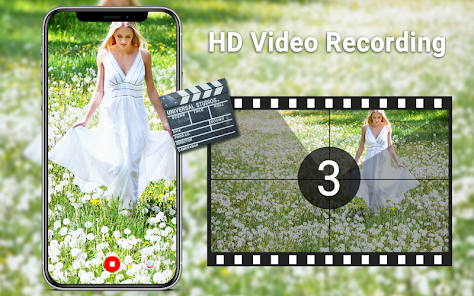
- 🔻 The video mode is underwhelming. While still photos are great, video recording doesn't offer the same manual controls as apps like Filmic Pro. You can't adjust bitrate or frame rate manually, which is a letdown for anyone wanting pro-level video.
- 🔻 The app crashes occasionally when switching between photo and video modes too quickly. It's not a dealbreaker, but it's happened more than once during a busy moment like a party or event where you need to switch fast.
- 🔻 The free version has a watermark on some modes. Open Camera doesn't have any watermark at all, so that's a point in its favor. If you want to remove it, you have to pay for the premium unlock.
- 🔻 There's no built-in histogram or level gauge. For a "HD" camera app aimed at intermediate users, this feels like a miss. Even some cheaper competition apps include these tools for framing shots properly.
Recommended Apps
![]()
Daily Horoscope
KADO Apps4.4
![]()
FOX Sports: Watch Live Games
Fox Digital Services, LLC3.7
![]()
Fake Call from Santa Claus
ThunderClap4.2![]()
Google Maps
Google LLC4.2![]()
PhotoLayers-Superimpose,Eraser
handyCloset Inc.4.6![]()
Healthy Benefits+
Solutran, Inc.4.5![]()
SuperMe - Avatar Maker Creator
THE.DEMON3.7![]()
Air Horn
Tenoku4.8![]()
Football Wallpaper HD 4K
Orange Infotech Studio4.6![]()
Artplay - AI Photo & Video
Hideaway Technology Limited4.5![]()
Horoscopes – Daily Zodiac Horo
Mail.Ru Group4.1![]()
Passport Parking
Passport Labs, Inc.2.5![]()
ParkMobile: Park. Pay. Go.
Parkmobile, LLC4.3![]()
FestAI: Ghost Detector App
Now Tech3.2![]()
Photo Tool
COLIFER LAB4





























