
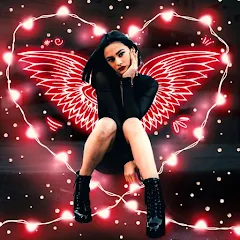
Instasquare Photo Editor: Neon

50M+
Installs
Lyrebird Studio
Developer
-
Video Players & Editors
Category
-
Rated for 3+
Content Rating
-
lyrebirdstudio@gmail.com
Developer Email
-
https://lyrebirdstudio.net/privacy_policy.htm
Privacy Policy
Screenshots
editor reviews
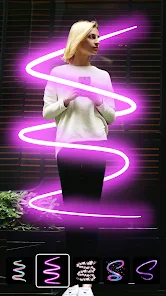
Instasquare Photo Editor: Neon is a photo editing app that focuses on giving images a vibrant, eye-catching look, especially with neon-style effects and filters. You can download it from Google Play or the App Store and install it on your phone. When you first launch the app, the interface feels bright and fairly straightforward, with the main tools sitting right at the bottom of the screen. For a free app, it comes with some in-app purchases and the occasional ad, which is pretty standard. My first impression was that it's aimed at people who want quick, flashy results without messing around with complex settings.
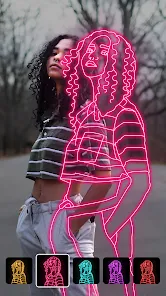
After opening the app and starting an edit, the hands-on experience is mostly smooth. You pick a photo from your gallery, and then you see a row of editing tools like brightness, contrast, saturation, and the signature neon effects. The neon tool itself is easy to use—you just tap on different colors and swipe to adjust intensity. Onboarding is minimal, so you can jump right in. The main actions involve selecting a filter, tweaking it with sliders, and saving. One thing I noticed is that the neon effects look best on photos with dark backgrounds, so if you're editing a bright outdoor shot, it might not pop as much. A small tip: use the blur tool before applying neon to make the glow look more realistic.
After using Instasquare Photo Editor: Neon for a while, I think it's a solid choice for casual users who want to make their photos stand out on social media, especially for nightlife or party pics. It's not for people who need advanced editing like layers or masks—apps like Snapseed or Adobe Lightroom do that better. What sets it apart is the neon effect, which feels unique and fun, but the app lacks depth in other areas. I might keep it installed for quick edits, but I could see someone uninstalling it if they outgrow the gimmicky filters. Compared to VSCO, which feels more professional and minimalist, this app leans into playful, bold looks.
features
- 💡 The neon effects are the main draw of this app. Unlike Snapseed, which focuses on natural-looking adjustments, Instasquare adds glowing lines, bright colors, and a futuristic vibe to your photos. You can adjust intensity and blend modes, which gives you decent control over the final look.
- 💡 The interface is simple and fast. You can open a photo, apply a filter, and save it in under a minute. Snapseed has a more complex workflow with stacks of tools, but here, the layout feels more direct and less intimidating for someone who just wants a quick result.
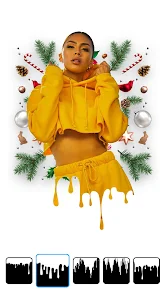
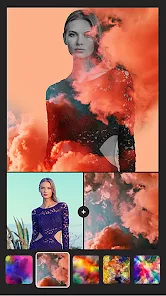
- 💡 There are plenty of pre-made filter packs, each with a distinct style like retro, grunge, or cyberpunk. VSCO also has filters, but they tend to be more muted and preset-focused. Instasquare gives you more over-the-top options that feel suited to Instagram or TikTok content.
pros
- 🖼️ The neon tool is genuinely unique and hard to find in apps like Lightroom or Afterlight. It creates glowing text and shapes that look professional without needing to learn a separate graphic design app.
- 🖼️ Performance is smooth even on older phones. I tested it on a mid-range Android, and the app didn't lag or crash when applying heavy filters, which can be an issue with more demanding apps like PicsArt.
- 🖼️ The free version offers a lot of features without forcing you to subscribe. You can use most neon effects and basic edits without paying, unlike some apps that lock basic tools behind a paywall.
cons
- 🔸 The app lacks advanced editing tools like curves, selective adjustments, or healing brushes. If you're used to Snapseed or Lightroom, you'll feel limited here when trying to fix exposure or remove objects.
- 🔸 The neon effects can feel gimmicky after a while. The glow often looks artificial, especially on photos with light backgrounds, and customizing the effect beyond color and intensity feels restricted.
- 🔸 Advertisements pop up fairly often, usually after saving an image. While you can remove them with an in-app purchase, the frequency can be annoying during a quick editing session.
Recommended Apps
![]()
Daily Horoscope
KADO Apps4.4
![]()
FOX Sports: Watch Live Games
Fox Digital Services, LLC3.7
![]()
Fake Call from Santa Claus
ThunderClap4.2![]()
Google Maps
Google LLC4.2![]()
PhotoLayers-Superimpose,Eraser
handyCloset Inc.4.6![]()
Healthy Benefits+
Solutran, Inc.4.5![]()
SuperMe - Avatar Maker Creator
THE.DEMON3.7![]()
Air Horn
Tenoku4.8![]()
Football Wallpaper HD 4K
Orange Infotech Studio4.6![]()
Artplay - AI Photo & Video
Hideaway Technology Limited4.5![]()
Horoscopes – Daily Zodiac Horo
Mail.Ru Group4.1![]()
Passport Parking
Passport Labs, Inc.2.5![]()
ParkMobile: Park. Pay. Go.
Parkmobile, LLC4.3![]()
FestAI: Ghost Detector App
Now Tech3.2![]()
Photo Tool
COLIFER LAB4





























