

MomentCam Cartoons & Stickers

50M+
Installs
Battery Stats Saver
Developer
-
Video Players & Editors
Category
-
Rated for 3+
Content Rating
-
support.momentcamcartoons@repairbatterylife.com
Developer Email
-
https://mojipop.com/mcprivacypolicy.html
Privacy Policy
Screenshots
editor reviews
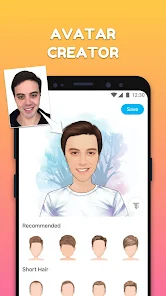
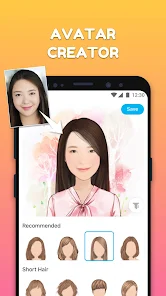
MomentCam is a photo-to-cartoon app that turns your regular selfies into stylized comic avatars. It's been around for a while and sits in the entertainment and photo-editing category. Most people download it because they want a fun, quick way to turn their face into a cartoon version for social media profiles or chat stickers. At first launch, the app greets you with a bright, game-like interface, and it's free to download from Google Play and the App Store. There are some in-app purchases for extra sticker packs, but you can totally use the core cartoon filters without spending anything. It also shows occasional ads, which isn't surprising for a free app.
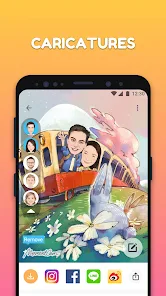
The actual hands-on experience is quite straightforward. After you allow camera access, you either snap a fresh selfie or pick one from your gallery. The app then processes the photo and gives you a few cartoon style options—the default one is the classic comic-book look with big eyes and bold outlines. A neat thing here: you can adjust the gender and choose between “realistic” or “cartoon” rendering. The interface feels a bit busy sometimes, with lots of buttons and suggested sticker packs, but the main action—converting a photo—takes under ten seconds. I noticed that faces with good lighting and no heavy shadows work best. If your photo is too dark or blurry, the result looks weird. After conversion, you can add speech bubbles or background stickers, and save or share directly to WhatsApp, Instagram, or whatever you use.
After using MomentCam for a few days, I'd say it's a decent tool for someone who wants to add a bit of fun to their profile pic without messing with complicated editing software. It's definitely not for anyone who wants realistic filters or professional-grade retouching. Compared to apps like FaceApp or ToonMe, MomentCam feels more playful but less polished. FaceApp gives you more realistic aging or smile edits, while MomentCam focuses purely on turning you into a cartoon. ToonMe offers a similar idea but with cleaner, more artistic results. What makes MomentCam stand out is the huge library of themed sticker packs—like holiday frames or meme templates—that you can stick on your cartoon. But the ads can be annoying, and the app sometimes forces you to watch a video to unlock a sticker. I ended up keeping it on my phone because it's fun for quick laughs, but I can see someone uninstalling it if they find the ads too intrusive.
features
- 😄 Cartoon avatar generator: MomentCam turns your selfie into a comic-style avatar with bold outlines and exaggerated features. Compared to ToonMe, which focuses on artistic sketches, MomentCam gives you a more playful, meme-ready look right away.
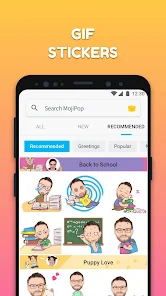
- 🎭 Sticker integration: After converting your photo, you can add speech bubbles, hats, glasses, or thought bubbles. Unlike FaceApp's limited sticker library, MomentCam has hundreds of themed packs, including holidays and pop culture references.
- ⭐ Gender and style toggle: You can switch between male/female rendering and choose “realistic” or “cartoon” processing. That flexibility is missing in apps like Cartoon Face, which often guess your gender wrong and offer no manual tweaking.
pros
- 🎨 Huge sticker collection: MomentCam offers way more free sticker packs than ToonMe or Cartoon Face. You can find everything from birthday frames to comedic meme templates, which makes sharing more fun.
- 🖼️ Quick export options: The app has direct share buttons for WhatsApp, Instagram, and even LINE. In comparison, FaceApp makes you save manually and then upload, which is slower.
- 👤 Gender toggle works well: Unlike PicsArt's cartoon filter that often misidentifies faces, MomentCam lets you manually choose gender, resulting in accurate avatars even for non-binary or ambiguous photos.
cons
- 📢 Too many ads: Free users face a video ad after every cartoon conversion. ToonMe also has ads, but they show up less frequently and can be skipped quicker.
- ❌ Unlocks feel forced: Some stickers are locked behind a paywall or a mandatory “watch ad” prompt. FaceApp, on the other hand, lets you preview all filters before deciding to buy.
- 🎨 Artistic quality varies: If your photo has poor lighting or shadows, the cartoon looks messy. ToonMe handles tricky angles and lighting much better, maintaining cleaner lines.
- 💾 No batch editing: You can only convert one photo at a time. Apps like Cartoon Face allow batch processing, which saves time if you're making avatars for multiple people.
Recommended Apps
![]()
Daily Horoscope
KADO Apps4.4
![]()
FOX Sports: Watch Live Games
Fox Digital Services, LLC3.7
![]()
Fake Call from Santa Claus
ThunderClap4.2![]()
Google Maps
Google LLC4.2![]()
PhotoLayers-Superimpose,Eraser
handyCloset Inc.4.6![]()
Healthy Benefits+
Solutran, Inc.4.5![]()
SuperMe - Avatar Maker Creator
THE.DEMON3.7![]()
Air Horn
Tenoku4.8![]()
Football Wallpaper HD 4K
Orange Infotech Studio4.6![]()
Artplay - AI Photo & Video
Hideaway Technology Limited4.5![]()
Horoscopes – Daily Zodiac Horo
Mail.Ru Group4.1![]()
Passport Parking
Passport Labs, Inc.2.5![]()
ParkMobile: Park. Pay. Go.
Parkmobile, LLC4.3![]()
FestAI: Ghost Detector App
Now Tech3.2![]()
Photo Tool
COLIFER LAB4





























