
Photo Collage - Pic Grid Maker

10M+
Installs
Magic Photo Collage & Photo Editor - CollageArt
Developer
-
Video Players & Editors
Category
-
Rated for 3+
Content Rating
-
photoapps.feedback@gmail.com
Developer Email
-
https://photocollage.github.io/privacy_policy.html
Privacy Policy
Screenshots

editor reviews
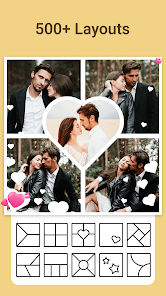
Photo Collage - Pic Grid Maker is exactly what the name suggests, a collage and grid maker for stitching multiple photos together into one frame. It's the kind of app almost everyone ends up searching for at some point, usually before posting a batch of travel pictures or group shots on social media. The developer, Magic Photo Collage & Photo Editor - CollageArt, has pushed this onto Google Play where it's been downloaded over ten million times, which is a pretty solid indicator that people keep coming back to it. Downloading and installing takes just a few seconds, and it's completely free to launch with no forced registration right away. That immediate no-strings-attached access is a nice touch. The first impression after opening it is a bit busy, there's a lot going on with templates and ads already visible, but the main purpose is clear from the get-go, so you don't feel lost.
Once you start using the app, the workflow makes sense pretty quickly. You pick a layout or grid style first, then tap each empty slot to import a photo from your gallery. The interface is straightforward enough, but it does take a few taps to really understand where everything is. The onboarding is minimal, basically just letting you poke around until you figure it out. A common usage flow would be selecting a 2x2 grid, adding four photos, then adjusting borders or the background color before saving. There are moments where the app feels a bit sluggish, especially when you try to swap photos in and out, and the ads can pop up at random times which breaks the rhythm a bit. One small practical tip is to adjust the border width early, because the default is a bit thick and can cut off important parts of your pictures. After a few attempts, you start to memorize where the key buttons are.
After using this for a while, I think it serves its purpose for quick, no-fuss collages, but it's not something I would use for more artistic editing. Someone who regularly posts photo dumps on Instagram or Facebook might enjoy having this around for those moments when they just want to combine images without spending time in a full editor like Adobe Express. On the other hand, people who need precise control over spacing, rounded corners, or background patterns might find the options here too limited and eventually uninstall it. It feels different from something like Layout from Instagram because that one is tied directly to the app and feels more streamlined. This one offers a wider variety of grid styles and stickers, but the extra features come with more clutter. I ended up keeping it installed because it saved me a few minutes when I needed to make a quick grid for a work presentation, but I can see how most casual users would download it, use it once, and forget about it.
features
- 🖼️ The grid layout variety is much bigger than what you get in something like PicsArt's collage tool. There are dozens of preset grids, from simple 2x2 to more creative asymmetrical patterns, so you can match the structure to your photo content instead of forcing everything into a square or rectangle.
- 🎨 Background customization goes beyond just a solid color. You can blur the edges, apply gradient fills, or even use one of your photos as the backdrop. This makes the final output look more polished compared to basic apps that just leave a white or black border around each image.
- 📲 The export resolution is surprisingly high for a free app. Most collage makers cap the quality unless you pay, but here you can save full-resolution images without losing detail, which is great for printing or sharing on larger screens.
pros
- 👍 No registration required. You download it, open it, and start collaging immediately. Apps like Canva or Adobe Express push you to create an account first, which is a real hassle when you're in a hurry.
- 👍 The template library updates fairly regularly. I noticed new seasonal layouts appearing around holidays, which keeps the app feeling fresh without needing to manually search for new designs.
- 👍 It handles large batches of photos without crashing. I threw in ten high-resolution images at once, and the app processed them smoothly, which isn't always the case with other free collage tools on the market.
cons
- 👎 Ads interrupt the workflow constantly. A full-screen video ad plays every time you save or switch templates, and it makes the experience feel cheap compared to something like Layout from Instagram that has zero interruptions.
- 👎 The editing tools are shallow. You can't adjust individual photo brightness, contrast, or saturation within the collage itself. If you want to edit a picture, you have to leave the app and do it separately, which is a drag.
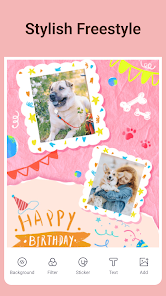
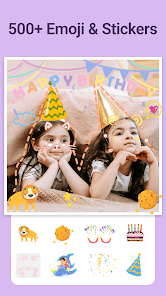
- 👎 Text and sticker placement feels clunky. Unlike PicsArt where you can drag and resize elements smoothly, this app makes you tap through menus just to adjust the size, and the font selection is very limited.
Recommended Apps
![]()
Daily Horoscope
KADO Apps4.4
![]()
FOX Sports: Watch Live Games
Fox Digital Services, LLC3.7
![]()
Fake Call from Santa Claus
ThunderClap4.2![]()
Google Maps
Google LLC4.2![]()
PhotoLayers-Superimpose,Eraser
handyCloset Inc.4.6![]()
Healthy Benefits+
Solutran, Inc.4.5![]()
SuperMe - Avatar Maker Creator
THE.DEMON3.7![]()
Air Horn
Tenoku4.8![]()
Football Wallpaper HD 4K
Orange Infotech Studio4.6![]()
Artplay - AI Photo & Video
Hideaway Technology Limited4.5![]()
Horoscopes – Daily Zodiac Horo
Mail.Ru Group4.1![]()
Passport Parking
Passport Labs, Inc.2.5![]()
ParkMobile: Park. Pay. Go.
Parkmobile, LLC4.3![]()
FestAI: Ghost Detector App
Now Tech3.2![]()
Photo Tool
COLIFER LAB4





























