
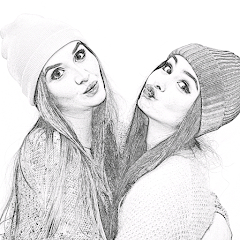
Pencil Photo Sketch : Drawing

50M+
Installs
Minerva Studios Private Limited
Developer
-
Video Players & Editors
Category
-
Rated for 3+
Content Rating
-
hqgames1080@gmail.com
Developer Email
-
https://www.iubenda.com/privacy-policy/57988305
Privacy Policy
Screenshots
editor reviews
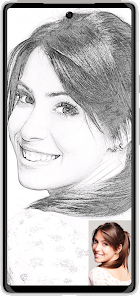
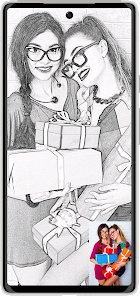
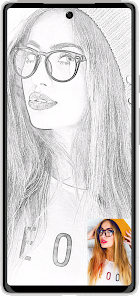
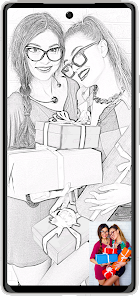
Pencil Photo Sketch is a photo-editing app, specifically a stylized filter app, that turns your regular photos into pencil drawings, sketch-like outlines, or charcoal-style artwork. You mainly use it to grab a selfie, a pet picture, or a landscape shot and then apply one of its many built-in effects to make it look hand-drawn. It's a quick, no-fuss kind of tool, not something you'd use for detailed drawing or painting. When you first download it from Google Play or the App Store, which is free, the install process is quick. After you launch it, the first impression is that the interface is clean but looks a bit dated, like an older Android app. It immediately asks for camera and storage permissions, which is pretty standard, and you can start using it without making an account. It does have a few ads here and there, but they aren't too aggressive during the first few uses.
After you open the app, the hands-on experience is mostly straightforward. You tap on the big "Gallery" button to pick a photo from your phone, or you snap one with the camera. Then you land on the main editing screen where all the sketch filters are lined up like a menu. What I liked was that most filters work instantly—you tap one, and the image changes right away, so you don't have to wait for a slow rendering process. The app gives you around 50 different effects, from simple outlines to more textured pencil strokes. Some filters let you adjust the intensity or brightness with a slider, which is handy. The main action is just scrolling through the filter list, finding one that looks good, and saving the result. One small tip: the "Colored Sketch" option works well if you want a pop of color on a grayscale background. It feels smooth for quick edits, but there is no undo button for tweaks, so you might end up re-uploading the same photo a few times if you mess up the settings.
After using Pencil Photo Sketch for a while, my personal take is that it's a decent app for casual users who just want a fast way to turn a photo into something artsy. It's not for you if you want advanced control over every line or shadow—that's where something like Prisma or Adobe Photoshop Express shines with more layers of detail. The standout part is how easy it is: pick a photo, choose a filter, and save it in under a minute. But the app feels a little limited if you compare it to more modern apps that offer AI-powered styles or high-resolution export options. I could see someone keeping it installed if they regularly post on social media and need a quick effect for a header image or avatar. But after a week, I found myself uninstalling it because the ad pop-ups got a bit repetitive, and the results, while decent, just couldn't match the quality of a proper sketch made in a dedicated drawing app.
features
- ✏️ Pencil Photo Sketch gives you over 50 different sketch effects, from pencil outlines to charcoal drawings, and you can apply them in one tap. In contrast, apps like Prisma offer fewer filters but use AI to create more artistic and detailed styles, so you trade speed for quality.
- ✏️ The app has a simple slider for adjusting the brightness or stroke intensity on each filter, which lets you fine-tune the result a bit. Other apps like Sketch Me! lock these settings, so you get no control—just one default look—but Pencil Photo Sketch at least gives you that small flexibility.
- ✏️ A standout feature is the "Color Sketch" mode, which mixes grayscale and color, leaving some parts of the image colored while the rest looks hand-drawn. Apps like PhotoSketch don't offer this hybrid style, so it fills a gap for users who want a more stylized, modern look without going full black-and-white.
pros
- ✔️ It is very quick—you can apply a sketch filter within seconds, unlike apps like Adobe Photoshop Express, which require more steps and loading times for similar effects.
- ✔️ The interface is simple and clutter-free, even for beginners who aren't familiar with photo editing. Other apps like PicsArt can feel overwhelming with too many tools and options.
- ✔️ It works offline—no internet connection needed once the app is installed. This is better than apps like Prisma, which often require a network connection for AI processing.
cons
- ❌ The output resolution is limited—saved images look lower quality than the original, especially if you use a high-resolution camera phone. Apps like Prisma or Snapseed do a much better job preserving image sharpness.
- ❌ The ads get annoying—after saving a few times, a full-screen ad pops up, and sometimes it appears before you even apply a filter. Apps like Sketch Me! have fewer ad interruptions in comparison.
- ❌ There is no batch editing feature. If you want to apply the same sketch effect to 10 photos, you have to do each one separately. Other apps, like Adobe Photoshop Express, allow you to edit multiple images in one go.
Recommended Apps
![]()
Daily Horoscope
KADO Apps4.4
![]()
FOX Sports: Watch Live Games
Fox Digital Services, LLC3.7
![]()
Fake Call from Santa Claus
ThunderClap4.2![]()
Google Maps
Google LLC4.2![]()
PhotoLayers-Superimpose,Eraser
handyCloset Inc.4.6![]()
Healthy Benefits+
Solutran, Inc.4.5![]()
SuperMe - Avatar Maker Creator
THE.DEMON3.7![]()
Air Horn
Tenoku4.8![]()
Football Wallpaper HD 4K
Orange Infotech Studio4.6![]()
Artplay - AI Photo & Video
Hideaway Technology Limited4.5![]()
Horoscopes – Daily Zodiac Horo
Mail.Ru Group4.1![]()
Passport Parking
Passport Labs, Inc.2.5![]()
ParkMobile: Park. Pay. Go.
Parkmobile, LLC4.3![]()
FestAI: Ghost Detector App
Now Tech3.2![]()
Photo Tool
COLIFER LAB4





























