
Screen Recorder Video Recorder

10M+
Installs
Video Screen Recorder, Voice Audio Editor, Cut MP3
Developer
-
Video Players & Editors
Category
-
Everyone
Content Rating
-
superscreenrecorder@gmail.com
Developer Email
-
https://v2.static.superlabs.info/recorder/privacy/gp_index.html?lang=en
Privacy Policy
Screenshots
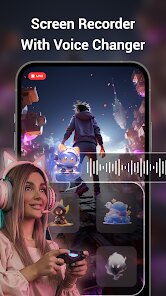
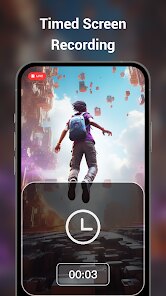
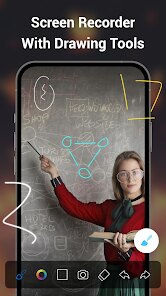
editor reviews
Screen Recorder Video Recorder is exactly what it sounds like – a tool for capturing whatever's happening on your phone's screen. It falls into the utility category, one of those apps you don't think about until you suddenly need to record a game highlight, a video call you want to save, or a quick tutorial for a friend. Honestly, what got me to download it was the sheer number of options out there, and this one had a decent rating on Google Play without asking for payment upfront. First impression after launching? It's a bit cluttered, to be honest. The main screen throws a lot of buttons at you – record, settings, editor, audio tools – and it took a second to figure out where to start. No mandatory sign-up, which I appreciated, but there are ads sprinkled around that can get annoying if you're just trying to test the waters.
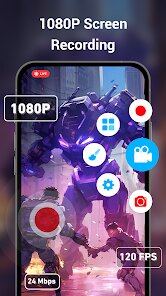
Once you start using it, the actual recording process is straightforward. You hit the big red button, choose your settings like resolution and bitrate, and off you go. I liked that you can pause and resume mid-recording, which saved me from trimming later. The real surprise was the built-in editor – after you stop recording, it automatically opens a trim tool where you can cut off the beginning or end without leaving the app. That's a nice touch. I also played around with the voiceover feature, adding commentary over a recording, which worked smoothly. On the flip side, the interface during longer recordings gets a bit sticky; the floating control button sometimes lags or disappears behind other apps. A practical tip: set your recording quality to 1080p instead of 4K unless you really need it, because file sizes balloon up fast and the free version limits export resolution anyway.
After a week of use, I'd say this app is best for casual recorders – people who need something quick for social media clips, bug reports, or capturing a funny moment. Power users who record gameplay for hours might find the watermark on the free version a dealbreaker, or the lack of background recording (it stops if you switch apps too aggressively). Compared to something like AZ Screen Recorder, this one has more editing tools baked in, but AZ feels cleaner and less ad-heavy. What makes it stand out slightly is the audio editing suite attached – you can cut background music or adjust volume after recording, which is rare for a free screen recorder. I kept it installed because it serves as a one-stop shop for quick recordings without juggling multiple apps, but I can see someone uninstalling if ads or the occasional crash get on their nerves. It's not revolutionary, but it gets the job done for everyday needs.
features
- 🎥 One-tap recording with customizable settings – You can adjust resolution, frame rate, and bitrate right from the main screen, so no digging through menus. Unlike Mobizen, which often defaults to lower quality unless you tweak it manually, this app remembers your preferences.
- 🎥 Built-in video and audio editor – After recording, you can trim, merge clips, or adjust volume without switching to another tool. Super handy for quick edits. XRecorder has a similar feature, but this one lets you extract audio from videos directly.
- 🎥 Floating control widget – A small overlay stays on screen to stop, pause, or hide the recording bar. It's practical, though it can be a bit sluggish at times. Du Screen Recorder requires you to swipe down the notification panel, which feels less intuitive.
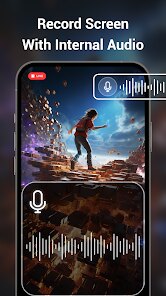
- 🎥 No root needed for internal audio – On Android 10 and up, it captures system sounds without rooting, which is a big plus. Many free apps like ADV Screen Recorder struggle with this, often leaving silent videos.
pros
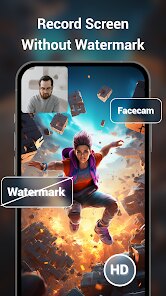
- ✅ Free to start with no watermarks in basic mode – Unlike many apps that plaster their logo all over, this one lets you record without a watermark if you stay under certain resolutions. Mobizen forces a watermark even on low-quality recordings.
- ✅ Integrated audio tools – The voiceover and noise reduction features are surprisingly useful for adding commentary post-recording. XRecorder lacks these entirely.
- ✅ Lightweight on older phones – It doesn't drain battery as fast as some competitors I've tried, like DU Recorder, which can heat up the device quickly.
- ✅ Export options for social media – You can directly share to apps like TikTok or Instagram after trimming, saving an extra step.
cons
- ❌ Ads pop up frequently – They interrupt workflow, especially after stopping a recording. AZ Screen Recorder is much cleaner with fewer interruptions.
- ❌ Editor can lag on longer clips – Trimming a 20-minute video sometimes freezes or crashes, which I've rarely seen in Mobizen's basic editor.
- ❌ No background recording – If you switch to another app, the recording stops. XRecorder handles background tasks better for multitaskers.
- ❌ File management is messy – Saved recordings are dumped into a single folder without sorting options, unlike Du Screen Recorder which organizes by date automatically.
Recommended Apps
![]()
Daily Horoscope
KADO Apps4.4
![]()
FOX Sports: Watch Live Games
Fox Digital Services, LLC3.7
![]()
Fake Call from Santa Claus
ThunderClap4.2![]()
Google Maps
Google LLC4.2![]()
PhotoLayers-Superimpose,Eraser
handyCloset Inc.4.6![]()
Healthy Benefits+
Solutran, Inc.4.5![]()
SuperMe - Avatar Maker Creator
THE.DEMON3.7![]()
Air Horn
Tenoku4.8![]()
Football Wallpaper HD 4K
Orange Infotech Studio4.6![]()
Artplay - AI Photo & Video
Hideaway Technology Limited4.5![]()
Horoscopes – Daily Zodiac Horo
Mail.Ru Group4.1![]()
Passport Parking
Passport Labs, Inc.2.5![]()
ParkMobile: Park. Pay. Go.
Parkmobile, LLC4.3![]()
FestAI: Ghost Detector App
Now Tech3.2![]()
Photo Tool
COLIFER LAB4





























