
Voila AI Artist Cartoon Photo

10M+
Installs
Wemagine.AI
Developer
-
Generative AI
Category
-
Rated for 3+
Content Rating
-
hello@wemagine.ai
Developer Email
-
https://www.wemagine.ai/privacypolicy
Privacy Policy
Screenshots
editor reviews
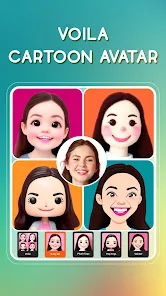
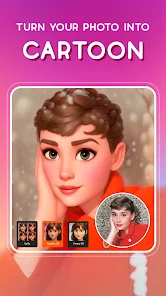
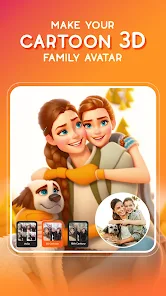
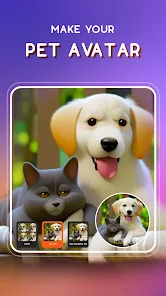
I grabbed Voila AI Artist Cartoon Photo from the Play Store after seeing a friend turn a boring selfie into a cartoon that actually looked like him. It's one of those photo editing apps that focuses specifically on turning regular photos into cartoon-style art, like something out of a Disney movie or a comic book. The app has been downloaded over 10 million times and is free to install, though you'll run into ads and in-app purchases if you want the high-res exports or the cooler filters. Opening it for the first time, the interface hits you with a bright, beginner-friendly layout, just a big button to pick a photo and a few style options right there. No sign-up required, which is rare these days, so you can jump straight into turning your dog into a cartoon character without any hassle.
The actual usage is pretty straightforward. You snap or upload a photo from your gallery, pick a style like '3D Cartoon' or 'Comic', and the app does the AI processing within 10 to 15 seconds. I tried it on a hazy sunset photo, and the result kept enough of the original lighting to look natural. The onboarding is minimal, just a quick tip about cropping faces, which honestly saved me from some weird outcomes. One common step is adjusting the cropping box before processing, because if the app misses part of your face, the cartoon comes out looking like a potato with eyes. I also noticed that portraits with clear backgrounds work best, messy group shots tend to confuse it. The app feels smooth most of the time, but every third or fourth attempt freezes for a moment, nothing serious.
After a few days of playing with it, I think Voila AI Artist works great if you want quick, shareable cartoon versions of yourself or your friends. It's not for professionals, because the output resolution even at the paid tier isn't high enough for printing. Compared to apps like ToonMe or Cartoonify, Voila feels more playful and less polished, the styles are fun but sometimes the expressions get too exaggerated. I can see someone keeping it installed if they enjoy spamming WhatsApp stickers, but for serious editing, you'd probably uninstall it after a week. The free version's watermark and low resolution are the biggest reasons people might jump ship to a paid alternative.
features
- 🎨 Real-time AI style preview: Unlike apps that make you process blindly, Voila shows a live preview of how your photo will look in each cartoon style before you commit. This saves a lot of trial and error, especially when you're unsure between 'Caricature' and '3D Cartoon'.
- 🎨 Batch processing isn't built-in: You have to do each photo one by one. Apps like ToonMe handle multiple photos at once, which is better for making a cartoon album. Voila makes you sit through the 10-second wait for every single picture.
- 🎨 Simpler output options than Adobe Photoshop Express: Voila focuses only on cartoon filters, so you get no background removal, no text overlays, and no manual retouching. If you want more control, you'd need a different app entirely.
pros
- 👍 Super fast processing compared to Cartoonify: Cartoonify takes nearly 30 seconds per image on older phones, but Voila finishes in about 10 to 15 seconds even on my two-year-old device. That difference matters when you're making multiple edits.
- 👍 No registration required unlike many competitors: Most apps force you to create an account or log in with Google before you even see the filters. Voila lets you pick a photo and start editing right away, which is refreshing.
- 👍 More fun style variety than ToonMe: ToonMe gives you only two or three serious cartoon looks, but Voila has around eight styles including comic book, oil painting, and fantasy. You get more options to experiment with.
cons
- 👎 Heavy watermark on free exports: Every saved image gets a huge Voila logo slapped right in the middle. ToonMe at least puts the watermark in a corner, so you can crop it out easily. Here, you pretty much have to pay to remove it.
- 👎 Low resolution even on paid tier: Upgrading only removes the watermark and gives 1080p output. For printing or wallpaper use, that's just not sharp enough. Apps like Clip2Comic offer 4K exports for similar prices.
- 👎 Poor performance with glasses or hats: The AI often distorts sunglasses and caps into weird shapes. Cartoonify handles accessories better by keeping them recognizable instead of melting them into the face.
- 👎 Frequent pop-up ads during use: After every two or three edits, a full-screen video ad plays. No other app in this category is this aggressive with ads unless you pay upfront for the pro version.
Recommended Apps
![]()
Daily Horoscope
KADO Apps4.4
![]()
FOX Sports: Watch Live Games
Fox Digital Services, LLC3.7
![]()
Fake Call from Santa Claus
ThunderClap4.2![]()
Google Maps
Google LLC4.2![]()
PhotoLayers-Superimpose,Eraser
handyCloset Inc.4.6![]()
Healthy Benefits+
Solutran, Inc.4.5![]()
SuperMe - Avatar Maker Creator
THE.DEMON3.7![]()
Air Horn
Tenoku4.8![]()
Football Wallpaper HD 4K
Orange Infotech Studio4.6![]()
Artplay - AI Photo & Video
Hideaway Technology Limited4.5![]()
Horoscopes – Daily Zodiac Horo
Mail.Ru Group4.1![]()
Passport Parking
Passport Labs, Inc.2.5![]()
ParkMobile: Park. Pay. Go.
Parkmobile, LLC4.3![]()
FestAI: Ghost Detector App
Now Tech3.2![]()
Photo Tool
COLIFER LAB4





























