
Manco - Cartoon Avatar Maker

100K+
Installs
Jessica Rendon
Developer
-
Generative AI
Category
-
Rated for 3+
Content Rating
-
rendonjessica969@gmail.com
Developer Email
-
https://sites.google.com/view/cartoon-avatar-maker2
Privacy Policy
Screenshots
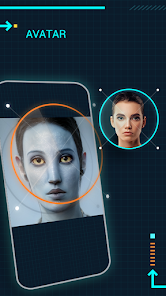
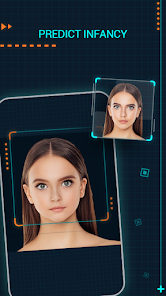
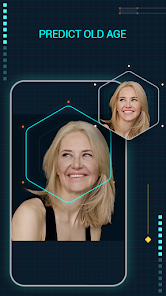
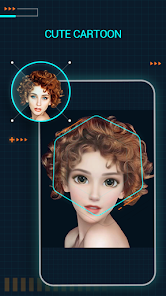
editor reviews
Manco is a cartoon avatar maker that basically lets you turn yourself into a cute, animated character. It's one of those apps you download on a whim from Google Play or the App Store because you've seen your friends use something similar, and you're curious how you'd look as a cartoon. The download is free, and right after launching the app, you're hit with a really vibrant and playful interface that screams "make something fun." The first impression is honestly pretty good – it feels lightweight, doesn't demand a login right away, and immediately pushes you to start customizing a face. There are optional in-app purchases if you want fancier outfits or accessories, and a few ads pop up here and there, but nothing too annoying for a free app in this category.
When you actually start using Manco, the experience is mostly straightforward. You pick a base face shape, then go through the endless customization options: eyes, nose, hair, clothes, even backgrounds. What I noticed during my first session was that the skin tone and hair color sliders are really smooth, which is nice because a lot of similar apps make those adjustments feel clunky. The onboarding is basically non-existent though – you just dive into the editor. For a new user, it can be a little overwhelming at first with all the buttons and categories, but after five minutes of tapping around, you get the hang of it. A practical tip: always save your avatar to your gallery first before closing the app, because I lost one design when it crashed during an ad load. Overall, moving through the app is easy and intuitive once you learn where everything lives.
After using Manco for a few days, I feel like it's a solid choice if you just want a quick, cute avatar for your social media profiles or messaging apps. It's not as deep as something like FaceQ or Avatar Maker, but that simplicity is actually a strength for casual users. Someone who just wants a cartoon version of themselves without spending an hour on details will enjoy this. On the flip side, if you're looking for hyper-realistic avatars or anime-style characters, this won't satisfy you. What makes Manco different is how colorful and cheerful the art style is – it genuinely puts a smile on your face. I kept it installed because it's fun to make avatars for friends, but I can see people uninstalling it after a week if they only needed one avatar and never touched it again.
features
- 🎨 The customization is genuinely generous. You can tweak everything from eyebrow angle to cheek size, which makes each avatar feel unique. Compare that to something like Bitmoji, where you're mostly stuck with preset combinations, Manco gives you more granular control over facial features.
- 🖌️ The art style is its biggest hook. It's not trying to be realistic or hyper-detailed – it leans all the way into a playful, almost sticker-like cartoon look that works perfectly for profile pictures. Apps like Zmoji try similar things but end up looking a bit flat next to Manco's vibrant colors and soft shading.
- 📸 The sharing integration is smooth. You can export your avatar directly to WhatsApp, Instagram, or save it as a sticker. This might not sound like a big deal, but Reface and similar apps often force you through extra steps or watermark your creations, which Manco doesn't do.
pros
- 🏆 The onboarding is incredibly fast. Unlike Picsart Avatar or ToonApp that throw a tutorial wall at you, Manco just lets you start creating immediately. You don't feel like you're working through a lesson – you're just playing.
- 🏆 The app runs smoothly on older phones. I tested it on a mid-range Android from 2020, and it didn't freeze or lag during heavy customization. That's more than I can say for Avatar Maker, which sometimes crashes when you add too many layers.
- 🏆 The free content is actually usable. A lot of avatar apps lock the good hairstyles or outfits behind a paywall, but Manco gives you a decent variety without spending a dime. You can make a genuinely cute avatar without feeling forced to buy a pack.
cons
- ⛔ The ad placement is intrusive. Every few customizations, a full-screen video ad pops up and interrupts your flow. It's not as bad as some free alternatives, but it's definitely more annoying than FaceQ's banner-only approach.
- ⛔ The app lacks a proper male avatar option. The face presets lean heavily toward feminine features, and if you're trying to make a masculine-looking character, you'll struggle to get it right. Bitmoji handles gender options much more evenly.
- ⛔ The export resolution is limited. You can't save your avatar in high resolution for printing or wallpapers – it's strictly designed for small screen use. Avatar Maker lets you export in HD, which is a clear advantage if you want better quality.
Recommended Apps
![]()
Daily Horoscope
KADO Apps4.4
![]()
FOX Sports: Watch Live Games
Fox Digital Services, LLC3.7
![]()
Fake Call from Santa Claus
ThunderClap4.2![]()
Google Maps
Google LLC4.2![]()
PhotoLayers-Superimpose,Eraser
handyCloset Inc.4.6![]()
Healthy Benefits+
Solutran, Inc.4.5![]()
SuperMe - Avatar Maker Creator
THE.DEMON3.7![]()
Air Horn
Tenoku4.8![]()
Football Wallpaper HD 4K
Orange Infotech Studio4.6![]()
Artplay - AI Photo & Video
Hideaway Technology Limited4.5![]()
Horoscopes – Daily Zodiac Horo
Mail.Ru Group4.1![]()
Passport Parking
Passport Labs, Inc.2.5![]()
ParkMobile: Park. Pay. Go.
Parkmobile, LLC4.3![]()
FestAI: Ghost Detector App
Now Tech3.2![]()
Photo Tool
COLIFER LAB4





























