

AI Art Generator - AI Yearbook

5M+
Installs
Smart AI DEV
Developer
-
Generative AI
Category
-
Rated for 3+
Content Rating
-
summerdaysc@outlook.com
Developer Email
-
https://coolsummerdev.com/artgenerator-privacy-policy/
Privacy Policy
Screenshots

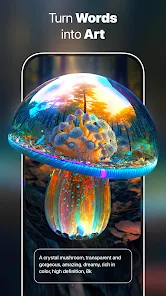
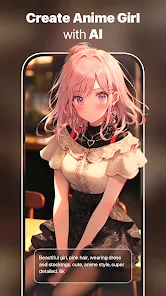
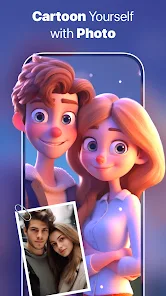
editor reviews
AI Art Generator - AI Yearbook is a mobile app that falls into the photo editing and AI image generation category. It lets you upload a few of your own photos and then generates stylized portraits in various retro, vintage, or thematic looks, like old-school yearbook photos, 80s glamour shots, or even medieval paintings. You mostly download it from Google Play or the App Store, and the install count sits somewhere in the hundreds of thousands, with the core download being free. After you launch it, the first impression is pretty straightforward: a clean screen with a few style packs to choose from, plus a big "upload selfie" button. No account sign-up is required right away, which feels refreshing, though you quickly realize the free credits run out fast and that in-app purchases or a subscription unlock most of the higher-quality styles. There are occasional ads, but they aren't overwhelming during the first session.
Once you start using the app, the hands-on experience is fairly smooth, at least for the first couple of tries. You pick a style, say "Class of 82," and then upload 3 to 5 clear selfies from your camera roll. The app processes them on a server, so you wait maybe 30 seconds to a minute, and then it spits out four generated portraits. The interface during this process is minimal: a progress bar and a "generating" label. A common usage step is to scroll through the outputs and then either save your favorites or try generating again with different photos. I found that using well-lit, front-facing photos with simple backgrounds gave the best results. A small practical tip is to avoid group shots or sunglasses because the AI tends to blur faces or create weird artifacts otherwise. The app can feel a bit repetitive after a few generations since the style packs are somewhat limited, but it's not frustrating for casual use.
After spending some time with the app, my personal judgment is that it's a fun novelty, but not a daily driver. People who enjoy sharing quirky, nostalgic portraits on social media or who want a cheap laugh with friends will probably get a kick out of it. On the other hand, serious photo editors or anyone looking for consistent, professional-grade results will be disappointed. Compared to something like Remini or FaceApp, which focus on face enhancement and realistic filters, AI Yearbook leans heavily into exaggerated, themed aesthetics. The main reason I could see someone keeping it installed is for party tricks or themed events. But the limited free credits and the relatively small library of style packs are reasons many might uninstall it within a week. It does what it promises, just not with a lot of depth.
features
- 🖼️ Yearbook Styles: The app has over 20 themed styles, but the standout is definitely the vintage yearbook looks. While similar apps like Picsart offer general retro filters, AI Yearbook actually reconstructs your face into a full 80s or 90s yearbook portrait with the right lighting, background, and clothing details, which feels more immersive than a simple filter overlay.
- 🤖 Fast Generation: It takes about 30 to 50 seconds to generate four images after uploading your photos. This is faster than some competitors like Midjourney on mobile, which can take a couple of minutes. The speed makes it feel less like a chore and more like a quick experiment.
- 🎨 High-Quality Output: The resolution of the generated images is decent, usually around 1024x1024 pixels, which is fine for social sharing. Compared to apps like Dream by Wombo, which often produce low-res or blurry outputs, AI Yearbook keeps the textures sharp, especially on faces and hair.
- 📸 No Complex Editing Required: You don't need to crop, mask, or adjust anything manually. Just upload selfies, and the app handles the rest. This makes it much more accessible than tools like Photoshop Express, which require manual face swapping or layering.
pros
- ✨ Easy Onboarding: Unlike FaceApp, which pushes you to sign up with an email immediately, AI Yearbook lets you jump right into generating without any account creation. That saves a lot of friction for first-time users.
- ⚡ Single-Tap Styles: The app doesn't bury its features. You pick a style and go. Apps like Prisma require you to adjust intensity sliders and apply effects manually, but AI Yearbook automates the whole thing.
- 🤝 Generous Free Preview: You get a few free credits to test the quality before paying. Remini, in contrast, shows you blurry previews and forces you to pay to see the full result, which feels less trustworthy.
cons
- ⚠️ Repetitive Results: After using different style packs, the outputs start looking similar because the AI uses a limited base model. Apps like Lensa AI offer more diverse artistic interpretations with each generation, making every result feel unique.
- 🔋 Limited Free Credits: You only get about 5 to 10 free generations total. After that, it's either pay for a subscription or watch ads. Compared to StarryAI, which gives daily free credits, this feels stingy.
- 📉 Style Pack Depth: There are only about 20 styles, and some look like slight variations of each other. Apps like Facetune offer dozens of distinct filters and effects, so you get more variety for your money.
Recommended Apps
![]()
Daily Horoscope
KADO Apps4.4
![]()
FOX Sports: Watch Live Games
Fox Digital Services, LLC3.7
![]()
Fake Call from Santa Claus
ThunderClap4.2![]()
Google Maps
Google LLC4.2![]()
PhotoLayers-Superimpose,Eraser
handyCloset Inc.4.6![]()
Healthy Benefits+
Solutran, Inc.4.5![]()
SuperMe - Avatar Maker Creator
THE.DEMON3.7![]()
Air Horn
Tenoku4.8![]()
Football Wallpaper HD 4K
Orange Infotech Studio4.6![]()
Artplay - AI Photo & Video
Hideaway Technology Limited4.5![]()
Horoscopes – Daily Zodiac Horo
Mail.Ru Group4.1![]()
Passport Parking
Passport Labs, Inc.2.5![]()
ParkMobile: Park. Pay. Go.
Parkmobile, LLC4.3![]()
FestAI: Ghost Detector App
Now Tech3.2![]()
Photo Tool
COLIFER LAB4





























