Face Me - AI Art Photo Editor

5M+
Installs
Fillog Studio
Developer
-
Video Players & Editors
Category
-
Rated for 3+
Content Rating
-
fillogfeedback@outlook.com
Developer Email
-
https://sites.google.com/view/vegoo-privacy-policy
Privacy Policy
Screenshots



editor reviews
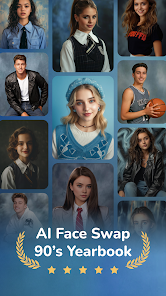
Face Me - AI Art Photo Editor is one of those apps that promises to turn your everyday selfies into something that looks like it came out of a fantasy movie or a Renaissance painting. It's basically an AI-powered photo editor, sitting somewhere between a playful filter app and a more serious art generator. You download it from the Google Play Store, install it, and the first thing you notice is how straightforward the whole thing feels — no endless registration screens or paywalls hitting you before you've even tried anything. It's free to download and has been installed a decent number of times, though I haven't seen exact numbers recently. The initial impression is that it's built for casual fun more than professional editing, and that's fine by me. You open it, grant camera or gallery access, and you're pretty much ready to go.
The actual experience of using Face Me is smooth in parts and a bit clunky in others. After launching, you pick a photo from your gallery or snap a new one. Then you browse through a grid of art styles — things like oil painting, cyberpunk, anime, or fantasy character portraits. The app processes your image using AI, which usually takes around ten to fifteen seconds. What works well is that the results often look genuinely impressive, with good lighting and face structure preservation. The interface is clean enough, though sometimes the ad placement feels a bit intrusive right after a generation finishes. One small tip: if you don't want to wait for ads, turn off your internet before using the free styles. The app also offers a few basic editing tools like brightness and contrast adjustment, but those feel secondary to the main AI feature.
After using Face Me for a couple of weeks, I can see why someone might keep it on their phone. It's perfect for people who love changing their profile picture every week or want a quick, artistic version of a group photo to share with friends. On the other hand, if you're looking for a serious photo editing tool with layers and manual control, this isn't it. Compared to apps like FaceApp or Meitu, Face Me leans harder into artistic reinterpretation rather than simple beautification. What makes it stand out is the variety of styles that go beyond the usual filters — some of them genuinely look like commissioned artwork. But the free version limits how many high-quality generations you can do per day, and that might push some users to uninstall after the novelty wears off. I'd say it's worth a download if you're into creative selfies, but don't expect a daily driver.
features
- 🎨 The most impressive feature is the huge library of art styles, ranging from classical oil paintings to futuristic cyberpunk looks. You don't just get a filter — the AI actually reimagines your face in that style, keeping your features recognizable while completely changing the texture and mood of the image.
- 🖼️ The face preservation is surprisingly good compared to apps like Remini or Picsart. Even when you pick a super stylized look like a warrior or an elf portrait, the app keeps your facial structure intact. I've tried similar tools that end up making you look like a completely different person, but Face Me handles this better.
- ⚡ It processes images fairly fast for a free app. While some competitors make you wait thirty seconds or more, Face Me usually finishes within ten to fifteen seconds. That matters when you want to try multiple styles in one sitting without losing patience.
pros
- 👍 The variety of free styles is a big win. Many AI art apps lock everything behind a subscription, but Face Me gives you a solid number of free options right from the start. You can test the water before deciding to pay.
- 👍 The export quality is decent even on the free tier. Unlike some apps that watermark or compress everything, Face Me lets you save high-resolution versions of your creations, which is great for sharing on social media.
- 👍 It's beginner-friendly. There's no learning curve or complex menu system. You literally pick a photo, pick a style, and get your result. That makes it much more approachable than tools like Stable Diffusion or Midjourney.
cons
- 👎 The free tier runs out of daily credits too quickly. After three or four high-quality generations, you're either waiting for the next day or watching ads to get more. That feels restrictive compared to apps like FaceApp, which lets you use basic filters endlessly.
- 👎 The ad placement is intrusive. After every generation, you get a full-screen video ad, and sometimes another one pops up when you're just browsing styles. It disrupts the flow and makes the experience feel less polished.
- 👎 Some styles produce inconsistent results. While the fantasy and cyberpunk looks are great, a few of the more subtle art styles end up looking messy or oversmoothed. It's hit or miss compared to something like Meitu, which has more consistent outputs.
- 👎 There's no batch processing or undo button. If you want to try the same photo in ten different styles, you have to do it one by one. And if you accidentally apply a style you don't like, there's no way to go back without starting over.
Recommended Apps
![]()
Daily Horoscope
KADO Apps4.4
![]()
FOX Sports: Watch Live Games
Fox Digital Services, LLC3.7
![]()
Fake Call from Santa Claus
ThunderClap4.2![]()
Google Maps
Google LLC4.2![]()
PhotoLayers-Superimpose,Eraser
handyCloset Inc.4.6![]()
Healthy Benefits+
Solutran, Inc.4.5![]()
SuperMe - Avatar Maker Creator
THE.DEMON3.7![]()
Air Horn
Tenoku4.8![]()
Football Wallpaper HD 4K
Orange Infotech Studio4.6![]()
Artplay - AI Photo & Video
Hideaway Technology Limited4.5![]()
Horoscopes – Daily Zodiac Horo
Mail.Ru Group4.1![]()
Passport Parking
Passport Labs, Inc.2.5![]()
ParkMobile: Park. Pay. Go.
Parkmobile, LLC4.3![]()
FestAI: Ghost Detector App
Now Tech3.2![]()
Photo Tool
COLIFER LAB4