
Wedding Dress AI

10K+
Installs
12Apostles
Developer
-
Generative AI
Category
-
Rated for 12+
Content Rating
-
12apostles82@gmail.com
Developer Email
-
https://wedding.facedressai.com/privacy_policy.html
Privacy Policy
Screenshots
editor reviews
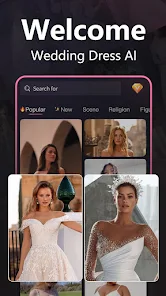
Wedding Dress AI is a mobile app from developer 12Apostles, falling squarely into the utility and lifestyle category with a strong focus on wedding preparation. It lets users upload a photo of themselves in casual clothes and then generates realistic images where they are wearing different wedding dress styles. A lot of people I know have downloaded similar apps from Google Play and the App Store just out of curiosity or to get a vague idea before actually visiting a bridal shop. After downloading and installing it, the first impression is pretty straightforward—you're greeted with a clean, simple interface that asks you to upload your picture right away. There's no overwhelming registration process, which is a relief, though I do recall seeing some optional in-app purchases and a few ads popping up here and there. The install count seems moderate, nothing like a massive mainstream hit, but it has a decent enough following for a niche tool. It's free to download and try, so there's no real risk in checking it out.
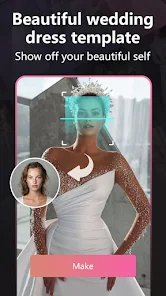
Once you actually start using Wedding Dress AI, the experience is fairly hands-on. After uploading a clear full-body photo of yourself, the app takes a few seconds to process and then shows you a grid of results with different dress styles—from classic ball gowns to sleek mermaid cuts. The interface is simple enough that you can swipe through options or tap on one to see a larger preview. Onboarding is almost nonexistent, which I think works fine since the concept is so intuitive. One common usage step is adjusting the body outline manually if the app doesn't detect your figure perfectly, and I found that letting it sit for a moment after adjusting gives smoother results. A small practical tip: make sure your original photo has good lighting and a plain background, or the AI tends to produce funky edges around the dress. There were a few moments where the dress blended oddly with my background, and I had to retake the photo to fix it.
After spending some time with it, I'd say this app is perfect for brides-to-be who want a low-pressure way to test different silhouettes before stepping into a boutique. That said, someone who already knows exactly what they want might not find it super useful. What really stands out compared to similar apps is how it focuses specifically on wedding attire rather than just general dress-up or fashion try-ons. That narrow scope actually makes it more practical for its target audience. I could see keeping it installed for the fun of sharing different looks with friends or family, but after a few tries, the novelty fades since the dress options aren't endless. You might uninstall it after you've made your final decision, though it's handy to have around if you're still undecided. It's not a replacement for a real appointment, but it's a pretty fun starting point.
features
- 📸 Realistic Dress Rendering: Compared to a popular app like YouCam Perfect, which focuses more on general makeup and outfit filters, Wedding Dress AI does a much better job at actually simulating the fabric and fit of wedding dresses. The AI wraps the material around your body shape in a way that feels natural, not just pasted on top of your photo. It handles details like lace, satin, and tulle surprisingly well, making the try-on feel legit for preview purposes.
- 👗 Dedicated Wedding Styles: Most general fashion apps offer a wide mix of casual, formal, and party wear, but Wedding Dress AI is laser-focused on bridal gowns. You get access to categories like A-line, ball gown, sheath, and tea-length, which covers most of what a bride would consider. This saves you from sifting through irrelevant options, unlike in a general photo editor app where wedding dresses are just one small filter among hundreds.
- 🖼️ One-Click Try-On Simplicity: Unlike editing your own photo manually in something like PicsArt, this app automates the whole process. You literally just upload and wait. The backend does the heavy lifting of removing your original clothes, mapping your posture, and draping the dress over your figure. That convenience is the standout feature here, especially for people who aren't tech-savvy.
pros
- 👍 Fast and Lightweight: The app doesn't hog your phone's storage or battery life. It processes your image pretty quickly, usually under ten seconds, which is better than some other AI dress-up tools I've tested. You can try multiple dresses back-to-back without the app lagging.
- 👍 No Account Needed: Unlike some competitors that force you to log in or register before even seeing results, Wedding Dress AI lets you jump right in. That lowers the barrier for a casual download and trial.
- 👍 Realistic Body Mapping: I've tried similar tools like DressUp Time, and the dresses often look stiff or misaligned. This app does a better job at matching the dress to your pose, even if you're standing at a slight angle.
cons
- 👎 Limited Dress Library: After the first few rounds, you start noticing that the dress options, while varied in style, aren't that many in number. You might see the same base dress with different patterns. Competitors like Perfect365 offer a larger wardrobe of formal wear.
- 👎 Occasional Background Bleeding: Sometimes the AI struggles when your background isn't perfectly plain. Leaves, patterns, or even shadows can get picked up as part of your body, causing the dress to look messy. An app like Facetune handles background detection more cleanly.
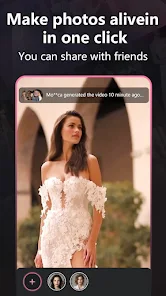
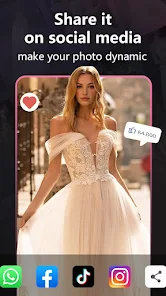
- 👎 No Sharing Features: There's no built-in way to share your try-ons directly to social media or to a friend without downloading the image first. Other apps often let you share within the app, which is a minor but noticeable missing feature.
Recommended Apps
![]()
Daily Horoscope
KADO Apps4.4
![]()
FOX Sports: Watch Live Games
Fox Digital Services, LLC3.7
![]()
Fake Call from Santa Claus
ThunderClap4.2![]()
Google Maps
Google LLC4.2![]()
PhotoLayers-Superimpose,Eraser
handyCloset Inc.4.6![]()
Healthy Benefits+
Solutran, Inc.4.5![]()
SuperMe - Avatar Maker Creator
THE.DEMON3.7![]()
Air Horn
Tenoku4.8![]()
Football Wallpaper HD 4K
Orange Infotech Studio4.6![]()
Artplay - AI Photo & Video
Hideaway Technology Limited4.5![]()
Horoscopes – Daily Zodiac Horo
Mail.Ru Group4.1![]()
Passport Parking
Passport Labs, Inc.2.5![]()
ParkMobile: Park. Pay. Go.
Parkmobile, LLC4.3![]()
FestAI: Ghost Detector App
Now Tech3.2![]()
Photo Tool
COLIFER LAB4





























