
AI Nature Photo Frame & Editor

10M+
Installs
ClickLab Technology
Developer
-
Video Players & Editors
Category
-
Rated for 3+
Content Rating
-
clicklab7@gmail.com
Developer Email
-
https://clicklabprivacypolicy.blogspot.com/
Privacy Policy
Screenshots
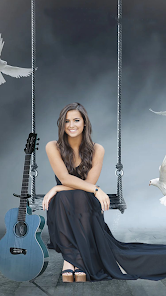

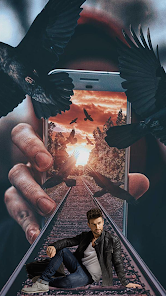
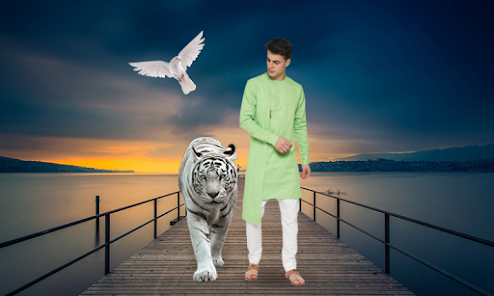
editor reviews
AI Nature Photo Frame & Editor is an image editing app that focuses on putting your photos into nature-themed frames. It's not a full-featured photo editor like Adobe Lightroom or Snapseed. Instead, it's designed for people who want quick, decorative frames with nature backgrounds—like forests, sunsets, or floral scenes. You download it from Google Play or the App Store, and the install count seems modest compared to major photo apps. It's free to download, but you'll notice in-app purchases for unlocking premium frames and removing ads. After launching it, the first impression is a bit mixed. The interface looks clean enough with a nature-inspired color scheme, but there's a pop-up ad right away, which feels a little pushy. Still, you can skip it and get to the main screen quickly.
Once you start using it, the process is straightforward. You tap to pick a photo from your gallery or take a new one. Then you browse through frame categories like "Sunset," "Forest," or "Beach." Each frame overlays your photo with a natural border, and you can adjust the zoom and position of your image behind it. It works smoothly in terms of speed—no lag when switching frames. But I found the controls for zooming a bit finicky; sometimes you pinch and the image jumps instead of scaling smoothly. The app also has basic editing tools like brightness and contrast sliders, but they're pretty limited. A practical tip: if you want to avoid the watermark on free frames, you have to watch a short ad. That's a common trade-off here. For daily use, it feels like a one-trick pony—you're mostly just picking a frame and saving.
After using it for a while, I think this app works well for casual users who enjoy sharing nature-themed photos on social media, like Instagram or Facebook. It's not for someone who needs serious editing power or wants to make fine adjustments. Compared to apps like PicsArt or Canva, which offer frames plus a ton of other tools, this one feels shallow. But it's simpler—you open it, do one thing, and you're done. The uniqueness is the nature focus, which some people might like if they're into outdoor aesthetics. I kept it installed because it's handy for quick posts, but I could see someone deleting it if they want more versatility. The ads can be annoying, but the free version is usable. For me, it's a keeper for now.
features
- 🌿 Auto background replacement: Unlike typical frame apps, this one uses AI to blend your photo with the nature background. In Adobe Photoshop Express, you'd manually mask edges. Here, it tries to do it automatically. It's not perfect—edges can look rough—but it's faster for a casual user.
- 🌿 Frame variety with categories: The app has over 100 frames sorted by scenes like "Mountain" or "Ocean." Snapseed has no frame feature at all. PicsArt has frames but not nature-specific. So if you want a quick sunset border without hunting, this app saves time.
- 🌿 One-tap adjustments: Brightness, contrast, and saturation sliders are right there. In Lightroom, you'd dive into menus. Here, it's on the main screen. The trade-off is precision—you get sliders, not curves—but it's enough for a quick edit before sharing.
- 🌿 No account needed: You can start editing right away. Many apps like Canva force you to sign up. This app lets you import a photo, apply a frame, and export without registration. That's a small but real convenience for privacy-conscious users.
pros
- ✅ Quick results: The main strength is speed. You don't need to learn layers or masks. In Canva, adding a nature frame takes multiple steps. Here, it's pick, apply, save. For a busy person, this is a decent shortcut.
- ✅ Nature-themed library: Most photo editors have generic frames. This app focuses on a niche—forests, beaches, sunsets. If you're into nature photography or travel posts, the pre-made frames work better than what you'd get in VSCO or Afterlight.
- ✅ Low storage footprint: The app is under 50MB. Compared to PicsArt (over 100MB) or Lightroom (huge), it's lightweight. Good for phones with limited space.
- ✅ Free base functionality: You can use many frames without paying. In apps like FaceTune, even basic features are locked. Here, you get a decent set of free frames, just with ads.
cons
- ❌ Aggressive ads: Pop-up ads appear after every save. Even apps like PicsArt show fewer interruptions. It makes the flow frustrating if you're editing multiple photos.
- ❌ Limited editing tools: Brightness and contrast are basic. No curve adjustments, no healing brush. Snapseed and Lightroom offer far more control. This app is strictly for framing.
- ❌ AI edge detection issues: The auto background replacement sometimes leaves halos or cuts off hair. Manual touch-up would help, but there's no eraser tool. Adobe Photoshop Mix handles this better.
- ❌ No social integration: You can't post directly to Instagram or Facebook from the app. You have to save to your gallery and then open the other app. Most competitors, like Canva, allow sharing directly.
Recommended Apps
![]()
Daily Horoscope
KADO Apps4.4
![]()
FOX Sports: Watch Live Games
Fox Digital Services, LLC3.7
![]()
Fake Call from Santa Claus
ThunderClap4.2![]()
Google Maps
Google LLC4.2![]()
PhotoLayers-Superimpose,Eraser
handyCloset Inc.4.6![]()
Healthy Benefits+
Solutran, Inc.4.5![]()
SuperMe - Avatar Maker Creator
THE.DEMON3.7![]()
Air Horn
Tenoku4.8![]()
Football Wallpaper HD 4K
Orange Infotech Studio4.6![]()
Artplay - AI Photo & Video
Hideaway Technology Limited4.5![]()
Horoscopes – Daily Zodiac Horo
Mail.Ru Group4.1![]()
Passport Parking
Passport Labs, Inc.2.5![]()
ParkMobile: Park. Pay. Go.
Parkmobile, LLC4.3![]()
FestAI: Ghost Detector App
Now Tech3.2![]()
Photo Tool
COLIFER LAB4





























