Fazee - Funny Face Filter

Installs
Vibe Filter Club
Developer
-
Video Players & Editors
Category
-
Everyone
Content Rating
-
mobileinovatex@gmail.com
Developer Email
-
https://sites.google.com/view/innovatex-privacy-policy/home
Privacy Policy
Screenshots


editor reviews
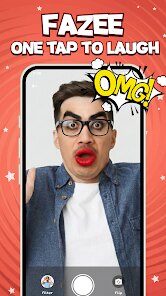
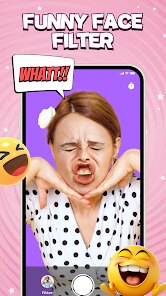
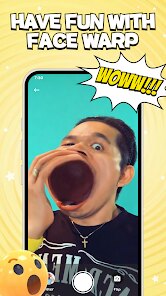
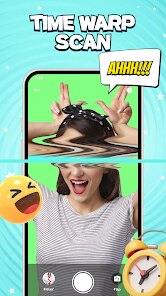
Fazee - Funny Face Filter is a playful camera app that sits squarely in the entertainment and photo-editing category. You basically use it to slap wild, animated masks onto your face in real time, mostly for laughs with friends or for making silly content for social media. It's the kind of thing you'd grab from Google Play or the App Store on a whim, especially if you've seen a buddy using a goofy filter and you want in on the joke. The first time you open it, there's no lengthy sign-up or paywall staring at you; it just drops you straight into the camera viewfinder with a row of previews at the bottom. That immediate, zero-friction start is honestly the biggest draw for a casual user. The app is free to download and has a decent install base, though I didn't dig too deep into the exact numbers. You do get ads popping up occasionally, and there are in-app purchases for the fancier packs, but you can fool around with the core stuff without spending a cent. That first impression is pretty much “okay, this is simple and it works,” which is more than I can say for some bloated editing apps out there.
Once you start actually using it, the flow is straightforward. You pick a mask from the carousel, point your front camera at your face, and the tracking kicks in almost immediately. The interface is clean, with big icons for switching cameras, recording video, or snapping a photo. I spent a good ten minutes just cycling through the free filters, and the facial mapping held up well even when I tilted my head or squinted. Some masks are a bit janky if you're in dim lighting, but in normal daylight, they stick to your features convincingly enough. One small tip I figured out: you can tap and hold the screen to freeze a mask while you adjust your head position, which helps when a filter keeps drifting. There's a slight learning curve with the gesture controls for saving stuff or flipping the camera, but it's nothing a quick fumble won't fix. My only real confusion was figuring out which masks were truly free versus locked behind the paid tiers, since the lock icons weren't always obvious until you tapped them.
After a few days of playing around with it, I'd say Fazee has a pretty clear personality. It's not trying to be a professional editing suite like Snapseed or a full-on social hub like Instagram; it's purely a toy for quick, goofy results. If you're someone who loves sending weird selfies to group chats or making short clips for TikTok without caring about polish, this will probably earn a permanent spot on your home screen. On the flip side, if you need precise control over your edits or a huge library of realistic effects, you'll outgrow it fast. What keeps me coming back is how reliable the tracking is compared to some other novelty apps that feel gimmicky and broken within five minutes. But I can also see myself deleting it down the line if the ad frequency gets more annoying or if the free pack starts feeling too repetitive. It's a fun little distraction, not a lifelong companion.
features
- 😜 The standout feature is definitely the live face tracking. It locks onto your expressions and head movements with surprising speed, which makes the masks feel less like stickers and more like actual overlays. A lot of similar apps, like Snapchat or YouCam Fun, have decent tracking, but Fazee keeps it snappy even on older phones, which is a big plus for casual testing.
- 🎭 The variety of funny masks leans into absurdist humor. You get things like melting faces, giant noses, and wobbly eyes, which feel distinctly unpolished in a charming way. Compared to the more polished but sterile filters in apps like FaceApp, this has a raw, party-game energy that is actually fun to share.
- 📹 The one-tap video recording is another win. You don't have to fiddle with settings or timers; you just press the button and the app captures everything with the mask active. For making quick reaction clips, it's smoother than the multi-step process in something like MSQRD or older versions of Funimate.
pros
- 👍 Ease of use is the biggest strength. The app is so uncomplicated that even my mom, who isn't tech-savvy, got the hang of it in less than a minute. That's a level of accessibility that an app like PicsArt struggles with.
- 👍 The performance is lean. I didn't notice any major battery drain or overheating during a 15-minute play session, which is more than I can say for heavier tools like TikTok's built-in effects when they get overly complex.
- 👍 The free tier is actually usable. You get a solid handful of masks without hitting a paywall every few swipes, which feels generous next to apps like CupCut that push subscriptions aggressively.
cons
- 👎 The ads are intrusive during transitions. Every few mask changes, you get a full-screen video ad that breaks the flow. It's not as bad as some other free utilities, but it definitely makes me reach for the volume button to mute it.
- 👎 The tutorial is basically nonexistent. There's no guide for the freezing gesture or how to organize saved clips, so new users might just stumble around. It's a minor gripe, but a little onboarding would have helped.
- 👎 The paid packs are overpriced for what they offer. Three or four extra masks for a couple of dollars feels steep, especially when you compare it to the huge libraries in an app like B612 that bundle more for less.
Recommended Apps
![]()
Daily Horoscope
KADO Apps4.4
![]()
FOX Sports: Watch Live Games
Fox Digital Services, LLC3.7
![]()
Fake Call from Santa Claus
ThunderClap4.2![]()
Google Maps
Google LLC4.2![]()
PhotoLayers-Superimpose,Eraser
handyCloset Inc.4.6![]()
Healthy Benefits+
Solutran, Inc.4.5![]()
SuperMe - Avatar Maker Creator
THE.DEMON3.7![]()
Air Horn
Tenoku4.8![]()
Football Wallpaper HD 4K
Orange Infotech Studio4.6![]()
Artplay - AI Photo & Video
Hideaway Technology Limited4.5![]()
Horoscopes – Daily Zodiac Horo
Mail.Ru Group4.1![]()
Passport Parking
Passport Labs, Inc.2.5![]()
ParkMobile: Park. Pay. Go.
Parkmobile, LLC4.3![]()
FestAI: Ghost Detector App
Now Tech3.2![]()
Photo Tool
COLIFER LAB4