GPS, Maps, Voice Navigation

50,000,000+
Installs
AppStar Studios
Developer
-
Travel & Local
Category
-
Rated for 3+
Content Rating
-
interactiveappstudios@gmail.com
Developer Email
-
https://appstarstudios.blogspot.com/2017/09/privacy-policy.html
Privacy Policy
Screenshots

editor reviews
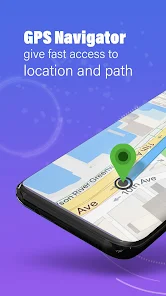
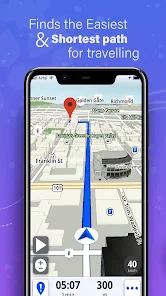
GPS, Maps & Voice Navigation by AppStar Studios is a straightforward navigation app that sits somewhere between dedicated GPS devices and more feature-rich mapping giants. You can use it to get driving, walking, or transit directions with turn-by-turn voice guidance, and it also includes some extra tools like a speedometer, compass, and points of interest lookup. A lot of people pick up this app when they want something lighter than Google Maps or Waze, especially if they're tired of the bloat or constant data usage. When you first launch it, the interface looks clean and simple, almost like an older car GPS unit shrunk onto your phone screen. It doesn't ask for much setup, just a quick location permission, and you're looking at a map. The initial impression is that it feels fairly basic, but in a way that might be exactly what someone needs without the extra noise.
Using the app day to day, the experience is pretty smooth for the core navigation stuff. You type in an address, it plots a route, and the voice tells you when to turn. I noticed the map loads fast even with a weaker signal, which is a nice change if you've ever had Google Maps freeze up on you underground or in a rural spot. The interface is mostly icons and big buttons, so it's easy to tap where you need to go without squinting. One small thing I liked is that you can download offline maps from within the settings, so it's a solid backup if you're heading somewhere with patchy reception. The speedometer overlay is also neat, though it's not always perfectly accurate. On the flip side, the search for places like restaurants or gas stations is not as smart as competition, so you'll often need to type the exact name rather than browsing categories.
After a few weeks with it, I'd say this app fits best for someone who wants a no-fuss GPS that just works without draining data or battery. It's not going to replace Waze if you love real-time traffic rerouting or police alerts, and it won't match Apple Maps if you rely on deep integration with your car. But for simple A-to-B trips, especially when you want to save data or avoid ads, it holds its own. I've kept it installed as a backup, but I still default to Google Maps for complex city driving. The major difference is that this app feels more like a tool while the bigger ones feel like full ecosystems. If you're a traveler who just needs directions and doesn't care about social features or restaurant reviews, this is a decent choice.
features
- 🗺️ The offline maps are the standout feature here. You can download entire regions to your phone and navigate without any internet connection. This is way better than Google Maps, which forces you to manually save specific areas and sometimes struggles with routing when offline. AppStar Studios designed this so you can just pick a state or country and go.
- 🗺️ The voice guidance is clear and not overly chatty. Unlike Waze, which will tell you about police every few blocks, this app only announces turns and lane changes. Some prefer the brevity, especially on long drives where you don't want constant talking.
- 🗺️ The speedometer and compass overlays are always visible on the map screen. Google Maps hides these behind menus or only shows them in certain modes. Here, it's right there as you drive, giving you a constant heads-up on your speed without switching apps.
pros
- ✅ Battery usage is much lighter than Waze or Google Maps. I've noticed my phone stays cool and holds charge for hours. The app doesn't seem to ping for traffic constantly in the background, so your battery lasts longer on road trips.
- ✅ The interface is simpler to navigate. There are no messy menus full of food delivery or business listings. It's just a map and a search bar. For older users or people who just want directions fast, this is a clear strength over the big players.
- ✅ It works fine with weak signals. I tested it in a spot where Google Maps kept "rerouting" every few seconds, and this app stayed steady. It's clearly optimized for offline and low-data scenarios.
cons
- ❌ The POI database is limited. Searching for a chain restaurant often gives zero results, whereas Google Maps finds anything instantly. You'll end up typing the full address half the time, which gets annoying.
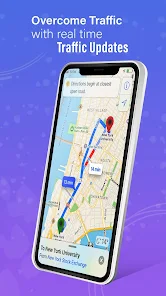
- ❌ Traffic updates are almost non-existent. Waze will actively avoid jams, but this app just gives you the shortest route based on distance. If you commute in a busy city, you're better off with something else.
- ❌ The map visuals are dated. Compared to Apple Maps or Google Maps with their 3D buildings and satellite views, this app looks like a GPS from 2015. It's functional but not nice to look at, and the colors can be a bit dull.
Recommended Apps
![]()
My Name Meaning
KDR Games4
![]()
Find my Phone - Clap, Whistle
FunGear inc4.4![]()
Pet To Human - Pet into Human
Applax Pte. Ltd.4.2![]()
Custom Kicks
Sneakerz4.5
![]()
Italian Brainrot: Quiz & Wiki
EDEO TECH LIMITED0![]()
PrankGen - Funny Prank Sounds
DATONG FUN3.8![]()
Opera Mini: Fast Web Browser
Opera4.3![]()
Artimind: AI Art Generator
Apero Vision Lab4.3![]()
Prediction 2026: Savage Reveal
LKPixel0![]()
Ghost detector radar camera
Prank apps & Joke apps - Herdoza Studio3.9![]()
Imagine : AI Art Generator
Vyro AI3.6![]()
BitMind: AI Detector & Creator
BitMindAI2.8![]()
Number Locator - Phone Tracker
Allegany Boys Camp Inc4.6![]()
myChevrolet
General Motors (GM)4.6![]()
Version AI: AI Photo Generator
Apptribe Dijital4.5















Disclaimer
1.Apklifts does not represent any developer, nor is it the developer of any App or game.
2.Apklifts provide custom reviews of Apps written by our own reviewers, and detailed information of these Apps, such as developer contacts, ratings and screenshots.
3. All trademarks, registered trademarks, product names and company names or logos appearing on the site are the property of their respective owners.
4.Apklifts abides by the federal Digital Millennium Copyright Act (DMCA) by responding to notices of alleged infringement that complies with the DMCA and other applicable laws.
5.If you are the owner or copyright representative and want to delete your information, please contact us info@Apklifts.com.
6.All the information on this website is strictly observed all the terms and conditions of Google Ads Advertising policies and Google Unwanted Software policy.
7.Apklifts.com is an independent, information-only website which is 100% free to all the users.