Phone Tracker - Phone Locator

1M+
Installs
Lutech Ltd
Developer
-
Travel & Local
Category
-
Rated for 3+
Content Rating
-
teammarketing@lutech.ltd
Developer Email
-
https://doc-hosting.flycricket.io/phone-tracker-gps-locator-app-privacy-policy/0933f8b1-86c7-43f5-8a1c-5bccdc733169/privacy
Privacy Policy
Screenshots
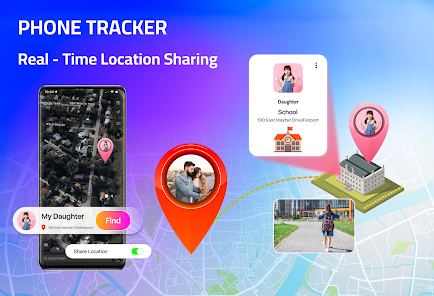
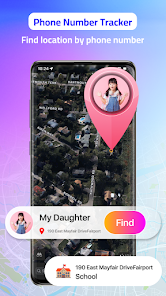
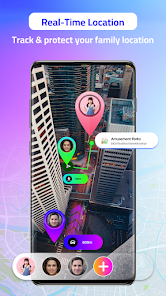
editor reviews
Phone Tracker - Phone Locator, from Lutech Ltd, is a location-based utility app you can grab for free on both Google Play and the App Store. It's meant for keeping tabs on your own devices or, with their okay, tracking where your family members are in real time. People usually download it for that bit of peace of mind — maybe they want to know their kid got home safe or check where their lost phone ended up. Once you launch it, the first impression is pretty straightforward: it asks for location permissions right away, and the main screen shows a simple map view. The install numbers seem decent, and while the app is free to download, you'll find in-app purchases for extra features like location history or removing ads. There's a soft registration step when you start, but it lets you jump right in with a guest mode for basic tracking.
Using the app feels pretty smooth for the most part. After onboarding, you're dropped onto a map with a few icons — one to add a device, another to share your location, and a settings gear. The main action is adding a target phone by entering a code or sending an invite link, which the other person accepts. I did find that step a little confusing at first because the app doesn't always highlight the invitation process clearly. Once you connect devices, you see their real-time location on the map with a timestamp, which updates every few seconds. A handy tip: if you toggle on the “low battery alert” in settings, it'll ping you when the tracked device is running low, which is a small but thoughtful touch. For daily use, you just open it, glance at the map, and swipe to see location history if you've paid for it. It's not flashy, but it gets the job done.
After using it for a while, I think it works best for parents who want a simple way to keep an eye on their kids' whereabouts or for people who are a bit scatterbrained about losing their phones. But if you're a power user who needs detailed geofencing or live location sharing with a large group, it might feel limiting. Compared to Life360, Phone Tracker feels more bare-bones — it skips the community and driving safety features in favor of straightforward mapping. I'd probably keep it installed because it's lightweight and fast, and the free tier is decent enough for basic tracking. Still, I could see myself uninstalling if I wanted more polished features like those in Google Maps location sharing. It's fine for what it is — just don't expect it to blow your socks off.
features
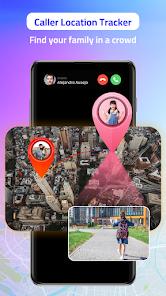
- 📱 Real-time location sharing: You can see exact GPS positions of connected devices on a live map, which updates every few seconds. Compared to Find My on iOS, Phone Tracker lets both Android and iPhone users join the same tracking circle, though Find My's integration is tighter for Apple devices.
- 🗺️ Geofencing alerts: You can set invisible boundaries on the map — like your home or a school — and the app will notify you when someone enters or leaves that zone. Life360 offers similar zones with more customization, but this app keeps it simpler with fewer prompts.
- 🔋 Low battery alerts: When a tracked device's battery dips below 20%, you get a heads-up, which helps you avoid losing signal entirely. Google Maps location sharing doesn't have this feature by default, so it's a nice extra here.
- 🔐 Stealth mode option: For a small fee, you can hide the app icon on the tracked device, making it less obvious that it's being monitored. This stands out because Life360's icon is always visible, which might not work for everyone's situation.
pros
- ⚡ It's quicker to set up than Family Locator — just install, share an invite, and you're tracking in less than a minute without digging through menus.
- 💰 The free version offers unlimited location updates per day, while apps like GeoZilla limit free users to monthly refreshes unless you pay.
- 🔍 Cross-platform support works smoothly between Android and iOS, unlike Find My, which is stuck inside Apple's ecosystem.
cons
- 🍐 Accuracy can be inconsistent indoors — sometimes it shows you a block away from the actual spot. Google Maps location sharing tends to be more precise in tricky areas.
- 📊 Free users get limited location history, only seeing the last 30 minutes. Life360 lets you view a full day's route without paying.
- 🔕 Notifications can be buggy — I've had times where geofence alerts just don't pop up. Find My sends them reliably every time.
- 🪫 The app can drain the tracked phone's battery faster than usual if it runs in the background all day, which is less of an issue with Family Locator.
Recommended Apps
![]()
My Name Meaning
KDR Games4
![]()
Find my Phone - Clap, Whistle
FunGear inc4.4![]()
Pet To Human - Pet into Human
Applax Pte. Ltd.4.2![]()
Custom Kicks
Sneakerz4.5
![]()
Italian Brainrot: Quiz & Wiki
EDEO TECH LIMITED0![]()
PrankGen - Funny Prank Sounds
DATONG FUN3.8![]()
Opera Mini: Fast Web Browser
Opera4.3![]()
Artimind: AI Art Generator
Apero Vision Lab4.3![]()
Prediction 2026: Savage Reveal
LKPixel0![]()
Ghost detector radar camera
Prank apps & Joke apps - Herdoza Studio3.9![]()
Imagine : AI Art Generator
Vyro AI3.6![]()
BitMind: AI Detector & Creator
BitMindAI2.8![]()
Number Locator - Phone Tracker
Allegany Boys Camp Inc4.6![]()
myChevrolet
General Motors (GM)4.6![]()
Version AI: AI Photo Generator
Apptribe Dijital4.5















Disclaimer
1.Apklifts does not represent any developer, nor is it the developer of any App or game.
2.Apklifts provide custom reviews of Apps written by our own reviewers, and detailed information of these Apps, such as developer contacts, ratings and screenshots.
3. All trademarks, registered trademarks, product names and company names or logos appearing on the site are the property of their respective owners.
4.Apklifts abides by the federal Digital Millennium Copyright Act (DMCA) by responding to notices of alleged infringement that complies with the DMCA and other applicable laws.
5.If you are the owner or copyright representative and want to delete your information, please contact us info@Apklifts.com.
6.All the information on this website is strictly observed all the terms and conditions of Google Ads Advertising policies and Google Unwanted Software policy.
7.Apklifts.com is an independent, information-only website which is 100% free to all the users.