
Facetune AI Photo/Video Editor

50M+
Installs
Lightricks Ltd.
Developer
-
Video Players & Editors
Category
-
Rated for 3+
Content Rating
-
facetune2.android.support@lightricks.com
Developer Email
-
https://static.lightricks.com/legal/privacy-policy.html
Privacy Policy
Screenshots
editor reviews
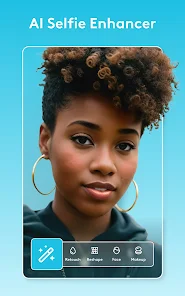
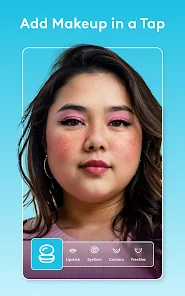
I first came across Facetune AI Photo/Video Editor through a friend who swore by it for her Instagram shots. It's a retouching app from Lightricks Ltd., the same folks who made Facetune2 and other popular image editors. Essentially, you use it to smooth skin, reshape features, remove blemishes, or even swap out backgrounds with a few taps. It's free to download from both Google Play and the App Store, though I noticed it pushes a subscription pretty hard once you open it — the free version works, but some higher-end AI tools are locked behind a paywall. The app has been installed quite a lot judging by the ratings, and my first impression was that the interface looks clean but a bit overwhelming, with icons everywhere. I found myself tapping around just to see what each button does, which felt slightly messy at first.
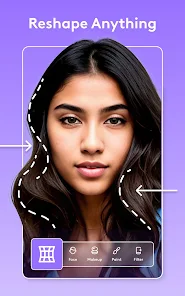
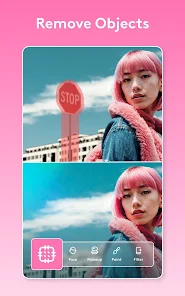
Once I started actually using it, the experience felt smoother than I expected. The onboarding walks you through a sample photo, showing you how the automatic retouching works — it detects your face and applies fixes instantly. For my daily use, I usually import a selfie, hit the "Smooth" slider to remove some shine, then use the "Reshape" tool to tweak my jawline subtly. The AI background swap is genuinely useful; I replaced a cluttered room with a plain studio backdrop in a few seconds. One small tip I learned: if you hold your finger on the screen after applying a filter, it shows the original photo, which is handy for comparisons. The app can feel a bit laggy on older phones, especially when processing high-res images, so patience is needed there. I did notice a few ads popping up occasionally, which broke the flow.
After spending a couple of weeks with Facetune AI, I think it's a solid choice if you want polished, professional-looking edits without learning complex software. It's great for social media posters or anyone who needs quick fixes for portraits. On the flip side, if you're someone who prefers natural-looking photos or hates subscription models, this might feel excessive — Adobe Lightroom offers similar tools without the aggressive upselling. What sets Facetune apart is the speed and simplicity; you can get a headshot ready in under a minute, whereas other apps like Snapseed require more manual tweaking. I kept it installed because it's handy for emergency edits, but I can see someone uninstalling it if they aren't willing to pay for the full experience.
features
- ✏️ Facetune AI excels at AI-powered retouching with one-tap fixes like skin smoothing and blemish removal, while a similar app like Adobe Lightroom requires manual adjustment for each spot. Facetune's automatic detection feels faster for quick edits.
- ✏️ Its AI background swap is a standout feature — you can replace a messy room with a clean studio instantly, which is easier than using Snapseed's masking tool, where you have to painstakingly brush out the background yourself.
- ✏️ The face reshaping feature is more intuitive than YouCam Perfect's version, as Facetune lets you drag specific areas like jawline or nose with real-time preview, while YouCam's sliders feel less precise and more trial-and-error-heavy.
pros
- 👍 Facetune AI's interface is cleaner and more modern than YouCam Perfect's cluttered layout, making it easier to find tools without searching through menus.
- 👍 Its AI processing speed is faster than that of Adobe Lightroom, especially for automatic retouching tasks, so you can batch-edit photos quickly.
- 👍 The free version offers more usable features compared to PicsArt, which limits key tools like background removal behind a paywall after a few uses.
cons
- 👎 The subscription model is expensive compared to the one-time purchase of Enlight Photofox, which offers similar retouching tools without recurring fees.
- 👎 AI features can be hit or miss with group photos — it sometimes misses faces or applies edits unevenly, while Adobe Lightroom handles multiple subjects more reliably.
- 👎 The app drains battery faster than Snapseed during extended editing sessions, which is frustrating if you're on the go.
- 👎 Customer support is slow to respond, especially compared to YouCam Perfect's live chat, leaving you stuck if you encounter bugs.
Recommended Apps
![]()
Daily Horoscope
KADO Apps4.4
![]()
FOX Sports: Watch Live Games
Fox Digital Services, LLC3.7
![]()
Fake Call from Santa Claus
ThunderClap4.2![]()
Google Maps
Google LLC4.2![]()
PhotoLayers-Superimpose,Eraser
handyCloset Inc.4.6![]()
Healthy Benefits+
Solutran, Inc.4.5![]()
SuperMe - Avatar Maker Creator
THE.DEMON3.7![]()
Air Horn
Tenoku4.8![]()
Football Wallpaper HD 4K
Orange Infotech Studio4.6![]()
Artplay - AI Photo & Video
Hideaway Technology Limited4.5![]()
Horoscopes – Daily Zodiac Horo
Mail.Ru Group4.1![]()
Passport Parking
Passport Labs, Inc.2.5![]()
ParkMobile: Park. Pay. Go.
Parkmobile, LLC4.3![]()
FestAI: Ghost Detector App
Now Tech3.2![]()
Photo Tool
COLIFER LAB4





























