
PicsApp Photo Editor & Collage

50M+
Installs
Lyrebird Studio
Developer
-
Video Players & Editors
Category
-
Rated for 3+
Content Rating
-
lyrebirdstudio@gmail.com
Developer Email
-
https://lyrebirdstudio.net/privacy_policy.htm
Privacy Policy
Screenshots
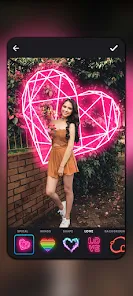
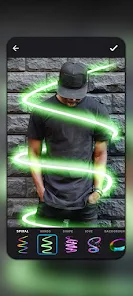
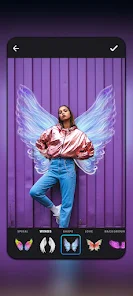
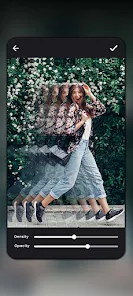
editor reviews
PicsApp Photo Editor & Collage by Lyrebird Studio is exactly what the name suggests: a photo editing tool with collage capabilities rolled into one app. You can download it for free from both Google Play and the App Store, though it has in-app purchases to unlock the full toolbox. When I first installed it, the app quickly asked for access to my photo gallery, which felt a bit pushy for something I hadn't even explored yet. Once past that, the home screen showed a clean layout with two main options: Edit and Collage. It's designed for anyone who wants to tweak a snapshot or combine a few photos without opening heavyweight software.
Jumping into an actual edit, I found the interface straightforward but not exactly modern. The tools are lined up along the bottom, and you tap each one to see sliders for brightness, contrast, saturation, and so on. The real hands-on moment came when I tried the auto-enhance button. It did a decent job fixing exposure on a dull indoor shot without making it look fake. For collages, you pick a layout first, then drop in your photos. A small tip: after arranging images, you can swipe left on any layout option to see more variations. One minor annoyance I ran into was the occasional ad popping up after saving a picture, which broke the flow a bit unless you upgrade.
After using PicsApp for a few weeks, I think it works best for casual users who just want fast results without learning curves. If you're someone who needs layers, masks, or precise color grading, this app probably isn't the right fit. Compared to other free editors like Snapseed, PicsApp feels more limited in depth but easier for quick collages. What made me keep it installed was the simplicity: I could make a quick birthday collage in under a minute. I could see someone uninstalling this if they try more advanced apps like PicsArt and get hooked on the extra features. Still, for my basic needs, it's a decent enough tool to hold onto for occasional use.
features
- ✨ The collage layout library is surprisingly broad. You get over 100 grid patterns to choose from, and they go beyond the typical square arrangements. Some layouts put images at different angles or add background shapes, which gives a more dynamic look without manual tweaking.
- ✨ The auto-enhance tool does a good job recognizing scene types. For a portrait, it softens skin slightly and boosts warmth. For a landscape, it pulls up shadow detail without blowing out the sky. That kind of situation-aware adjustment is rare in free editors.
- ✨ Direct integration with social sharing is smooth. Once you finish a picture, you can send it to Instagram, WhatsApp, or save it to your gallery in two taps. No extra compression or watermarks unless you use the free version for certain exports.
pros
- 👍 The app launches and processes images very quickly. On a mid-range Android phone, opening a 12-megapixel photo took under two seconds. That beats PicsArt by a noticeable margin.
- 👍 The collage maker doesn't lower image resolution when you combine pictures. In contrast, some free collage apps like Canva compress the final output unless you pay. Here, the resolution stays pretty solid.
- 👍 You can apply preset filters from the home screen without entering the full editor. That small shortcut saves time when you only want a quick color change without diving into sliders.
cons
- 👎 The free version pushes ads heavily. After saving three photos in a row, a full-screen video ad plays automatically. Snapseed has zero ads, which makes PicsApp feel intrusive by comparison.
- 👎 Advanced editing tools like curves or selective color adjustment are missing. If you try to fine-tune a specific area, you have to use the global settings instead. That limits the flexibility for more complex edits.
- 👎 Export resolution is capped unless you pay. In the free tier, the maximum output is 2048 pixels on the long edge. PicsArt lets you export higher in the free version, so that's a clear downgrade here.
- 👎 No batch processing feature. If you want to apply the same filter to multiple photos, you have to edit each one individually. That becomes tedious fast if you have a set of images from the same event.
Recommended Apps
![]()
Daily Horoscope
KADO Apps4.4
![]()
FOX Sports: Watch Live Games
Fox Digital Services, LLC3.7
![]()
Fake Call from Santa Claus
ThunderClap4.2![]()
Google Maps
Google LLC4.2![]()
PhotoLayers-Superimpose,Eraser
handyCloset Inc.4.6![]()
Healthy Benefits+
Solutran, Inc.4.5![]()
SuperMe - Avatar Maker Creator
THE.DEMON3.7![]()
Air Horn
Tenoku4.8![]()
Football Wallpaper HD 4K
Orange Infotech Studio4.6![]()
Artplay - AI Photo & Video
Hideaway Technology Limited4.5![]()
Horoscopes – Daily Zodiac Horo
Mail.Ru Group4.1![]()
Passport Parking
Passport Labs, Inc.2.5![]()
ParkMobile: Park. Pay. Go.
Parkmobile, LLC4.3![]()
FestAI: Ghost Detector App
Now Tech3.2![]()
Photo Tool
COLIFER LAB4





























