

Face Changer - My Fake Look

10M+
Installs
Cards
Developer
-
Video Players & Editors
Category
-
Rated for 3+
Content Rating
-
support.myfakelook@zipoapps.com
Developer Email
-
https://zipoapps.com/myfakelook/privacy
Privacy Policy
Screenshots
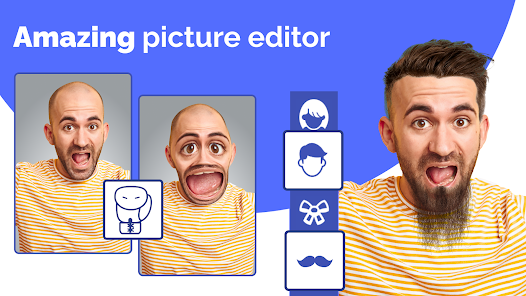
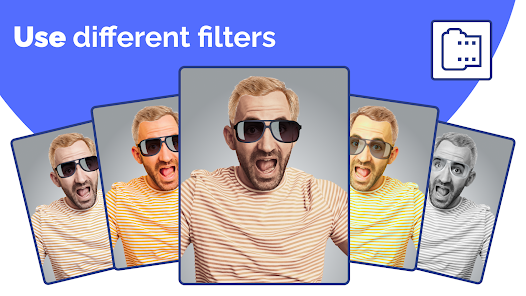
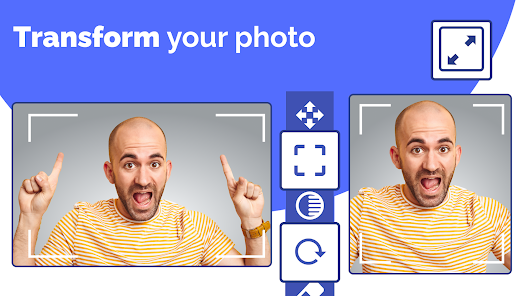
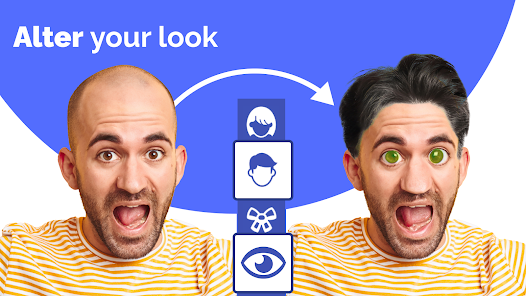
editor reviews
Face Changer - My Fake Look is one of those playful photo editing tools that's been floating around on Google Play and the App Store for a while. It's a face-swapping app, pure and simple. You take a selfie or grab any photo from your gallery, and the app lets you swap your face with someone else's in another picture, or apply a completely different face onto your own body. I first noticed it when a friend sent me a ridiculous image of herself with a celebrity's face, and I had to check it out. The download and install process was quick, and it's free to start using, though there are in-app purchases and ads that pop up from time to time. The first impression after launching it was a bit overwhelming because the main screen throws a ton of templates and options at you, but the novelty factor kept me tapping around.
After using it for a while, the hands-on experience feels a bit like a mixed bag. The app guides you through the basics with a short onboarding, but it's not super detailed, so you end up learning by trial and error. To swap a face, you pick a source photo, then a target photo, and the app auto-detects the face before you manually align it. Sometimes the alignment is spot-on, other times you have to fiddle with the edges to avoid that glitchy look. There's a smoothing tool and a color matching feature that helps blend the skin tones, which is a nice touch. A practical tip I picked up is to use photos with similar lighting, otherwise the result looks like a cut-and-paste job from a bad magazine. The interface is cluttered with banners and buttons, which can be confusing when you're just trying to undo a mistake, but once you get used to it, the main actions become second nature.
After messing around with it for a few days, I think this app appeals to people who enjoy making silly edits for social media or pranking friends, but it's not for anyone looking for realistic photo manipulation. Compared to apps like FaceApp or Reface, Face Changer feels more rough around the edges, with less polish in the face detection and blending. What sets it apart is the sheer variety of templates, but that also makes it feel cluttered. I can see someone keeping it installed if they love sharing goofy images regularly, but I uninstalled mine after a week because the ads got annoying, and the novelty wore off. It's a fun distraction, but not a daily driver.
features
- 😀 Face swapping is the core, and the app offers dozens of templates where you can swap faces with celebrities, characters, or friends. Compared to Reface, which focuses on video face swaps, Face Changer sticks to still images but gives you more control over alignment and blending, so the results can look more customized, though less automatic.
- 😀 The editing tools, like manual alignment, smoothing, and color matching, let you tweak the final image until it looks less obvious. FaceApp doesn't offer this level of manual control in its free version, making Face Changer a better choice for users who want to get hands-on with their edits.
- 😀 The in-app gallery of user-shared edits provides inspiration and a sense of community, which is rare in similar apps like Snapchat's face swap feature. This social aspect encourages you to browse and remix others' creations, adding a layer of engagement beyond just editing your own photos.
pros
- 🌟 The manual control over face alignment is a standout strength. Unlike Reface, which auto-places faces and can produce weird results if the source and target don't match well, Face Changer lets you drag and resize the face to fit the contours better, reducing that robotic look.
- 🌟 It offers a huge library of free templates, including memes and movie scenes. Apps like YouCam Perfect lock many of these behind a paywall, so Face Changer gives you more bang for your buck if you're not ready to spend.
- 🌟 The app runs smoothly on older devices without major lag, which is a plus compared to heavy editors like PicsArt that can freeze up on mid-range phones during face swapping tasks.
cons
- ⚠️ The app is plagued with intrusive ads that interrupt your editing flow constantly. Every time you save an image or switch templates, a 10-second video ad plays, which is far worse than the ad experience in FaceApp, where ads are mostly banner-based and less disruptive.
- ⚠️ The face detection fails often with side profiles, glasses, or hats. In my tests, Reface handled these scenarios much better, while Face Changer would either not detect the face at all or map it incorrectly, leading to wasted time.
- ⚠️ The user interface feels outdated and cluttered with buttons, making navigation confusing for new users. In contrast, apps like Snapchat have a minimalist design that lets you focus on the swap without distractions, which Face Changer sorely lacks.
Recommended Apps
![]()
Daily Horoscope
KADO Apps4.4
![]()
FOX Sports: Watch Live Games
Fox Digital Services, LLC3.7
![]()
Fake Call from Santa Claus
ThunderClap4.2![]()
Google Maps
Google LLC4.2![]()
PhotoLayers-Superimpose,Eraser
handyCloset Inc.4.6![]()
Healthy Benefits+
Solutran, Inc.4.5![]()
SuperMe - Avatar Maker Creator
THE.DEMON3.7![]()
Air Horn
Tenoku4.8![]()
Football Wallpaper HD 4K
Orange Infotech Studio4.6![]()
Artplay - AI Photo & Video
Hideaway Technology Limited4.5![]()
Horoscopes – Daily Zodiac Horo
Mail.Ru Group4.1![]()
Passport Parking
Passport Labs, Inc.2.5![]()
ParkMobile: Park. Pay. Go.
Parkmobile, LLC4.3![]()
FestAI: Ghost Detector App
Now Tech3.2![]()
Photo Tool
COLIFER LAB4





























